12 D01-051en202111 Manual TriBox3
Use
Advanced
Use
Malfunction &
Maintenance
Introduction
General
Information
FAQTechnical Data Warranty
Customer
Service
Contact
Keyword
Index
Accessories
Commis-
sioning
Commissioning // TriBox3
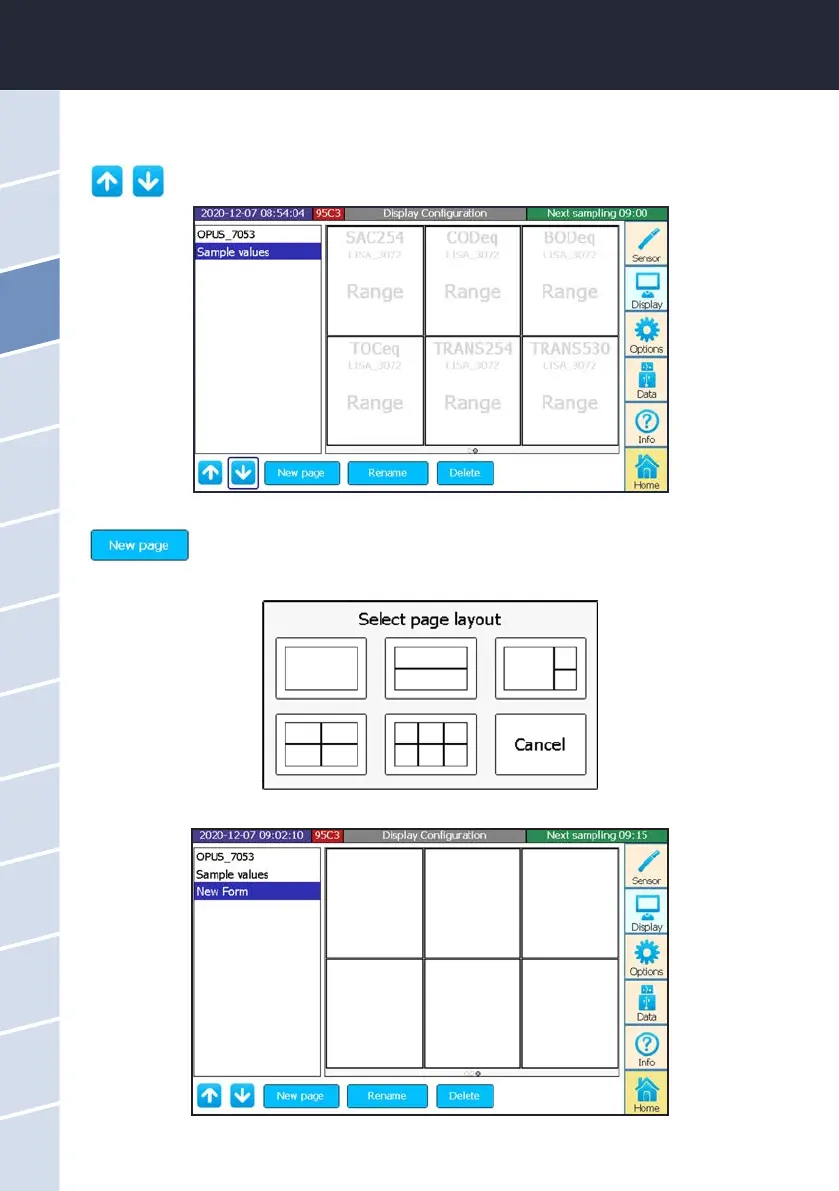
Change the position of a selected display in the entire order.
For example, select “Sample values” and then press the arrow up to move this display in the entire order.
Create new display.
1. Select a page layout from the options displayed.
“Sample values” is already available when commissioning the device.
2. Click on any eld of the selected page layout.



 To Next Page