53D01-051en202111 Manual TriBox3
Use
Malfunction &
Maintenance
Commis-
sioning
Introduction
General
Information
FAQ Technical DataWarranty
Customer
Service
Contact
Keyword
Index
Accessories
Advanced
Use
TriBox3 // Advanced Use
The RJ45 network connection and a internal WiFi module allow the TriBox3 to connect directly to a PC or a
network.
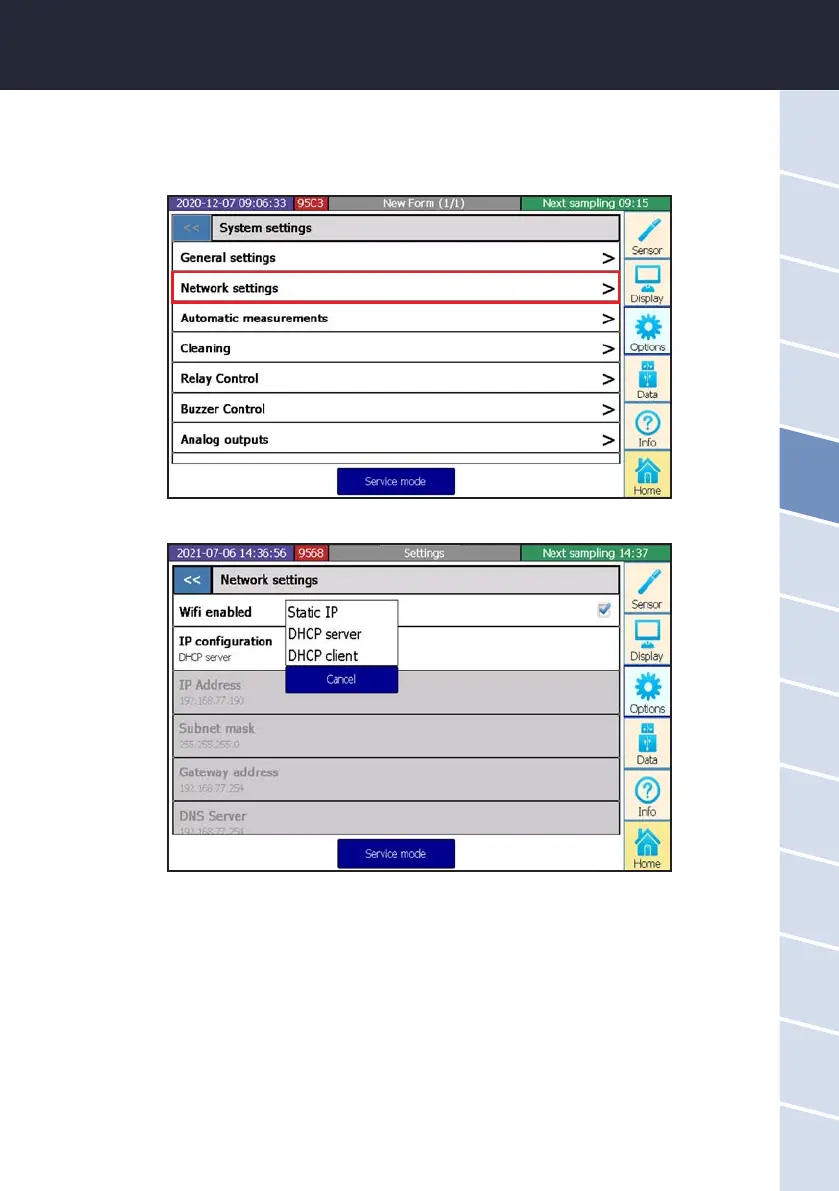
There are dierent settings for the TCP/IP connection:
Static IP The data are dened by the user (static).
DHCP server A DHCP server in the Tribox assigns the settings for the Tribox as well as for the PCs
that are connected (DHCP server).
DHCP client The Tribox receives the setting of a DHCP server in an existing network (DHCP client).
5.5 Network
In the subitem “Network settings”, you can view the IP address and check whether the WiFi is turned on.



 To Next Page