15D01-051en202111 Manual TriBox3
Use
Advanced
Use
Malfunction &
Maintenance
Introduction
General
Information
FAQ Technical DataWarranty
Customer
Service
Contact
Keyword
Index
Accessories
Commis-
sioning
TriBox3 // Commissioning
General settings
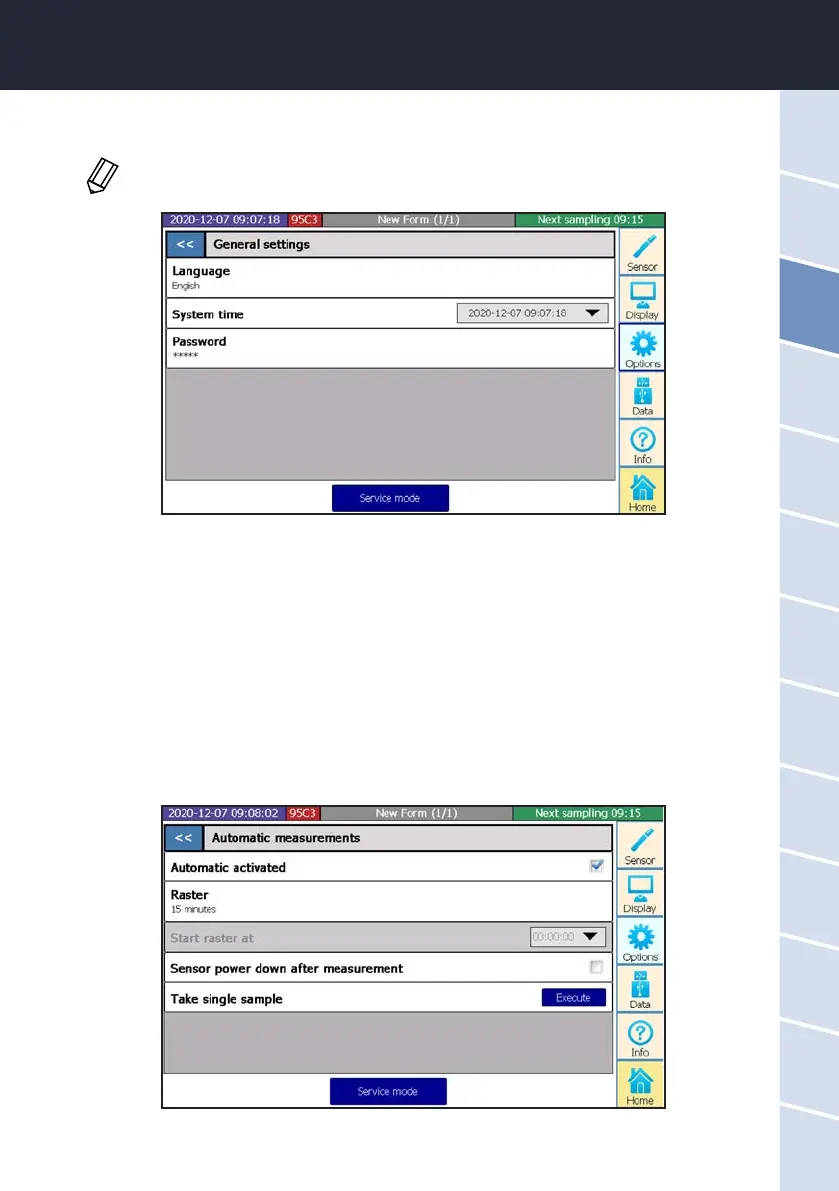
In the subitem “General settings”, language, system time and password can be set.
Network settings
Subitem “Network settings” is dealt with in chapter 5.5.
Automatic measurements
The subitem “Automatic measurements” allows conguration of the automatic measurements.
To make use of an automatic measurement interval, this must rst be activated by checking the box and setting
a measurement interval. For automatic measurement, the sensor must also be activated for automatic meas-
urement (see chapter 4.3).
The power on the COM port can also be switched o after each measurement to save energy and individual
measurements can be triggered. If this function is activated, the middle LED in the sensor power supply lights
up.
In the subitem “General settings”, language and system time can be set. The system must be
restarted after selecting the language.



 To Next Page