12
ASSEMBLY STEPS
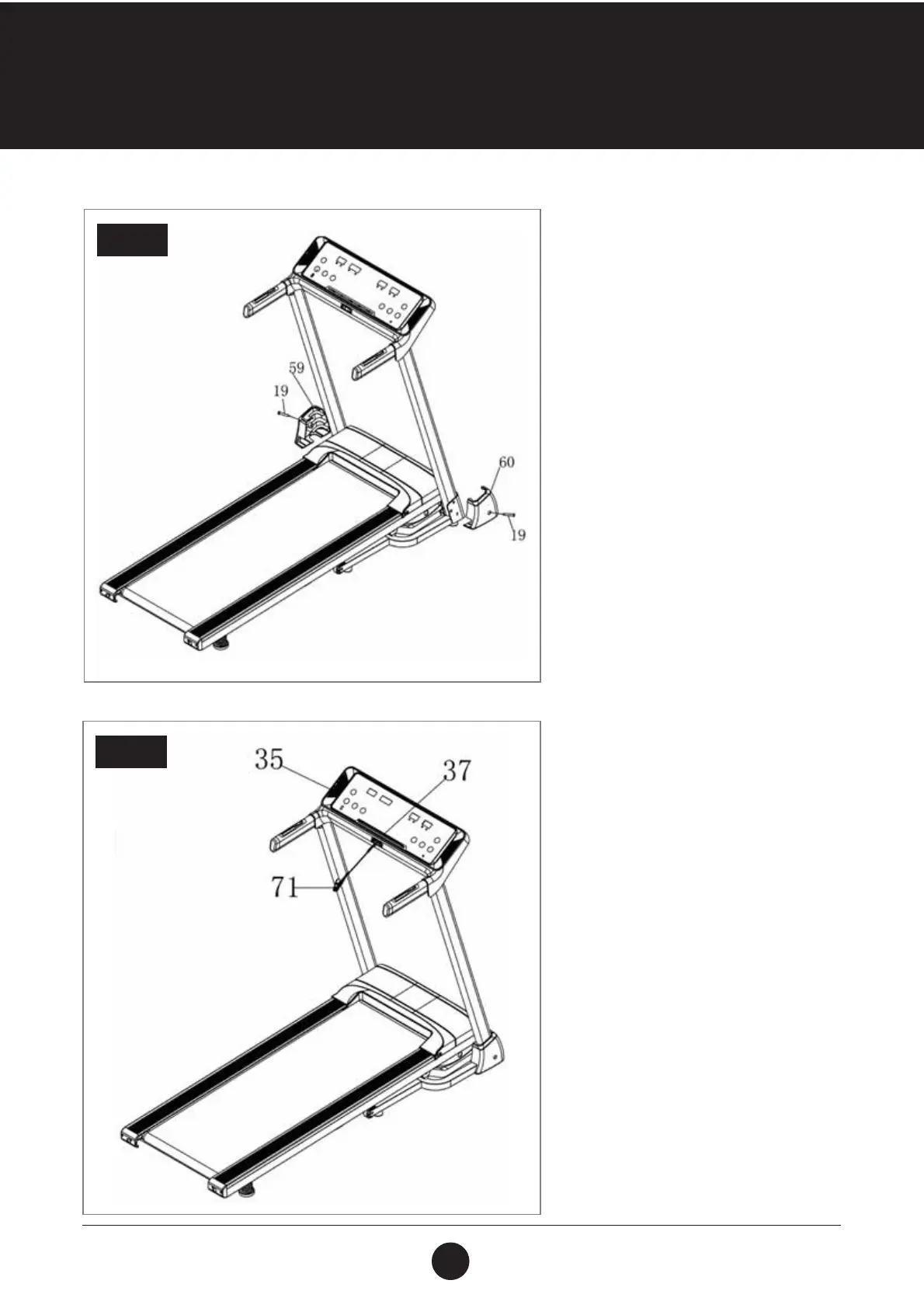
STEP 5:
Use the Multi-tool (78) and
Bolt (ST4.2 x 19) (19) to lock the Left
Base Cover (59) onto the Left Upright
Tube (3) and the Main Frame (1).
Repeat this again on the right side to
lock the Right Base Cover (60) onto
the Right Upright Tube (4) and the
Main Frame (1).
STEP 6:
Attach the Tablet rack (37) into the
Console Panel (35).
Attach the Safety Key (71) to the Console.
STEP 5
STEP 6



 To Next Page