Page 10
1. Initially Connecting to a Lock
a. Click the icon on the start screen
b. Select which type of lock you would like to add
c. Click on available lock
d. Follow prompts to name the device
3. Delete a Connected Lock as a
A
a. Left slide (iPhone), or press and hold (Android) the
lock’s row until the delete button appears
b. Press the “Delete” button
c. Input your account password (If
A
)
d. Conrm the delete
2. Initially Connecting to a Lock
a. Click the icon on the start screen
b. Select which type of lock you would like to add
c. Click on available lock
d. Follow prompts to name the device
USING THE APP
Deleting a lock as
A
will delete all
keys associated.
The rst phone to pair with a lock
will be the
A
for that lock.
Ensure that the lock being paired is
active while connecting.
Once a lock has been paired to an
App, the factory default Passcode,
or the programmed
AP
associated
with the lock will be changed. (See
page 11)
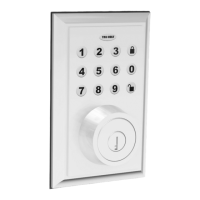
You must wake up the lock
by touching the physical
keypad while connecting.
The App gives you locking
and unlocking options.
Make sure you enable push
notications. This can be changed in
your smart device settings.
Touch to Unlock can be toggled on
and off in “System Settings”.
Bluetooth can be used with the lock
within a 30ft range of the connected
device.
Only updated deadbolt locks, and
safes can be locked with the App.
Other locks will not be able to be
locked with the App.
2. Touch to Unlock
a. Open the application on your smart device
b. Click on the connected lock you wish to unlock
c. Press , or a number on the physical keypad
to unlock
1. Unlock a Connected Lock with the App
a. Open the application on your smart device
b. Click on the connected lock you wish to unlock
c. Click the icon to unlock the door
ADD/REMOVE LOCKS AS A
A
AND
U
You do not need to be near a lock
in order to delete it from the App.
VERY IMPORTANT
VERY IMPORTANT
3. Lock a Connected Lock with the App
a. Open the App
b. Click on the connected lock you wish to lock
c. Press and hold the icon until the lock
has locked



 To Next Page