Page 17
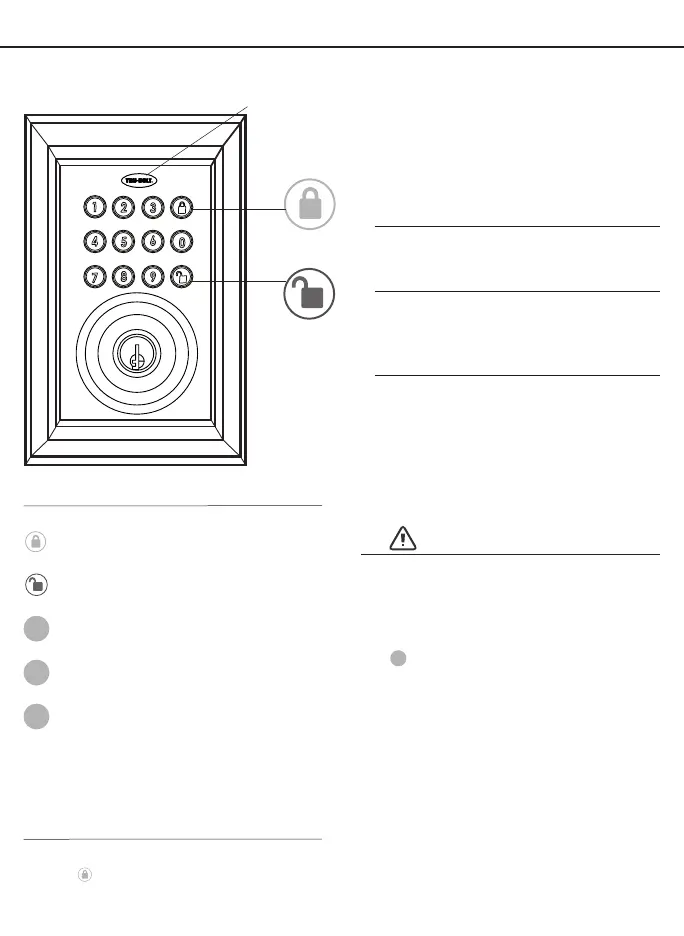
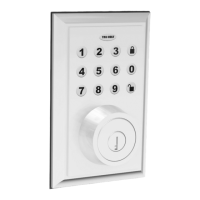
EXTERIOR ASSEMBLY OVERVIEW
INDICATOR
LIGHT
Green
• Indicates successful programming step
• Indicates unlocking is successful
Red
• Indicates failed programming step
• Indicates locking is successful
Complete all the programming steps in the programming mode within 5 seconds.
Use the
key to clear entries in case a wrong button is pushed.
After several incorrect programming steps, the keypad will be disabled for a period of time.
The electronic lock requires four (4)
High Quality AA Alkaline batteries.
When all 4 batteries are installed in the
correct position, you will hear 2 beeps
and the keypad will illuminate blue.
DO NOT TOUCH the keypad until the
keypad stops illuminating.
BATTERIES (NOT INCLUDED)
UNLOCK BUTTON
Lock - Use to lock door
LOCK BUTTON
PROGRAMMING SYMBOLS
New Code (4-9 digits)
NP
Lock / Clear
Programming Code
AP
Received Code (6-9 digits)
RP
Unlock / Programming
PROGRAMMING TIPS
Change the Administrator passcode
AP
so it can easily be remembered by
you after connecting to a lock.
Once you connect the App to the
lock, the factory keypad passcode
will be changed to a new code,
which can be found in the
lock’s settings.
By default the factory keypad
passcode is 1234
III. KEY PAD PROGRAMMING - OPTIONAL
Unlock - Used to unlock door
Programming - Used in programming steps
VERY IMPORTANT



 To Next Page