Page 16
1
System Settings
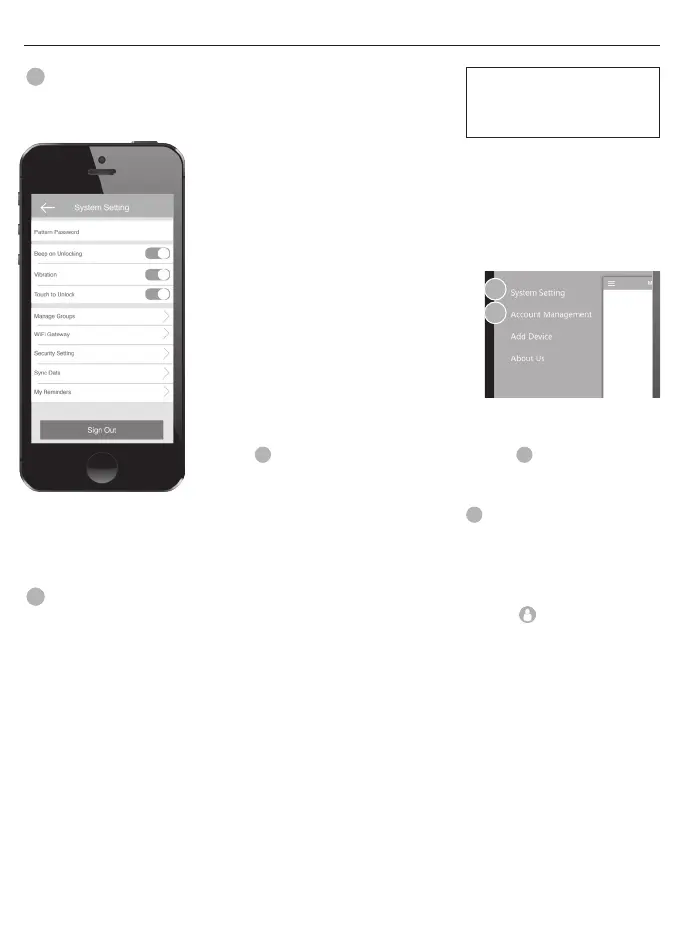
• Go to the System Settings under the “My Key Mobile™” app. Select
below settings as desired.
• Pattern Password - Create a pattern to
unlock the App. Provides extra security
• Beep on Unlocking - Mute or enable a sound when the door is unlocked
• Vibration - Enable or disable the App’s vibration feature
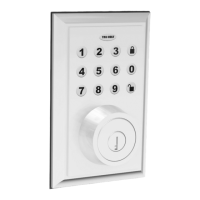
• Touch to Unlock - Enable/disable the ability to touch the physical keypad to
unlock the lock (see page 10 under “Using the App”)
• Manage Groups - Assign locks to groups
• WiFi Gateway - Connect and use the App in
conjunction with an Internet Gateway
• Security Setting - Adjust the following settings
> Reset Lock Verication - Notications of
when the lock is reset
> Send eKey Verication - Notications of
eKeys sent
> Send Passcode Verication - Passcode Notication of when a Passcode
is sent
> Delete
A
eKey Verication - Notication for deleted
A
eKey
> Change Management Passcode Verication - Notication when a
Passcode changes
> Authorize Verication - Notications when a
U
is authorized
• Sync Data - Pair most recent lock data with the App
• My Reminders - Set personal reminders
2
Account Management
• Prole Picture - Change the picture associated with the account by clicking the icon
• Nickname - Create a nickname for the account
• Email/Mobile Number - Add an email/mobile number to the associated account
• Reset Password - Reset your current password to a new password
The Main Menu allows you
to adjust features, and view
information about the App.
1
2
MAIN MENU



 To Next Page