CHAPTER 4A: ESCALATE
9
OPERATION
Truefitness.com / 800.426.6570 / 636.272.7100 33
CONSOLE NAVIGATION (continued):
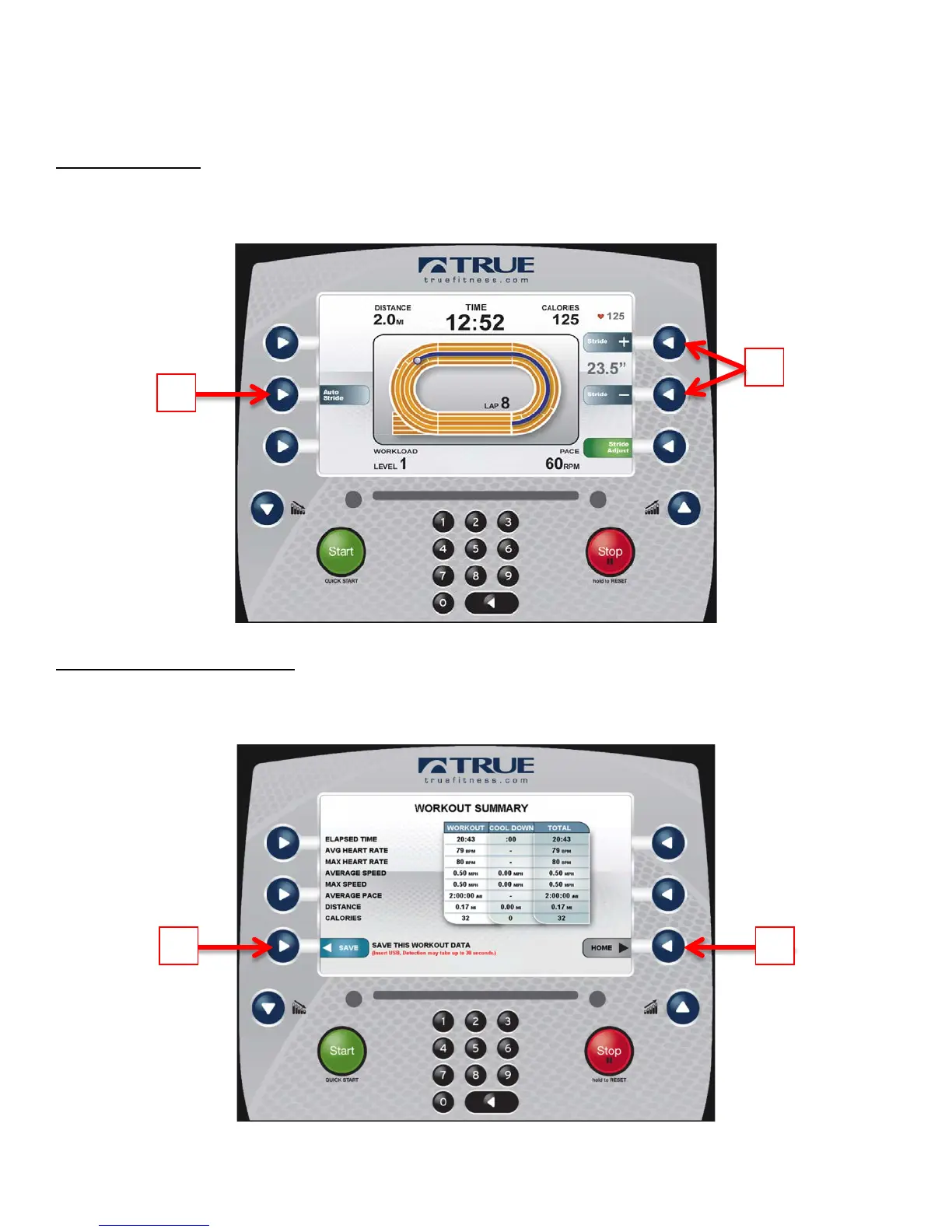
F) Stride Adjust:
The adjustable stride feature allows users to select a stride length that is comfortable for them by manually adjusting the
stride using the adjustment selection buttons(A) or by using the AutoStride™ feature (B), an electronic adjustable stride
feature that will assist you in finding the perfect stride based on your body’s natural movement at various speeds
Workout Summary Screen:
At the end of a workout the Summary Screen will display an overview of the workout data. The workout data can be
exported to another device by inserting a USB drive into the console’s USB port and pressing the Save Selection Button
(A) or to return to the home screen press the Home Selection Button (B)



 To Next Page