CHAPTER 4A: ESCALATE
9
OPERATION
Truefitness.com / 800.426.6570 / 636.272.7100 32
CONSOLE NAVIGATION (continued):
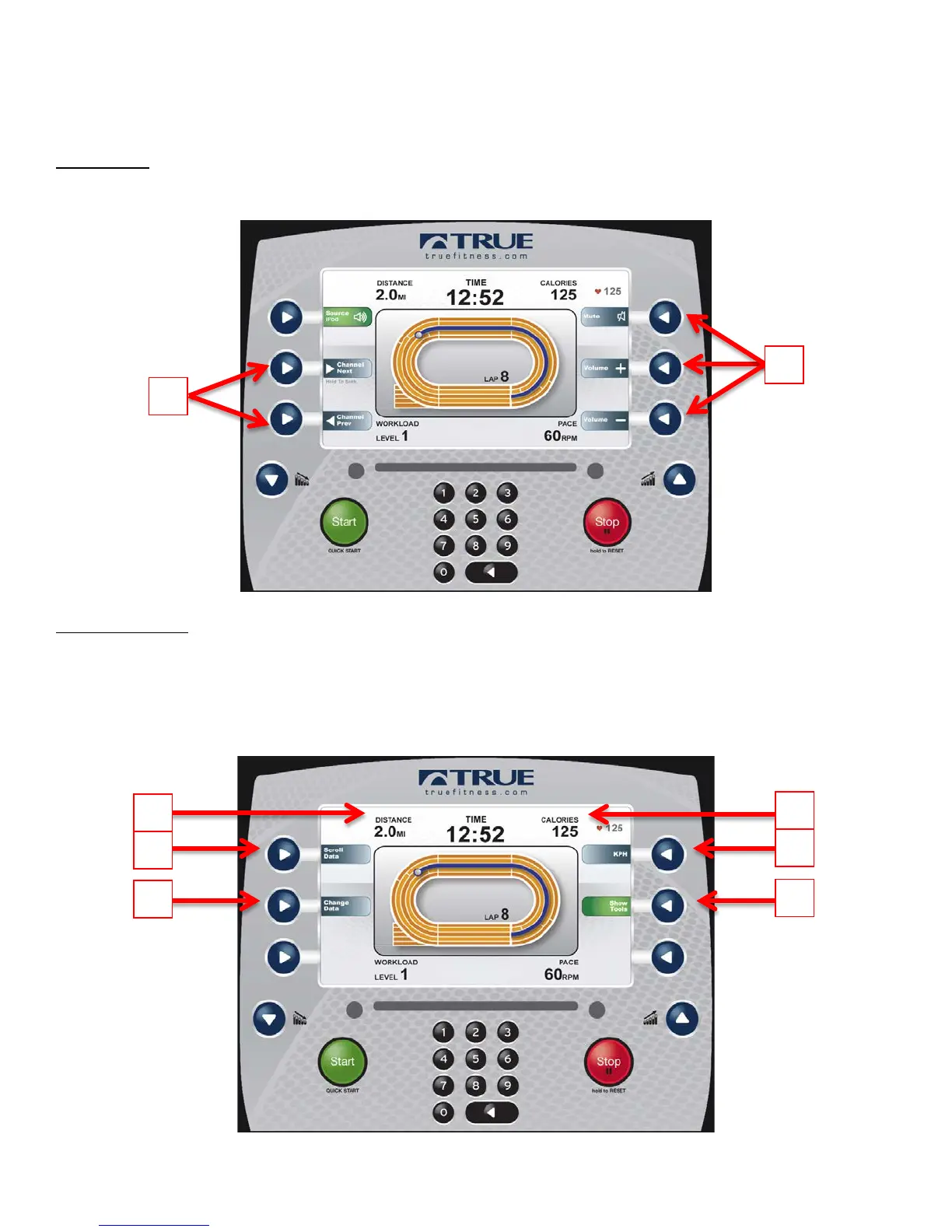
D) Source:
Toggles the iPod® audio source on and off (when connected via the 30 pin iPod connector). When the iPod® audio source
is selected the user is given control over volume (A) and the ability to skip tracks (B).
E) Show Tools:
Pressing the Show Tools Selection Button (A) will display various options. Pressing the Change Data Selection Button (C)
will toggle the data points in Custom Data Display 1(1) between distance and watts. The data points in Custom Data
display 2 (2) will toggle between calories and METs. Pressing the Scroll Data Selection button (B) will allow the Custom
Data Displays to automatically toggle between data points. Pressing the Unit Selection Button (D) will change the units
displayed between English and Metric.



 To Next Page