CHAPTER 4A: ESCALATE
9
OPERATION
Truefitness.com / 800.426.6570 / 636.272.7100 31
CONSOLE NAVIGATION (continued):
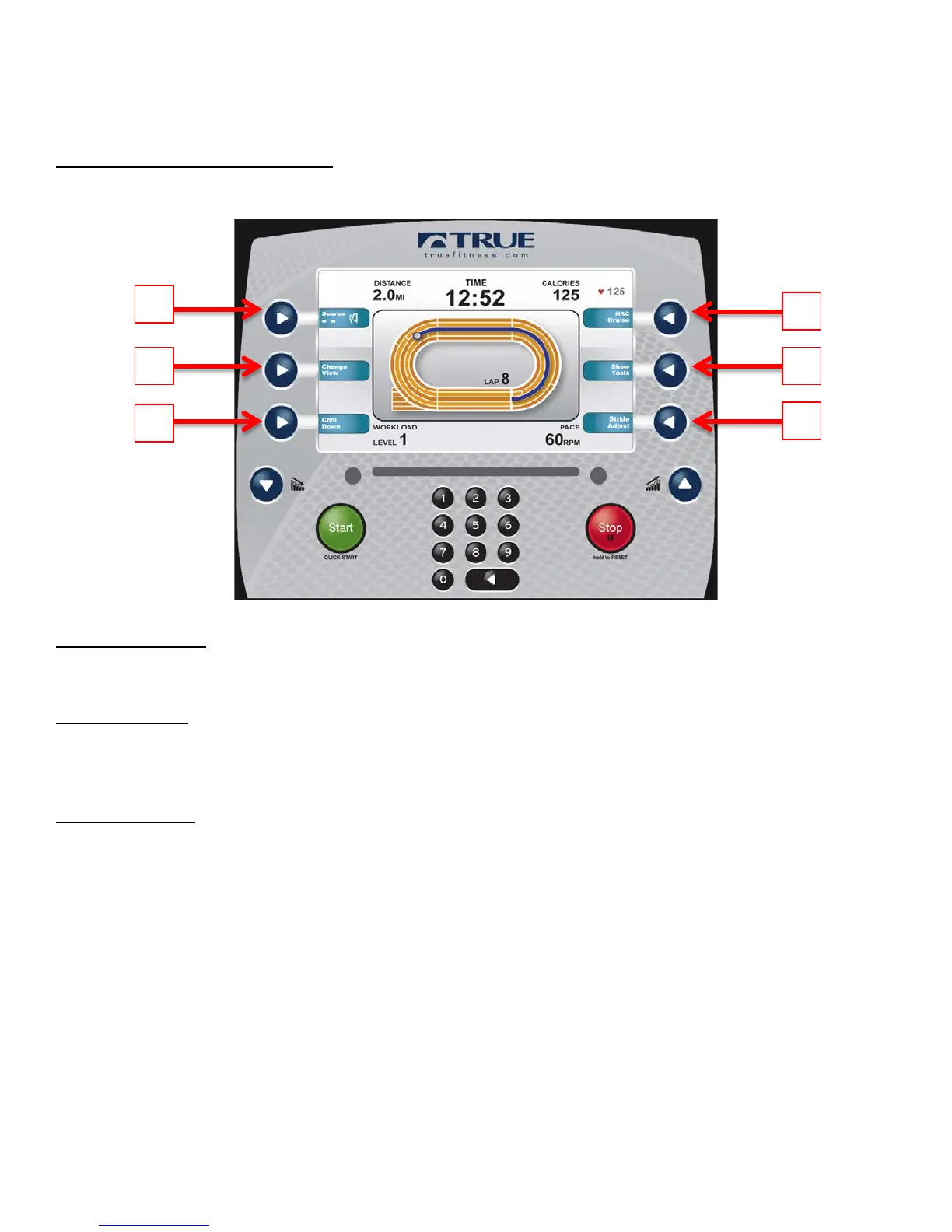
Workout Data Screen Controls:
The Workout Data Screens contain various controls that allow users to adjust workout settings and to customize their
overall workout experience. These controls are accessed by pressing the Selection Button for the control they wish to use.
A) Change View:
Switches between the available Workout Data Screens.
B) Cool Down:
Pressing this button allows the user to end their current workout with a two minute low intensity cool down period. When
Cool Down is activated the unit is in manual mode and the user directly controls all settings.
C) HRC Cruise:
Engages Heart Rate Control to allow the equipment to maintain the user’s current heart rate through automatic workload
adjustments (when the user is utilizing heart rate monitoring).



 To Next Page