114 of 171
Truetness.com / 800.426.6570 / 636.272.7100
CHAPTER 4B: ESCALATE
15
OPERATION
ADVANCED CONSOLE FUNCTIONS:
Setup Menu - TV Setup:
Escalate15 consoles have an integrated HDTV Tuner which allows the user to watch live programming in crisp, clear high
Denition. Before any programming can be viewed, the TV signal needs to be set up. (TV Options will not be displayed
on the Home Screen or in the Workout Data Screens until the TV Setup Steps have been completed)
TV Setup Steps:
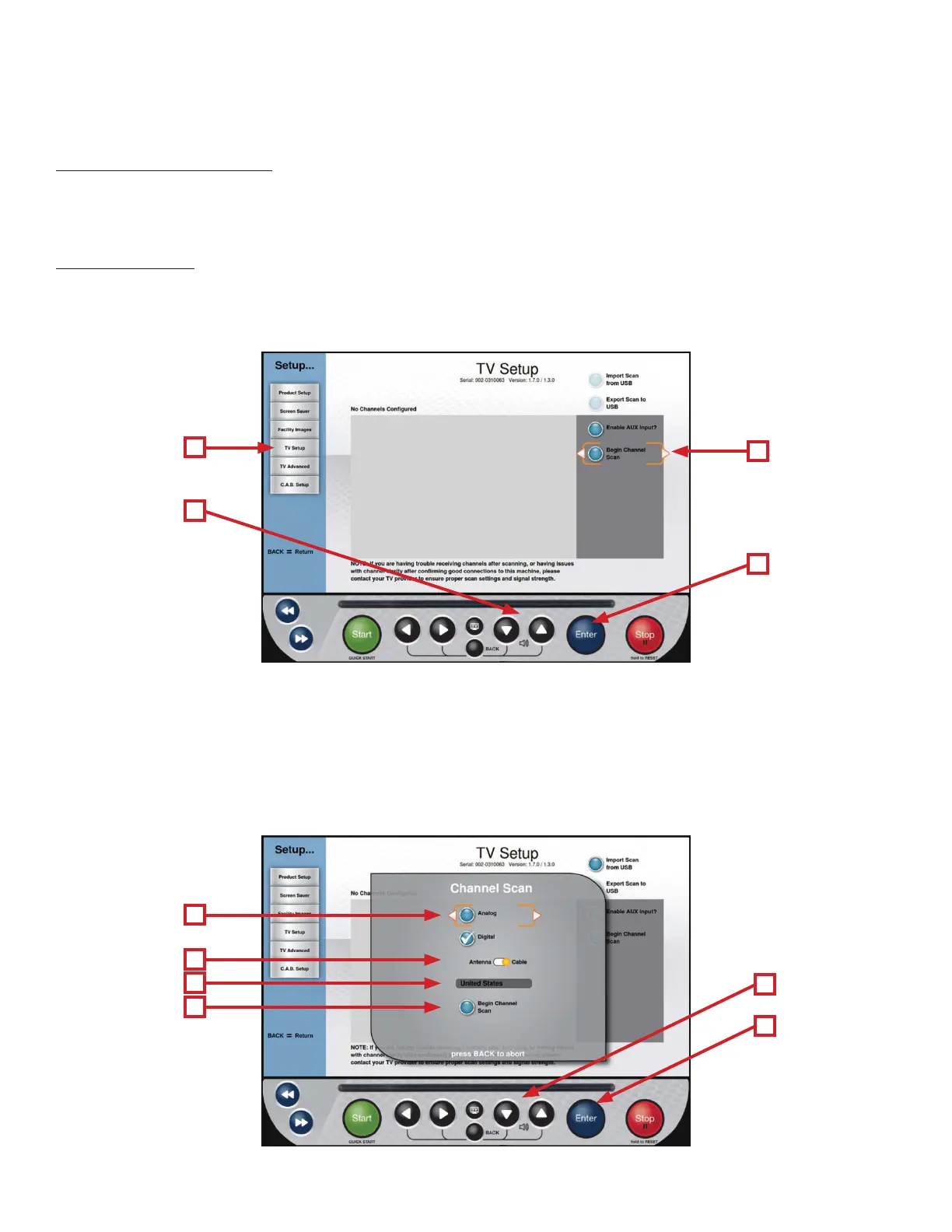
• From the Setup Menu, select TV Setup (A) and press Enter (D).
• Use the Up/Down Selection Buttons (B) to highlight Begin Channel Scan (C)
*Highlight Enable Aux Input and press Enter to Enable or disable the console’s AUX inputs
• Use the Up/Down Selection Buttons (B) to highlight the type of signal is being used (E). en press Enter (D) to select
the appropriate signal type; Analog, Digital, or Both. (Digital is selected by default)
*When analog is selected the correct analog standard is automatically selected (NTSC-M for the United States).
• Highlight the Source Slider (F) and Press Enter (D) to toggle between Antenna and Cable.
• Verify that the correct Country is listed (G).
• Highlight Begin Channel Scan (H) and press Enter (D) to begin scanning for channels.
• Once the channel scan is complete, the channel list will be populated with the available channels.
A
E
B
D
F
G
H
C
D
B



 To Next Page