144 of 171
Truetness.com / 800.426.6570 / 636.272.7100
CHAPTER 4D: EMERGE OPERATION
ADVANCED CONSOLE FUNCTIONS:
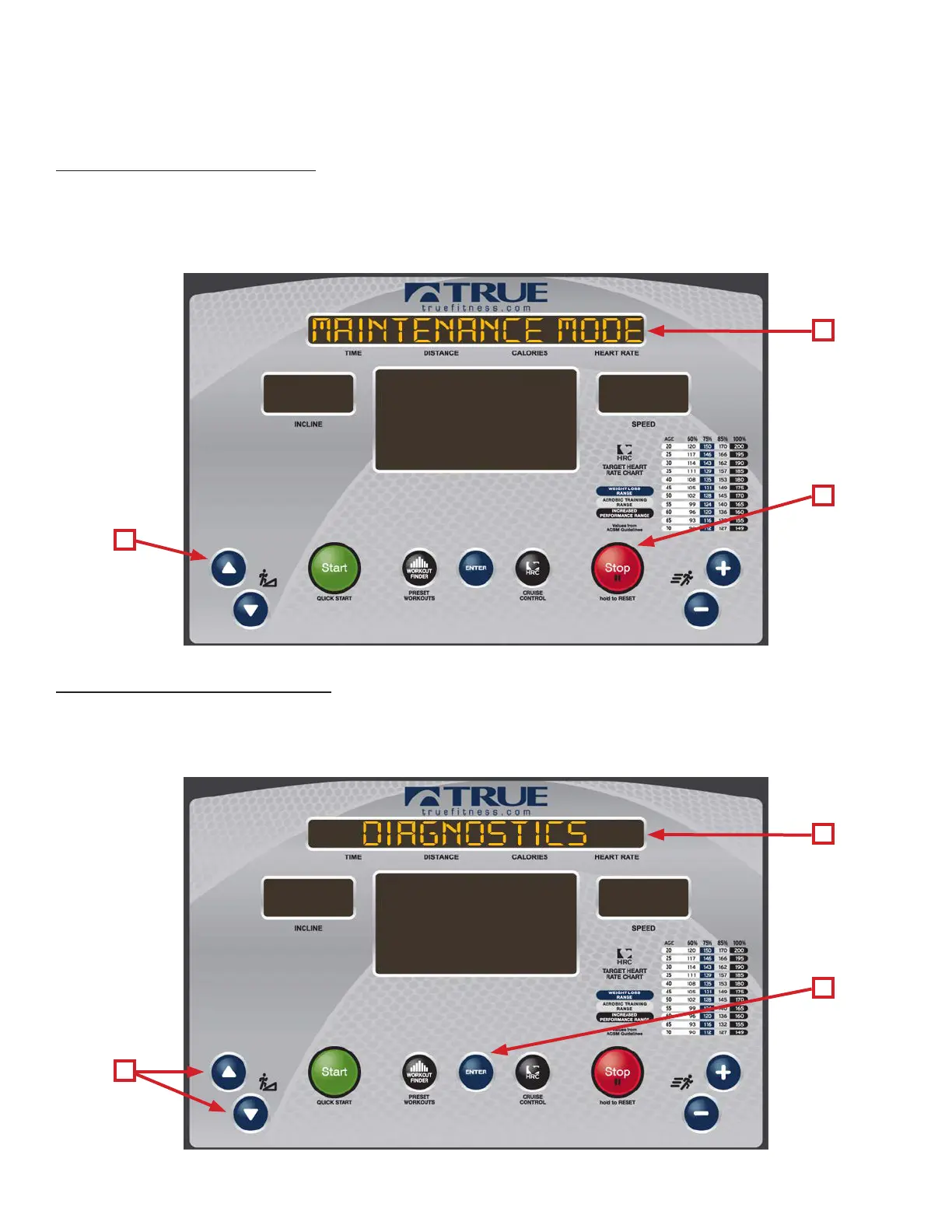
Entering Maintenance Mode:
Press and Hold the UP Incline Button (A) until the unit beeps (about 3 seconds). en release the UP Incline Key and
Immediately press and hold the Enter Button (B) until the unit beeps again (about 3 seconds). en release the Enter
button and when the Upper LED Display (C) reads “Maintenance Mode”, press the Enter Button (B) to enter maintenance
mode.
Maintenance Mode Navigation:
e Maintenance Mode is divided into three categories; Calibration, Diagnostics and Conguration. To select a category
use the UP and DOWN Incline Keys (A) until the category is listed in the Upper LED Display (B) and then press the Enter
button (C).
C
B
C
B
A
A



 To Next Page