Truetness.com / 800.426.6570 / 636.272.7100 143 of 171
CHAPTER 4D: EMERGE OPERATION
CONSOLE NAVIGATION:
Workout Summary:
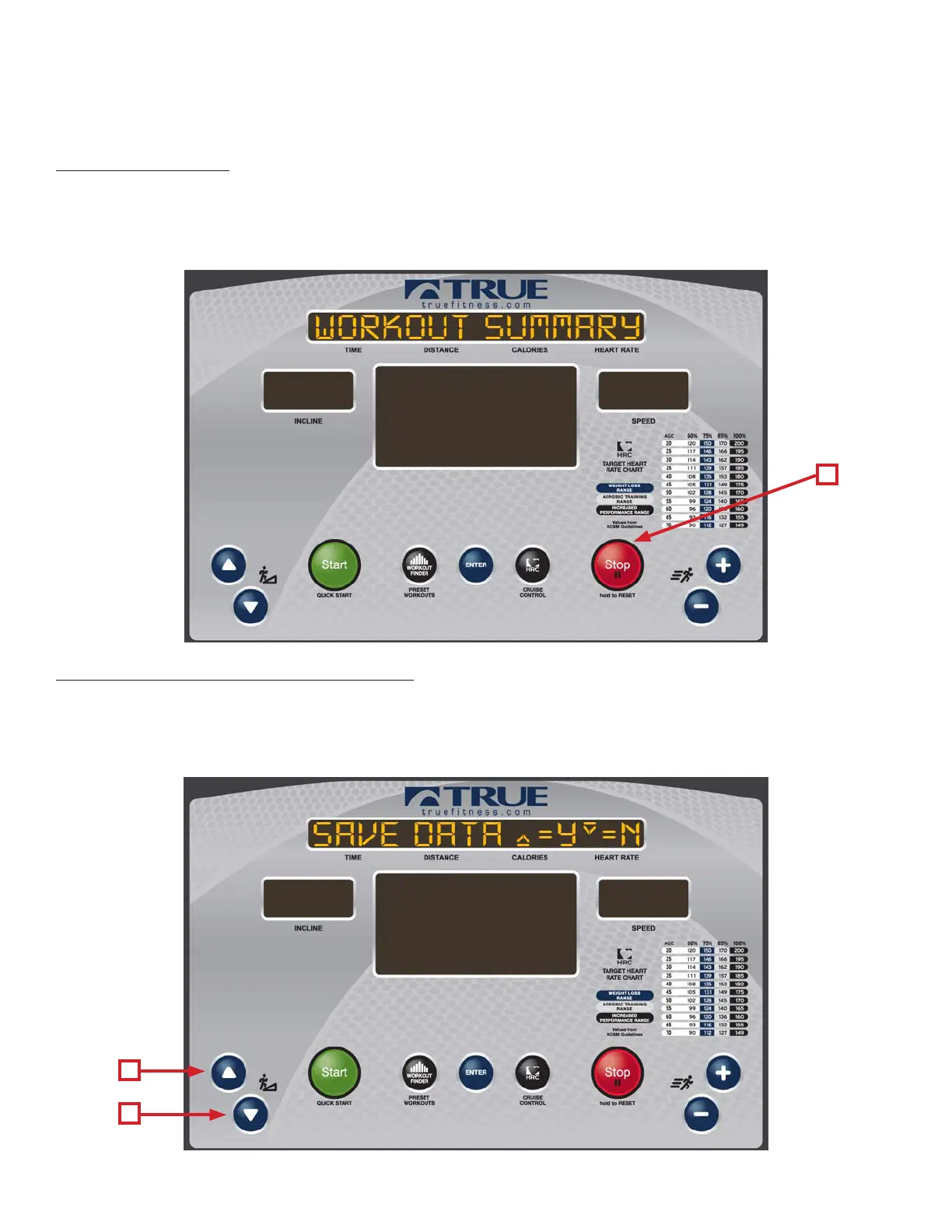
Workouts can be ended by the user pressing the Stop button (A) or by completing the time or distance in a preset workout.
Once a workout has ended the console will display a workout Summary which will give the user an overview of their
workout which includes; Time, Average Heart Rate, Max Heart Rate, Average Speed, Max Speed, Distance and Calories. To
Clear the Summary and return to the home screen press the Stop button (A).
Exporting Workout Data to a USB Drive:
e Emerge console gives users the ability to export their workout data to a USB drive. When this option is enabled the
screen below will appear before the Workout Summary. To export the data, insert a USB drive into the console’s USB port
and press the Up Incline Key (A). To skip exporting the data, press the Down Incline Key (B) and the Workout Summary
will be displayed without being exported.
A
B
A



 To Next Page