122 of 171
Truetness.com / 800.426.6570 / 636.272.7100
CHAPTER 4B: ESCALATE
15
OPERATION
ADVANCED CONSOLE FUNCTIONS:
Diagnostics Menu - Fault Log:
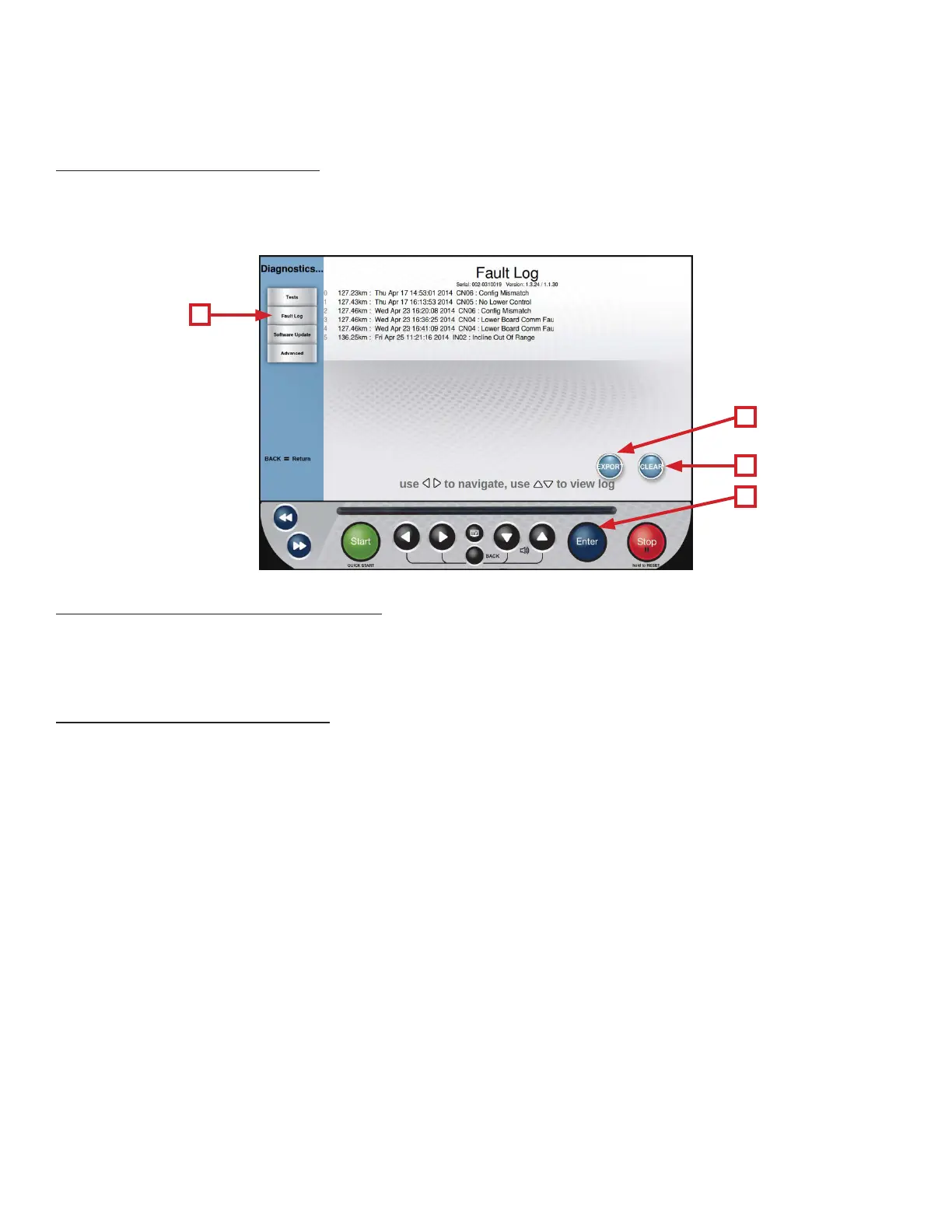
e Fault Log (A) will display a time stamped list of recent fault codes that can be helpful in the troubleshooting process.
e Fault Log can be exported to a USB drive by highlighting Export (B) and pressing Enter (C). e log can also be reset
by highlighting Clear (D) and pressing Enter (C), but it is not recommended.
Diagnostics Menu - Soware Update:
TRUE may periodically release soware updates to ensure users enjoy the best workout experience available. Due to the
complex nature of this procedure, it is recommended that any soware update be completed by a TRUE certied service
professional.
Diagnostics Menu - Advanced:
e advanced screen contains multiple tools that are used in the production of the console and for demonstration
purposes. It is recommended to leave these settings in their default positions.
A
D
B
C



 To Next Page