126 of 171
Truetness.com / 800.426.6570 / 636.272.7100
CHAPTER 4C: ESCALATE
9
OPERATION
CONSOLE NAVIGATION:
Selecting a Preset Workout:
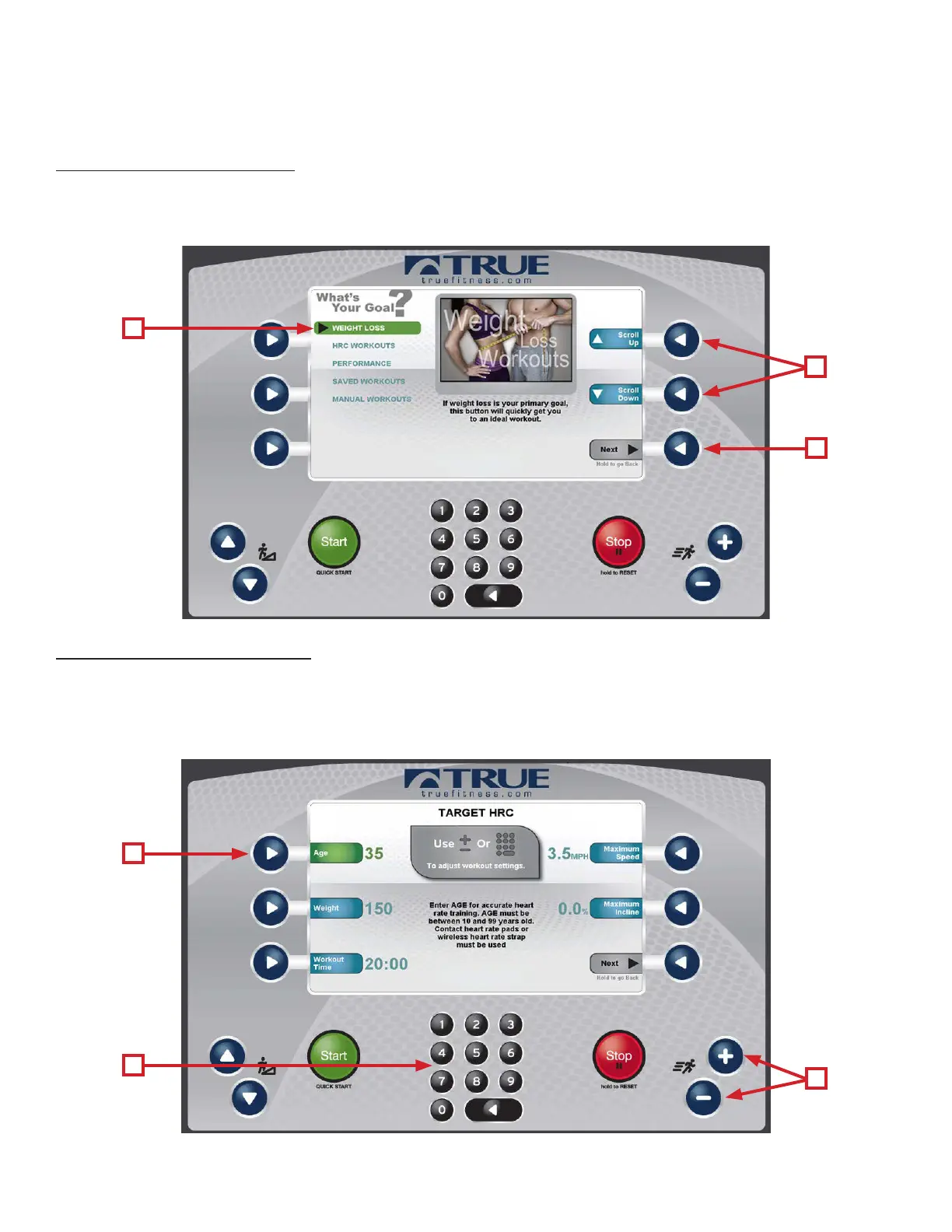
Preset workouts are accessed by selecting Workout Finder from the home screen. To view the workouts in a category, select
the category (A) by using the Scroll Selection Buttons (B) and then press the Next Selection Button (C).
*Press and hold the Next selection button to return to the previous screen.
Workout Data Entry Screens:
ese screens allow users to input their personal information or workout goals prior to beginning a workout. To set a
value, press the Selection Button for the value you wish to change (A) and use the + and - keys (B) to adjust the value to
the desired setting. Users may also manually enter a value using the Numeric Keypad (C).
*Workout Data Entry Screens vary by program selection.
A
A
C
B
C
B



 To Next Page