Truetness.com / 800.426.6570 / 636.272.7100 133 of 171
CHAPTER 4C: ESCALATE
9
OPERATION
ADVANCED CONSOLE FUNCTIONS:
Utilities Menu:
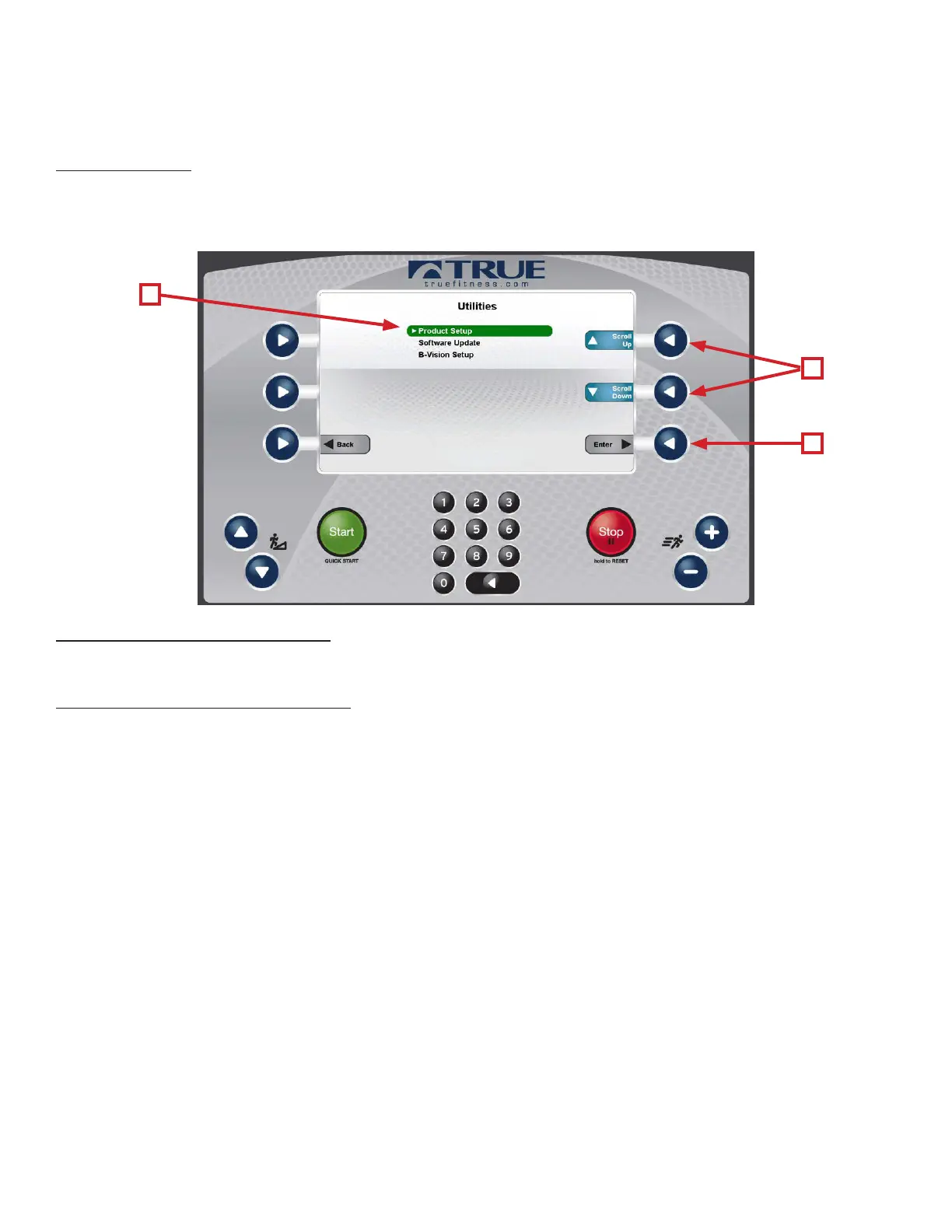
e utilities menu contains multiple screens that allow the technician to change various console settings. Settings are
broken down in to three categories. To adjust settings, highlight a category (A) by using the scroll selection buttons (B)
and pressing the enter selection button (C) to conrm the selection.
Utilities Menu—Product Setup:
Displays the model conguration information.
Utilities Menu—Soware Update:
TRUE may periodically release soware updates to ensure users enjoy the best workout experience available. Due to the
complex nature of this procedure, it is recommended that any soware update be completed by a TRUE certied service
professional.
A
B
C


 To Next Page