~ 8 ~
When the handset is first switched on the settings indicator window will always show an
illuminated green LED to the extreme right-hand side of the window and this is the default
position of maximum speed (100%). The speed can be decreased by pressing the ‘Speed
Decrease’ button (J), each time this button is pressed the speed will decrease by 25% and the
green LED will move in the window to indicate the speed setting selected. NB. The minimum
speed setting is 25%. As the speed decreases the torque decreases in the same ratio i.e. 50%
speed is 50% torque. This function of using a slow speed with lower torque setting is designed
to maintain the caravan/trailer’s manoeuvrability in very restricted and/or confined spaces.
If the Powrtouch in not at its maximum speed, then the speed can be increased in 25%
increments by pressing the ‘Speed Increase’ button (K). When changing the speed of the
Powrtouch, the illuminated green LED will move (a maximum four stages) from the left to the
right of the meter; when the LED is positioned at the extreme right of the display this indicates
the Powrtouch has returned to the maximum speed setting. The speed can only be changed
when the caravan is not moving.
2.8 PRECISION CONTROL OF THE CARAVAN USING THE ELECTRONIC SOFT START
FUNCTION
By utilising its very effective Electronic Soft Start System the Powrtouch Freedom can easily
move the caravan a distance of 1mm at a time. This small movement can be achieved by
pressing and quickly releasing a direction button (stabbing the button), this facility makes
attaching the caravan to the tow ball of the car a very simple operation. Reducing the speed
will also give greater control of the caravan when using the soft start in this way. It is
recommended that a good practice session should be carried out on level ground and in an
open space before any difficult manoeuvres are undertaken.
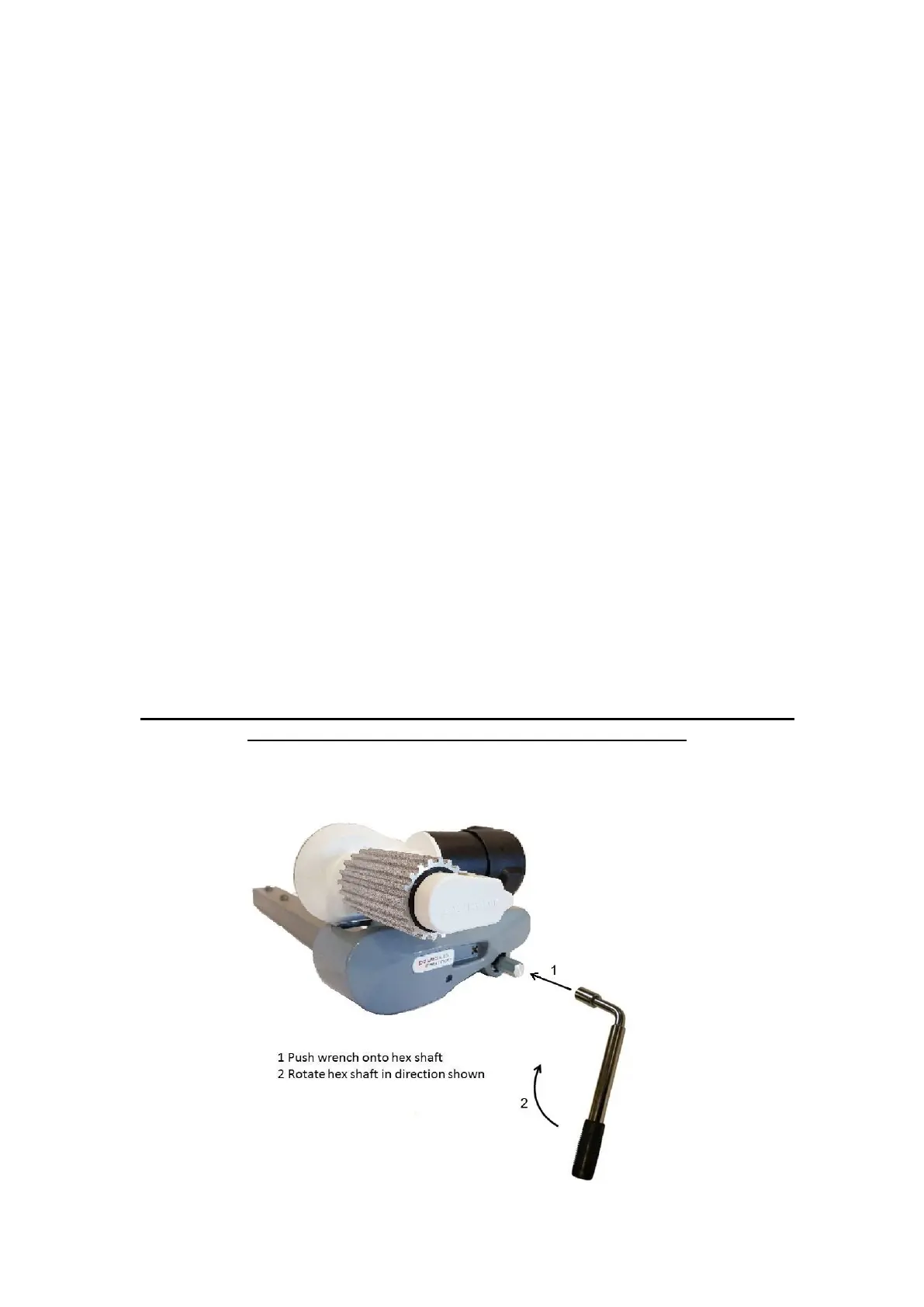
2.9 RETRACTION OF THE ROLLERS FROM THE TYRES
ALWAYS ENSURE THE CARAVAN/TRAILER HANDBRAKE IS ON BEFORE
DISENGAGING THE ROLLERS FROM THE TYRES


 To Next Page