18 Certifier
®
FA Plus Test System
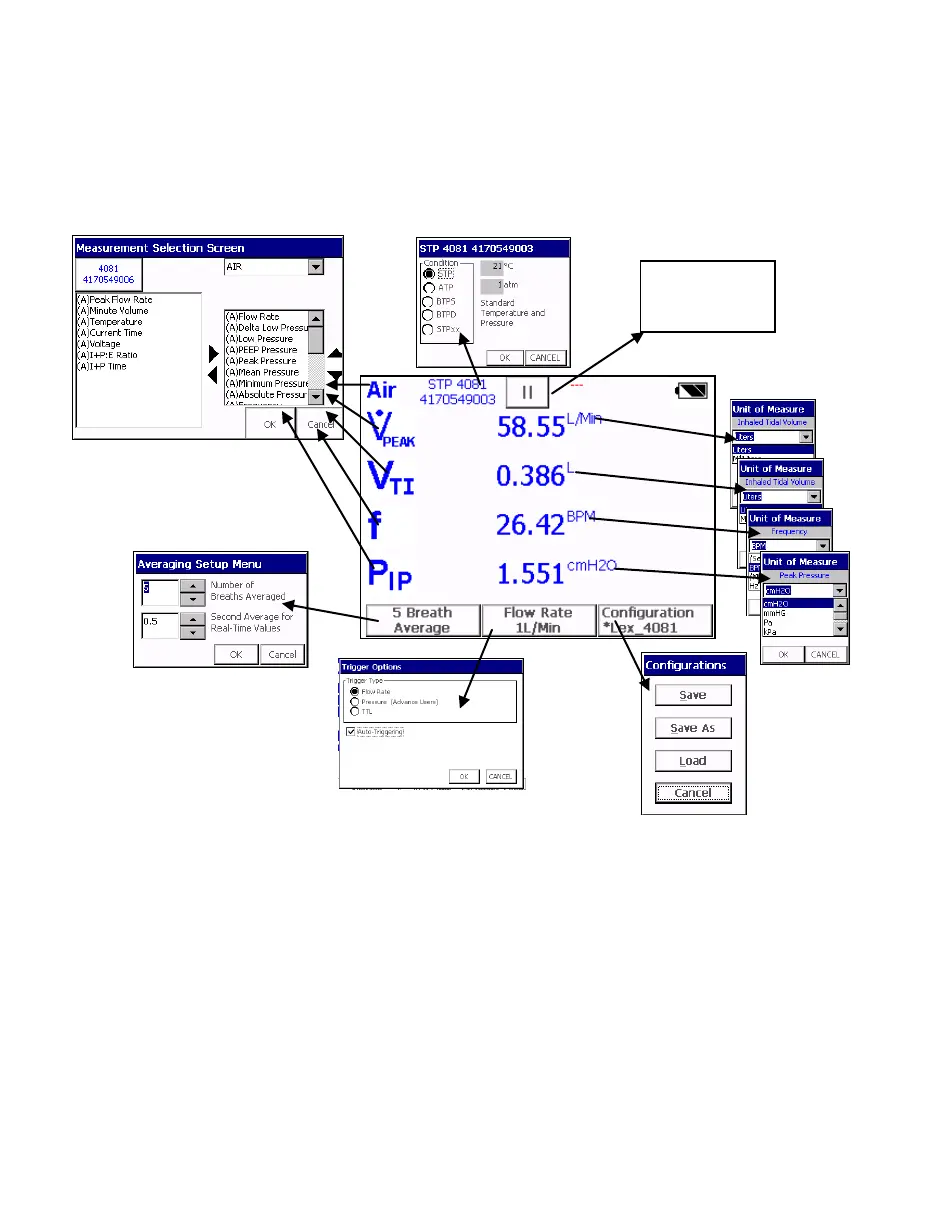
By touching on the active areas of the Parameter Screen, you can change the
configuration of the display by choosing which parameters to monitor, units of
measure, gas calibration, gas conditions, averaging, and triggering. You can also
save the display configuration to a file or load a previously saved configuration.
Figure 17. Parameter Screen Features
Stops/Starts
data acquisition


 To Next Page