2: Setup and Operation 29
2.3.9 Print/Save Button
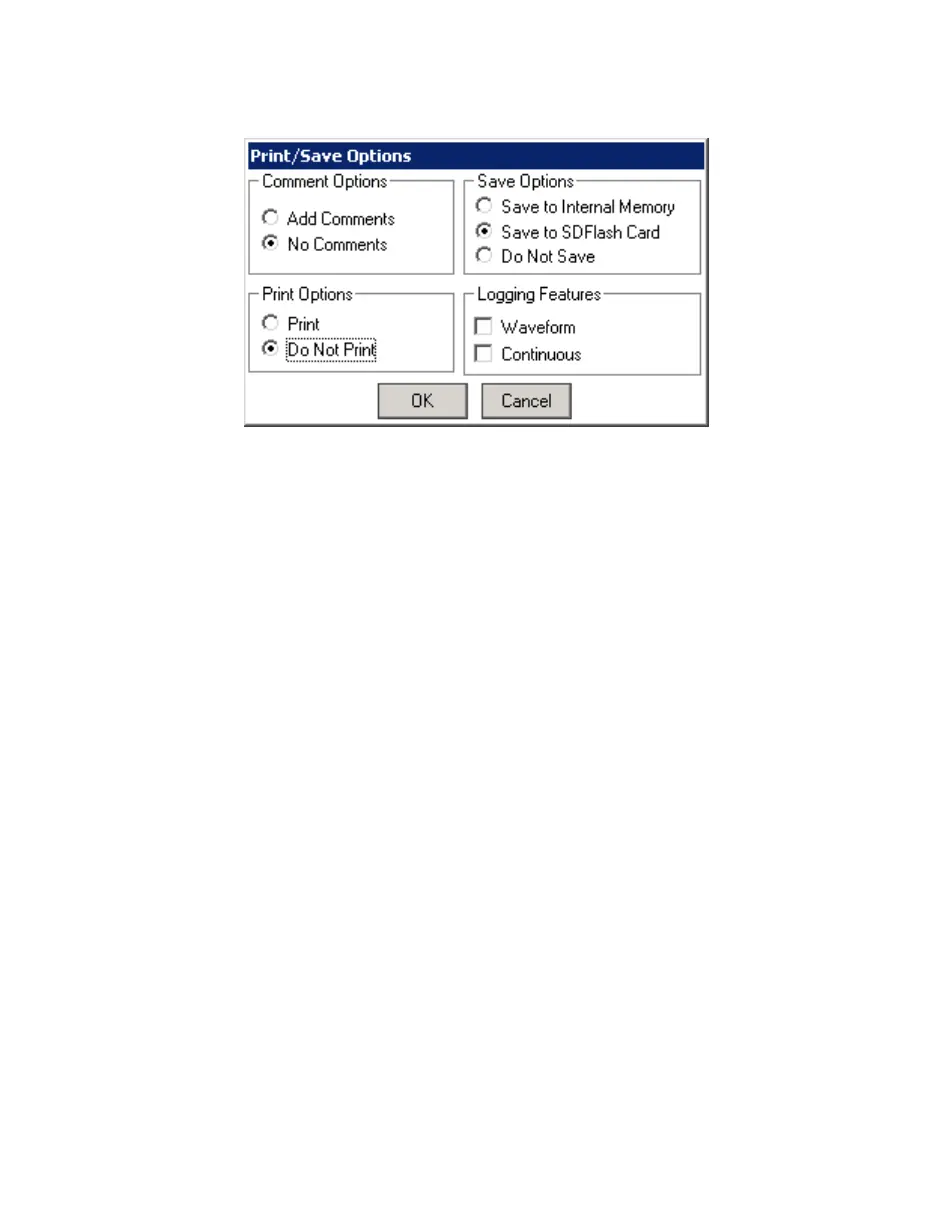
Figure 26. Print/Save Options Screen
If the Print/Save button is pressed while viewing the Parameter Screen, the "Print/Save
Options" screen will appear. By selecting the various options on this screen you will be
able to:
Print the current data record without saving to a file.
Print the current data record and also save it to a file in a single operation.
Save the current data record to a file without printing.
Select Waveform logging function. This feature saves 15 seconds of "raw"
flowmeter data at a rate of 1 millisecond/reading to a file (requires an SD Flash
memory card).
Select Continuous logging function. This mode logs the Parameter Screen data
into a file at intervals of approximately 1 second until you command the logging to
stop (requires an SD Flash memory card).
When printing or saving, you can add custom comments to your data by selecting the
Add Comments option. When that option is selected, an on-screen keyboard appears,
allowing you to enter your comment text.


 To Next Page