32 Certifier
®
FA Plus Test System
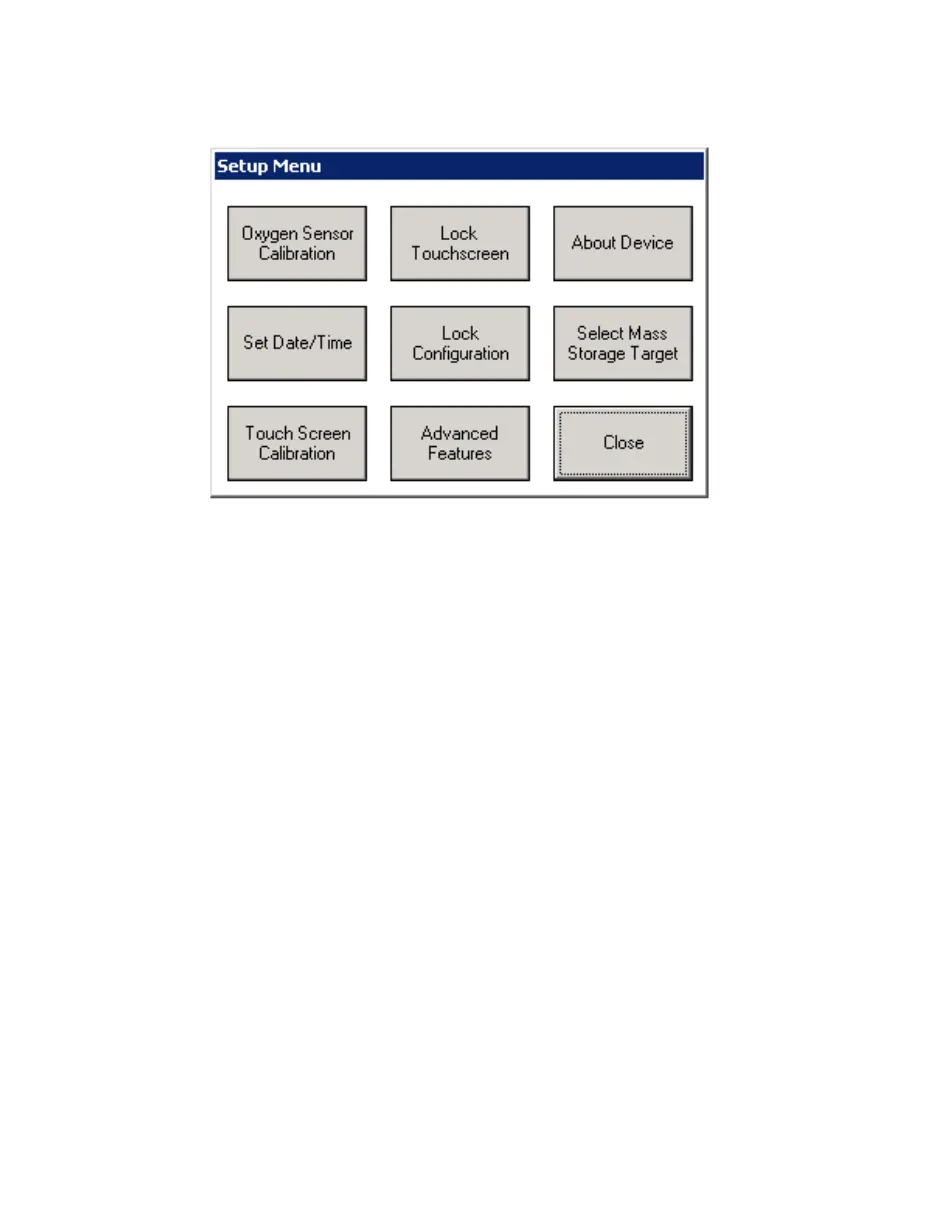
2.3.10 Setup Key
Figure 28. Setup Menu
Oxygen Sensor Calibration
See required pre-test section of this manual.
Set Time/Date
Sets the current time and date.
Touch Screen Calibration
Calibrates the touch screen of the interface module. Follow the instructions
on the display.
Lock Touch Screen
Disables the touch screen once the Setup Menu is closed. To enable the
touch screen, press the Setup button.
Lock Configuration
Disables the saving of configurations. The user will be able to load existing
configurations and change the current configuration, but not save it.
Advanced Features
See section 2.3.10.1 for a complete list of advanced features which can be
accessed through this menu.
About Device
Displays information about the Certifier Interface Module and any connected
flow module.


 To Next Page