3-10 AEROTRAK™ Portable Airborne Particle Counter
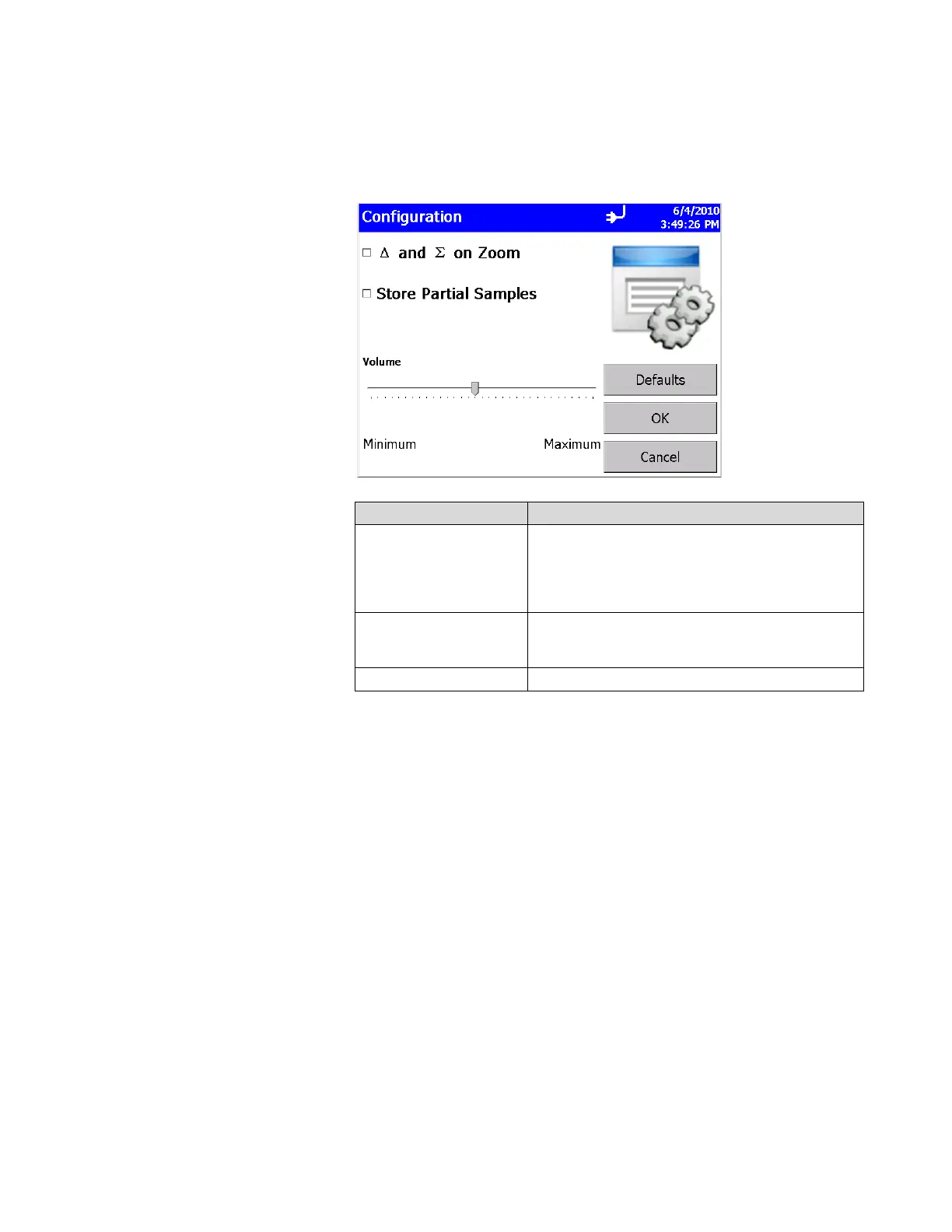
Configuration Screen
Use this screen to set configuration parameters. Press OK when
finished.
Field Description
∆ and Σ on Zoom
Select to zoom in on both cumulative (Σ) and
differential (Δ) counts on the Main Tab. To zoom
the Main Tab, select on the left side of the Main
Tab (it takes a moment for the screen to update.)
Click on the screen again to return to normal view.
Store Partial Samples
When selected, stores the partial record in the
current database if the instrument is stopped during
a sampling period.
Volume Controls the alarm volume setting.













 To Next Page