33
Redundancy Menu
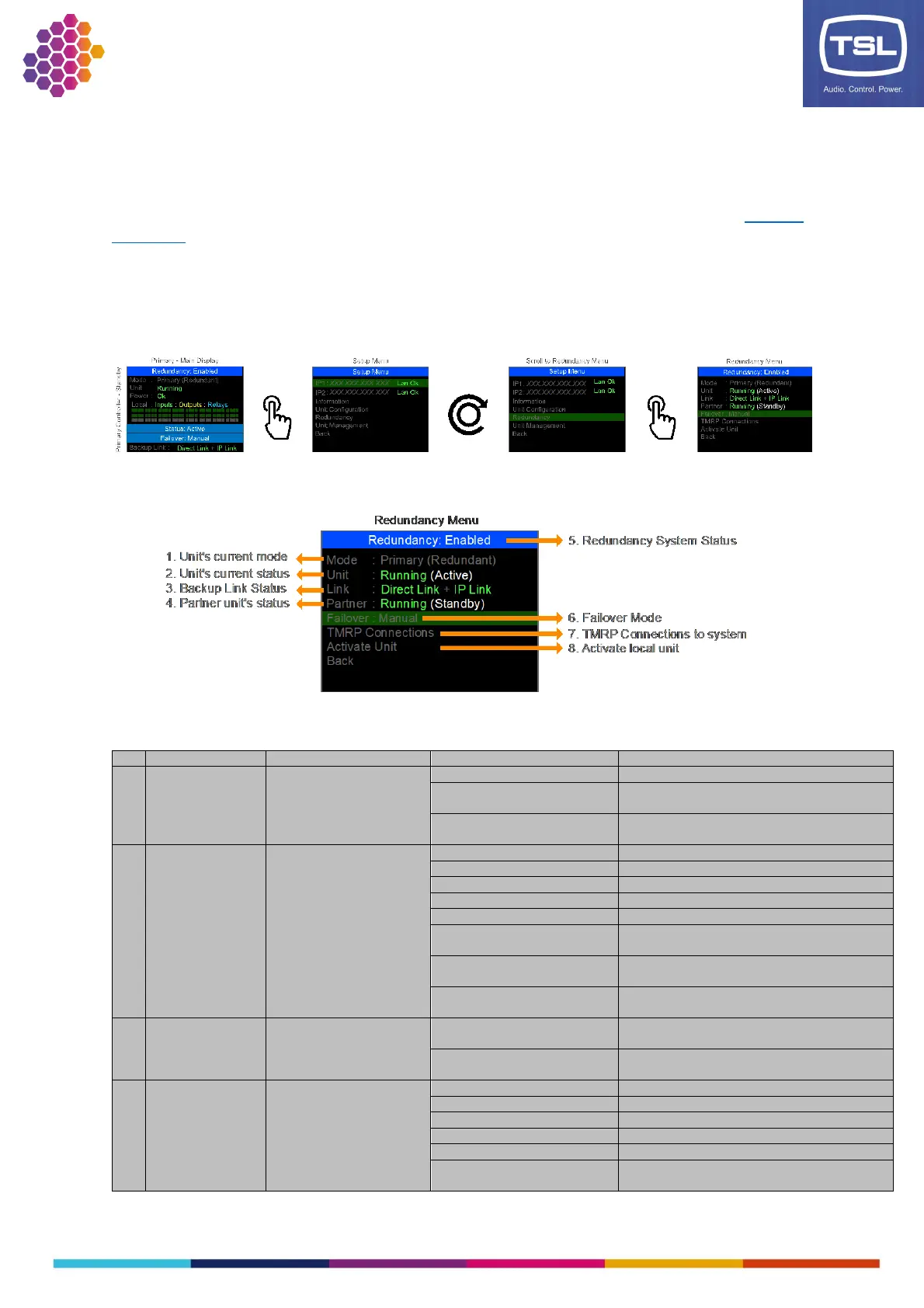
There is a redundancy menu that provides additional feedback to the status for the redundancy system
and control over the key aspects of the system. To access the redundancy menu the system must already
have been configured as a redundant system via the configuration software as described in the Software
installation section. The redundancy menu is not available when the units are configured as Standalone.
To navigate to the Redundancy menu:
1. Press the encoder on the front panel to enter the Setup menu.
2. Scroll the encoder and press to select the Redundancy option.
Redundancy Menu:
The unit’s current configured
mode
(Appears if redundancy not configured)
Unit is configured as the Primary in the redundant
pair
Unit is configured as the Backup in the redundant
pair
Unit is booting its operating system
Unit is starting its application
There is an issue with the configuration
There is an internal device issue
Unit is working correctly
Unit is working and activating to be the Active
redundant unit
Unit is working and deactivating from being the
Active redundant unit
Unit has been remotely shutdown by its redundant
partner
Backup units for redundancy
communications
Status of communication to paired unit via the
dedicated cable link
Status of communication to paired unit via IP
connection (only via NIC 1)
The partner unit’s status
Unit is booting its operating system
Unit is starting its application
There is an issue with the configuration
There is an internal device issue
Unit is working correctly
Unit is working and activating to be the Active
redundant unit



 To Next Page