39
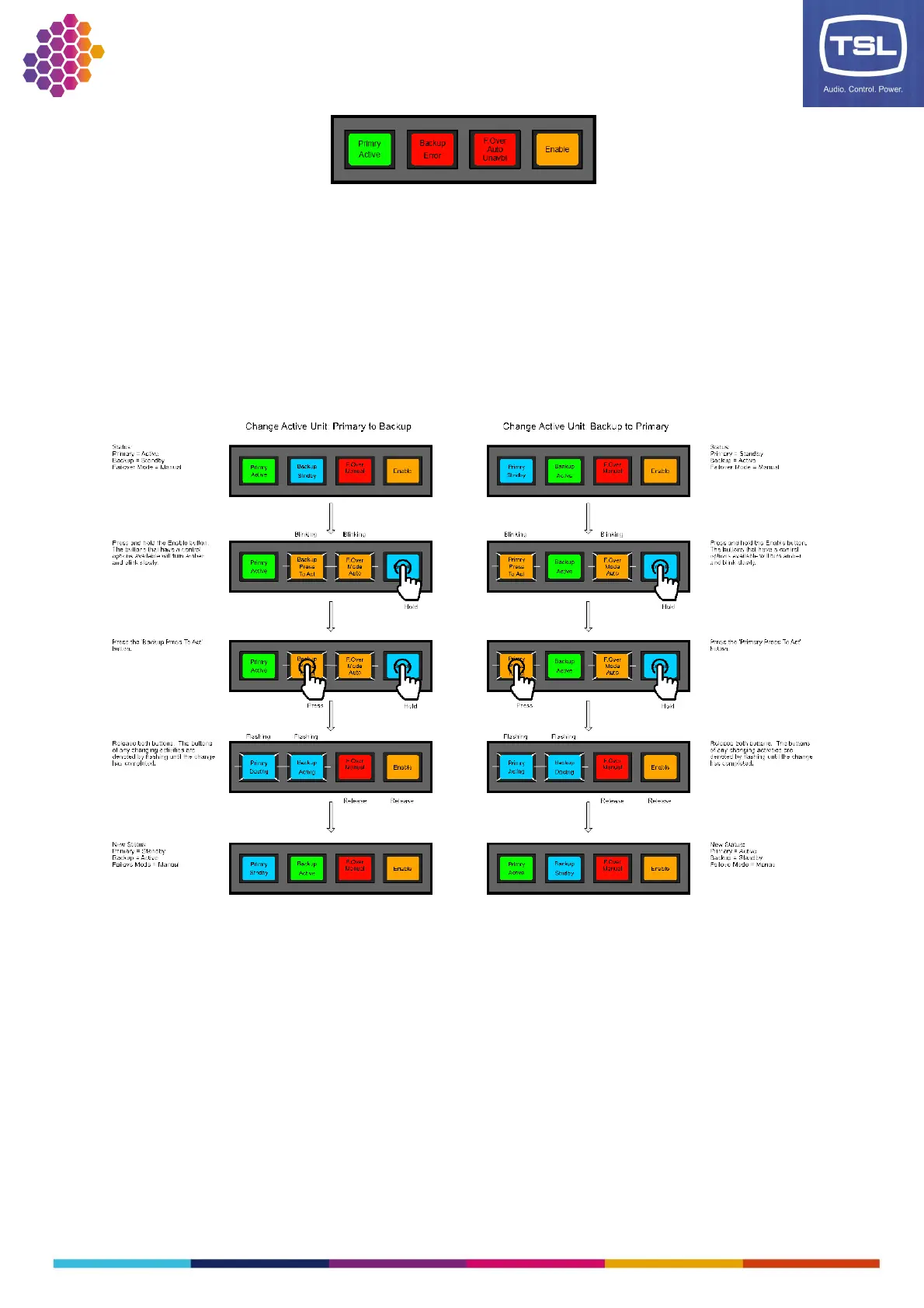
Manually changing the Active Unit
It is possible to change which unit is currently Active when the Failover mode is in Manual (as described
in the Failover Mode section). If the Failover mode is currently in Auto, then you must change the
Failover mode to Manual to change the Active unit. Note when the system is in Manual mode it is no
longer in a redundancy failover mode, you must make sure the Primary is Active and the Failover mode is
set to Auto to return the system to a redundancy failover mode.
To change the Active unit, use the following procedure:



 To Next Page