35
Normal Operation
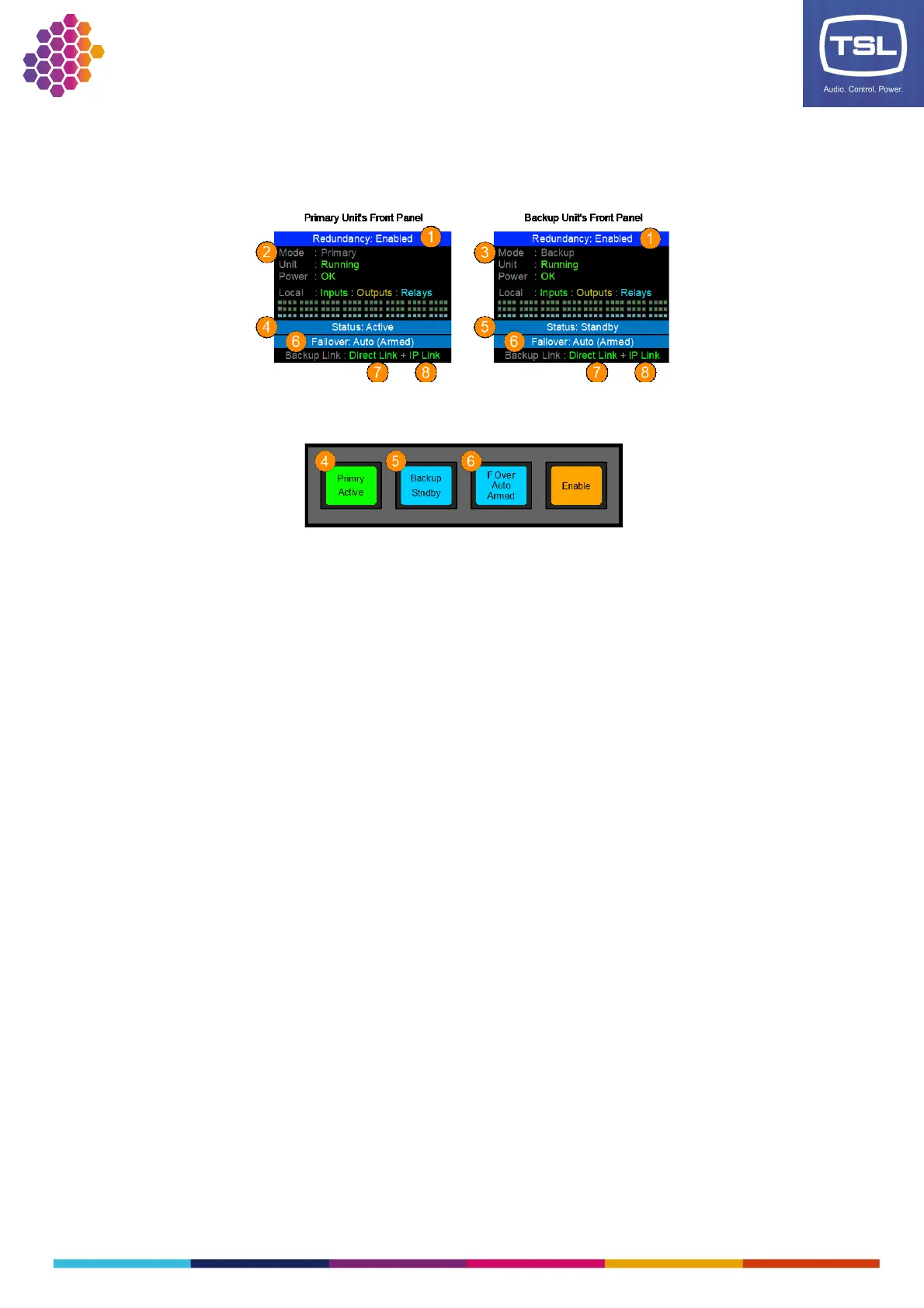
Once the redundancy system has been configured correctly the front panels of the TM1-Mk3+ units will
show this display:
The TRMP will show the same state information:
These displays are telling us the following information about the redundancy system:
1. Redundancy is Enabled
2. The left unit is the Primary
3. The right unit is the Backup
4. The Primary is Active
5. The Backup is in Standby
6. The Failover Mode is set to Auto and is Armed
7. The Direct Link cable is OK
8. The IP Link is OK
This should be considered the ‘normal’ state for the redundancy system. The Primary is Active and the
Backup ready to take over, the Failover mode is set to Auto and is Armed waiting for a failover event to
occur and both Backup Links are Ok (green) showing the units are communicating.



 To Next Page