47
Backup System Controller
To replace the Backup system controller, ensure the Primary system controller is Active. This operation
can be performed without any interruption to the operation of the system.
1. If the Failover mode is currently in Auto, then follow the instructions in the Failover Mode
section to change the Failover mode to Manual.
2. Follow the instructions in the Manually Changing the Active Unit section.
3. Disconnect and remove the system controller.
4. Install the replacement system controller, ensuring all the connections are correctly inserted.
5. Power the system controller.
6. Set the units IP addresses to match the removed system controller, you can follow the
instructions in the Installation section.
This action will cause the Primary to recognise the Backup, the Primary will then automatically write the
configuration to the Backup. Once loaded the Backup will assume Standby mode. If the system is in the
Manual Failover mode, then you may need to change the failover mode to Automatic to re-enable the
redundancy system.
TMRP
A TMRP can be replaced at any time without disruption to the operation of the TallyMan system. Note
that if you are using the GPIO status control to manage a changeover solution or to interface with other
third-party equipment then that functionality will be offline until the replacement is complete.
1. Disconnect and remove the TMRP.
2. Install the replacement TMRP, ensuring all the connections are correctly inserted, take special
care with the GPIO connections to ensure they wired correctly.
3. Power the TMRP and note the IP address displayed on the buttons during the boot cycle.
4. Set the TMRPs IP addresses to match the removed unit, you can follow the instructions in the
Installation section.
This action will cause the TMRP to join the redundant system, the buttons will display the status of the
system.
Deleting the configuration
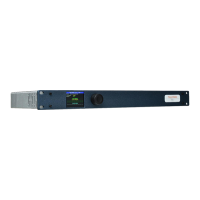
To delete the configuration on a system controller from the TM1-Mk3+ front panel:
1. On the display main page, press the encoder to display the Setup Menu.
2. Use the encoder to scroll and select the following options:
Unit Management > Delete Configuration > Delete Configuration.
(Note the second option to confirm the action.)
A Command Sent message will be displayed, then the unit will revert to a standalone setup:
Restarting a unit
To restart the system controller from the TM1-Mk3+ front panel:



 To Next Page