Stealth 700 Gen 2 MAX for Xbox – Troubleshoong Guide
Quesons? Contact Support: hps://support.turtlebeach.com/s/contactsupport
SECOND SCREEN
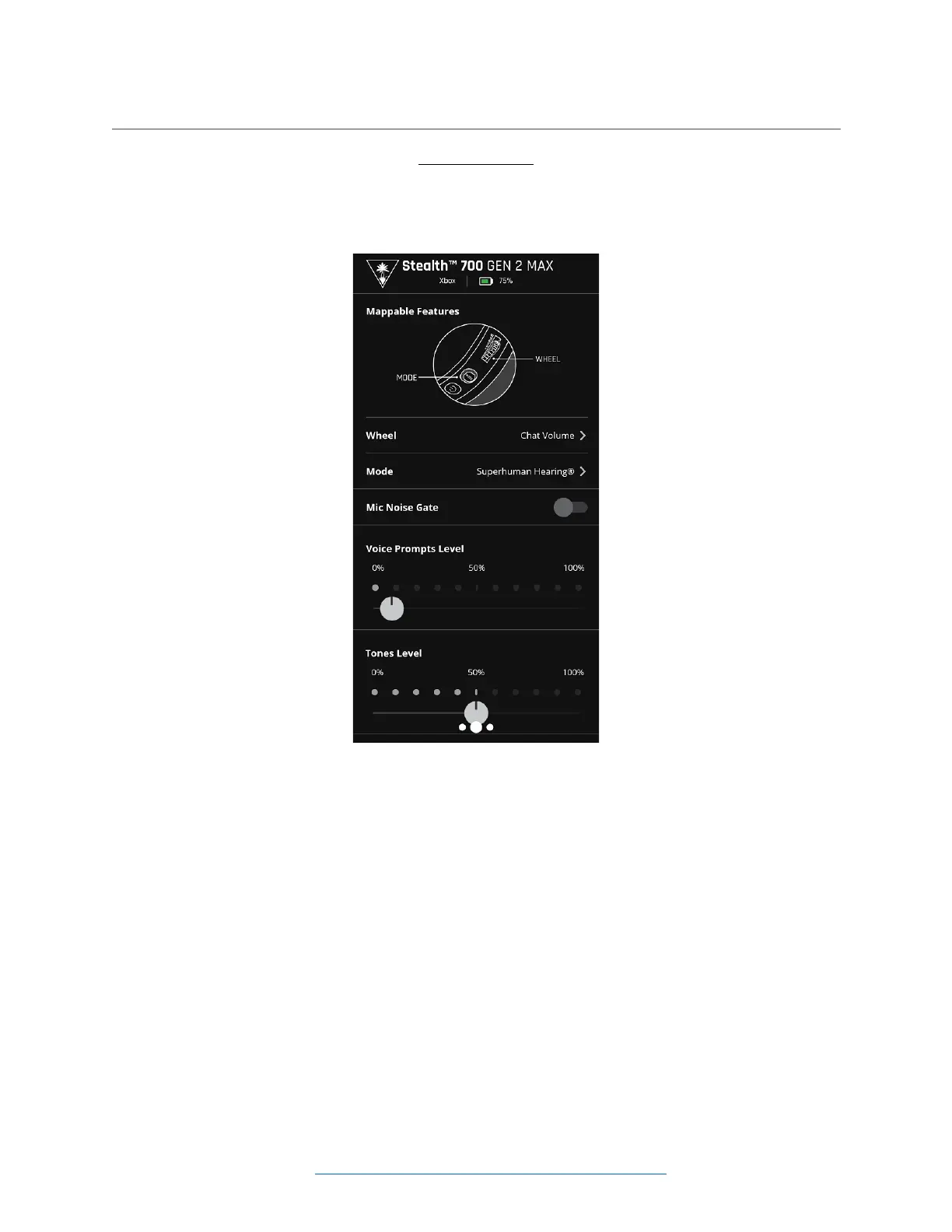
The second/middle screen of the Audio Hub will show opons for customizing the mappable controls on
the headset itself, as well as other features.
• The mappable features of this headset include the lower volume wheel, and the Mode buon.
Out of the box, these controls are assigned to adjust the Chat Volume and toggle the Superhuman
Hearing feature, respecvely.
• Tap on the Wheel opon to see the various features the mappable wheel can be assigned to.
o When the transmier is in the Xbox Mode, this includes Chat Volume, Mic Monitor
Level, Superhuman Hearing Volume, and Bluetooth Volume.
▪ PLEASE NOTE: The Lower Volume Dial can be assigned to Chat Audio ONLY when
the transmier is in the XBOX mode and is being used with an Xbox console.
When the transmier is in the USB Mode, and is being used with a PlayStaon
console, PC, or Nintendo Switch in docked mode, there is no way to assign the
Lower Volume Dial to Chat Audio. This is a result of the limitaons related to the
way these plaorms process the audio and is not related to the headset itself.
o When the transmier is in the USB Mode, this includes Mic Monitor Level, Superhuman
Hearing Volume, and Bluetooth Volume.
• Tap on the Mode opon to see the various features the mappable buon can be assigned to. This
includes toggles for Superhuman Hearing, Game Preset, Mic Noise Gate, and Chat Boost.














 To Next Page