EasyManua.ls Logo

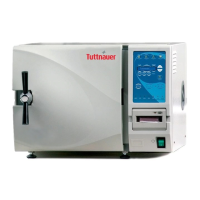
Tuttnauer 2340EA - Service Manual

Tuttnauer 2340EA
57 pages
Print Icon
To Next Page IconTo Next Page
Loading...
OPERATION
&
MAINTENANCE
MANUAL
Electronic Tabletop Autoclaves
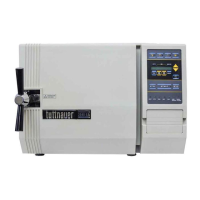
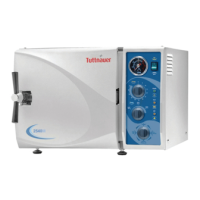
Models 1730, 2340, 2540, 3140, 3850, 3870
E, EK, EA & EKA

Other manuals for Tuttnauer 2340EA

Questions and Answers

  • R
    Richard MorganSep 2, 2025
    Why is my Tuttnauer Laboratory Equipment leaking at the door?
    • J
      Jacqueline StoutSep 2, 2025
      If your Tuttnauer Laboratory Equipment is leaking at the door, ensure the door is tightened enough and the door gasket is sealing the chamber. If necessary, replace the door gasket.
  • S
    serranostephanieSep 13, 2025
    Why are wraps burned after using Tuttnauer 2340EA?
    • C
      Charles EricksonSep 14, 2025
      To address wraps coming out burned from your Tuttnauer Laboratory Equipment, check if the water sensor is dirty. Also, verify that the wall outlet voltage is not too high and ensure items are not touching the chamber walls or bottom. Load the autoclave according to the instructions.
  • M
    martinezmelissaAug 31, 2025
    How to clean a very dirty Tuttnauer 2340EA Laboratory Equipment chamber?
    • J
      josephwilsonAug 31, 2025
      To clean a very dirty chamber in your Tuttnauer Laboratory Equipment, use Chamber Brite ™. Very dirty machines may require two cleanings.
  • C
    Colleen SmithSep 16, 2025
    Why does Tuttnauer 2340EA take so long to heat up?
    • H
      herringlisaSep 16, 2025
      If your Tuttnauer Laboratory Equipment takes too long to heat up, clean the air jet and check for proper voltage at the wall outlet.
  • D
    David WilsonSep 15, 2025
    What to do if spore tests fail in Tuttnauer 2340EA Laboratory Equipment?
    • E
      edwardclaytonSep 15, 2025
      If spore tests are failing or indicator strips are not turning in your Tuttnauer Laboratory Equipment, clean the air jet. Also, make sure the sterilization time and temperature are set correctly, and ensure the autoclave is not too heavily loaded.
  • P
    Penny SmithSep 23, 2025
    Why does Tuttnauer 2340EA Laboratory Equipment printer feed paper constantly?
    • A
      Ana NguyenSep 23, 2025
      If the printer on your Tuttnauer Laboratory Equipment gives paper feeds all the time when the machine is switched on, make sure the ‘feed button’ on the printer is not stuck.
  • J
    Jessica WilliamsAug 27, 2025
    How to troubleshoot Tuttnauer 2340EA machine not responding?
    • M
      morganjosephAug 27, 2025
      If your Tuttnauer Laboratory Equipment machine isn't responding, verify that the main switch is in the ‘On’ position, the power cord is properly connected to both the machine and the mains, and the circuit breaker hasn't tripped. Also, check the reset button on the cut-out thermostat.
  • N
    Nina MillsAug 27, 2025
    What to do if Tuttnauer 2340EA process fails during heating stage with a HIGH TEMP message?
    • A
      Alyssa AndrewsAug 27, 2025
      If your Tuttnauer Laboratory Equipment process fails while initiating the heating stage and displays a HIGH TEMP message, try changing the setting of the thermostat.
  • R
    Robert RobertsAug 26, 2025
    How to clean a very dirty chamber in my Tuttnauer Laboratory Equipment?
    • J
      Jason JohnsonAug 27, 2025
      If the chamber of your Tuttnauer Laboratory Equipment is very dirty, use Chamber Brite ™ to clean the autoclave; very dirty machines may require two cleanings.
  • M
    Michelle CollinsAug 25, 2025
    What does ‘Low Heat’ mean on my Tuttnauer 2340EA Laboratory Equipment?
    • R
      robertsmaryAug 26, 2025
      If the message ‘Low Heat’ is displayed during heat up on your Tuttnauer Laboratory Equipment, it indicates a bad temperature sensor. If heating elements are remaining on instead of cycling on and off, call for a technician.

Summary

General Information

Control Panel and Interface

Error Messages and Safety Measures

Explains common error messages, warning messages, and associated safety measures.

Sterilization Programs

Program Overview and Usage

Details the four sterilization programs, their settings, and operational sequences.

Installation and Setup

Electrical Connection and Safety

Covers electrical connection requirements, safety, and compliance with regulations.

Chamber Pitch Adjustment

Details the crucial chamber pitch adjustment for older units and its impact on operation.

Preparation Before Sterilization

Instrument Cleaning and Preparation

Instructions on cleaning, rinsing, and drying instruments before sterilization.

Packaging and Loading Practices

Guidance on packaging methods, tray placement, and preventing issues like water accumulation.

Instrument Handling and Sterilization Tips

Advice on handling specific materials, preventing cross-contamination, and ensuring proper exposure.

Operating Instructions

Pre-Operation Checks and Setup

Steps before starting operation, including water filling, power connection, and program selection.

Cycle Execution and Monitoring

How to start a cycle, monitor its progress, and understand indicator lights.

Maintenance Instructions

Preventive and Scheduled Maintenance

Outlines daily, weekly, and periodic maintenance tasks for optimal performance.

Troubleshooting Guide

Machine Not Responding or Low Heat Issues

Solutions for unresponsive machines and 'Low Heat' error messages.

Water Level and Pressure Problems

Troubleshooting for 'Low Water' and 'Low Pres' messages, including door seal checks.

Temperature Errors and Printer Malfunctions

Addresses 'Low Temp'/'High Temp' errors and common printer operational issues.

Tuttnauer 2340EA Specifications

General IconGeneral
TypeAutoclave
Power1200 W
Frequency50/60 Hz
Chamber MaterialStainless Steel
Sterilization Time Range3 - 30 minutes
Warranty1 year
Cycle Time30 minutes
Sterilization Temperature Range121°C to 134°C

Related product manuals