EasyManua.ls Logo

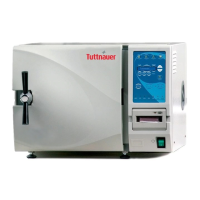
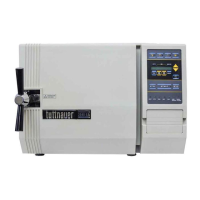
Tuttnauer 2540EA - Service Manual

Tuttnauer 2540EA
57 pages
Print Icon
To Next Page IconTo Next Page
Loading...
OPERATION
&
MAINTENANCE
MANUAL
Electronic Tabletop Autoclaves
Models 1730, 2340, 2540, 3140, 3850, 3870
E, EK, EA & EKA

Other manuals for Tuttnauer 2540EA

Questions and Answers

  • J
    Jeffery Heath Jr.Sep 2, 2025
    Why is my Tuttnauer 2540EA leaking at the door?
    • T
      Tiffany JamesSep 2, 2025
      If your Tuttnauer Laboratory Equipment is leaking at the door, ensure the door is tightened enough and the door gasket is sealing the chamber. If necessary, replace the door gasket.
  • H
    harrellcharlesSep 14, 2025
    Why are wraps burned after using Tuttnauer 2540EA?
    • J
      Jacob HarrisSep 14, 2025
      To address wraps coming out burned from your Tuttnauer Laboratory Equipment, check if the water sensor is dirty. Also, verify that the wall outlet voltage is not too high and ensure items are not touching the chamber walls or bottom. Load the autoclave according to the instructions.
  • D
    Devin BakerAug 31, 2025
    How to clean a very dirty Tuttnauer Laboratory Equipment chamber?
    • T
      Thomas SullivanAug 31, 2025
      To clean a very dirty chamber in your Tuttnauer Laboratory Equipment, use Chamber Brite ™. Very dirty machines may require two cleanings.
  • J
    Jesse RobbinsSep 16, 2025
    Why does Tuttnauer Laboratory Equipment take so long to heat up?
    • A
      Adam PriceSep 16, 2025
      If your Tuttnauer Laboratory Equipment takes too long to heat up, clean the air jet and check for proper voltage at the wall outlet.
  • A
    anthonymccoySep 15, 2025
    What to do if spore tests fail in Tuttnauer Laboratory Equipment?
    • J
      Johnny WhiteSep 15, 2025
      If spore tests are failing or indicator strips are not turning in your Tuttnauer Laboratory Equipment, clean the air jet. Also, make sure the sterilization time and temperature are set correctly, and ensure the autoclave is not too heavily loaded.
  • B
    brenda47Sep 23, 2025
    Why does Tuttnauer 2540EA Laboratory Equipment printer feed paper constantly?
    • A
      Angela DavisSep 23, 2025
      If the printer on your Tuttnauer Laboratory Equipment gives paper feeds all the time when the machine is switched on, make sure the ‘feed button’ on the printer is not stuck.
  • K
    Kathy HodgesAug 27, 2025
    How to troubleshoot Tuttnauer Laboratory Equipment machine not responding?
    • K
      Kristen HaleAug 27, 2025
      If your Tuttnauer Laboratory Equipment machine isn't responding, verify that the main switch is in the ‘On’ position, the power cord is properly connected to both the machine and the mains, and the circuit breaker hasn't tripped. Also, check the reset button on the cut-out thermostat.
  • R
    Robert CrawfordAug 27, 2025
    What to do if Tuttnauer 2540EA process fails during heating stage with a HIGH TEMP message?
    • E
      Elizabeth BergerAug 27, 2025
      If your Tuttnauer Laboratory Equipment process fails while initiating the heating stage and displays a HIGH TEMP message, try changing the setting of the thermostat.
  • J
    Jason HallAug 26, 2025
    How to clean a very dirty chamber in my Tuttnauer 2540EA?
    • L
      Laurie McgrathAug 27, 2025
      If the chamber of your Tuttnauer Laboratory Equipment is very dirty, use Chamber Brite ™ to clean the autoclave; very dirty machines may require two cleanings.
  • F
    fandersonAug 25, 2025
    What does ‘Low Heat’ mean on my Tuttnauer 2540EA?
    • D
      danielle98Aug 26, 2025
      If the message ‘Low Heat’ is displayed during heat up on your Tuttnauer Laboratory Equipment, it indicates a bad temperature sensor. If heating elements are remaining on instead of cycling on and off, call for a technician.

Summary

General Autoclave Information

Incoming Inspection Procedure

Inspect the autoclave for damage upon arrival and verify packing integrity.

Technical Data and Specifications

Electrical Data and Fuse Ratings

Provides detailed electrical specifications, including voltage, amperage, and fuse ratings.

Physical Specifications and Dimensions

Presents overall dimensions, weight, and other physical characteristics of the autoclave models.

Detailed Technical Specifications

Lists chamber dimensions, water reservoir capacity, tray sizes, and shipping details.

Keyboard and Display Interface

Control Panel Keyboard Functions

Detailed explanation of program keys and other control buttons on the autoclave interface.

Displayed Messages and Safety Measures

Explains common messages, error codes, and safety measures displayed by the autoclave.

Sterilization Programs Guide

Program 1: Unwrapped Instruments

Details the settings and sequence for sterilizing unwrapped instruments.

Program 2: Wrapped Instruments and Porous Loads

Outlines the parameters for sterilizing wrapped instruments and porous materials.

Program 3: Glassware Sterilization

Specifies the cycle for sterilizing glassware with slow exhaust and no drying.

Program 4: Accessory (Dry Only)

Describes the program used for an additional drying cycle for specific items.

Installation and Setup Instructions

Electrical Connection Requirements

Guides on proper electrical connection, safety, and compliance with regulations.

Automatic Water Filling System Setup

Procedures for setting and checking the automatic water filling system.

Preparation Before Sterilization

Operating the Autoclave

Maintenance Procedures

Preventive and Scheduled Maintenance

Covers daily, weekly, and periodic maintenance tasks for optimal device performance.

Troubleshooting for the Operator

Tuttnauer 2540EA Specifications

General IconGeneral
TypeAutomatic Autoclave
Voltage120V or 230V
Frequency50/60 Hz
Power1400W
Door TypeManual
Number of Trays2
Safety Featuresautomatic shut off at the end of both sterilization and drying cycles, Overheat cut-off, automatic shut off at the end of both sterilization and drying cycles, insufficient water level sensor

Related product manuals