S1846 Tsunami ATX
27
ONBOARD
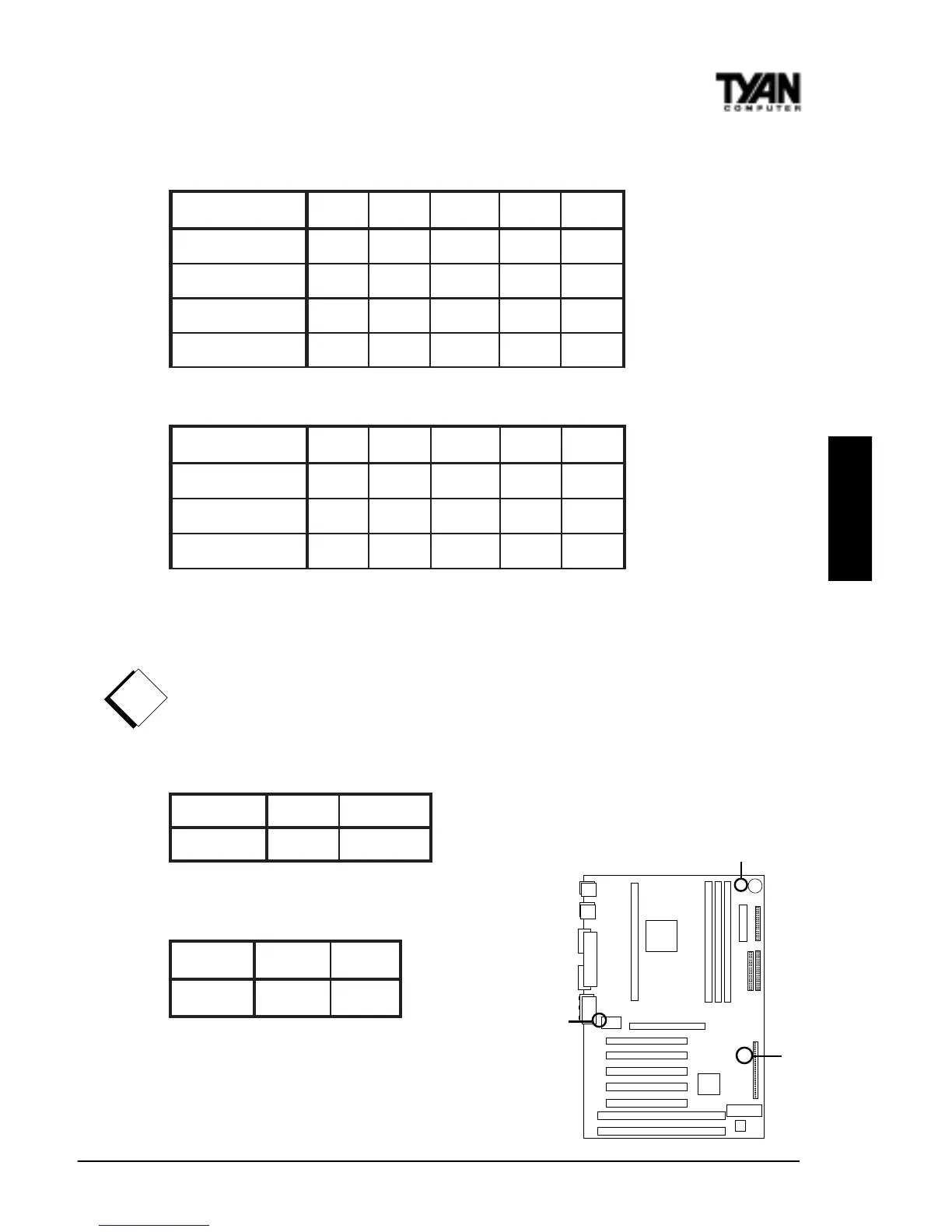
JP10, JP11, JP12, JP13
JP2
JP17
CPU Settings for 66MHz Bus
deepSkcolCtluM01PJ11PJ21PJ31PJ
zHM332
5.3xNOFFOFFONO
zHM662
4xFFONONONO
zHM003
5.4xFFONOFFONO
zHM333
5xFFOFFONONO
CPU Settings for 100MHz Bus
deepSkcolCtluM01PJ11PJ21PJ31PJ
zHM053
5.3xNOFFOFFONO
zHM004
4xFFONONONO
zHM054
5.4xFFONOFFONO
The CPU speed is controlled by setting the bus speed (described in BIOS
setup) and by setting the multiplier with the jumpers described above that are
appropriate for your CPU and memory. You must have a 100MHz processor to
run at a bus speed of 100MHz. Tyan does not recommend and is not respon-
sible for functionality or damage to components caused by operating a CPU,
memory or any bus at higher than rated speeds (overclocking).
Onboard Sound Enable
dnuoSelbanEelbasiD
71PJ
FFONO
Hardware CMOS & Password Reset
tluafeDteseR
2PJ
2-13-2
If you have been locked out of your
system because you forgot your password
or set the CMOS incorrectly, follow the
!
important!



 To Next Page