© 2021 TytoCare All rights reserved. 50 of 75
TytoHome General Operation User Guide
Performing an Online Visit
Performing an Online Visit
Starting an Online Visit
You can start an online visit immediately after choosing a patient, in which case the video
conference will take place while you are performing the exams. You can also initiate an online visit
after you have performed exams.
An online visit is a video conference session with a doctor or other clinician. During the online visit,
the clinician controls the Device remotely and can hear and view the results captured by the
Device, and can direct you in its operation if necessary. To initiate a live remote online visit, click
SEE A CLINICIAN ONLINE.
Selecting a Physician
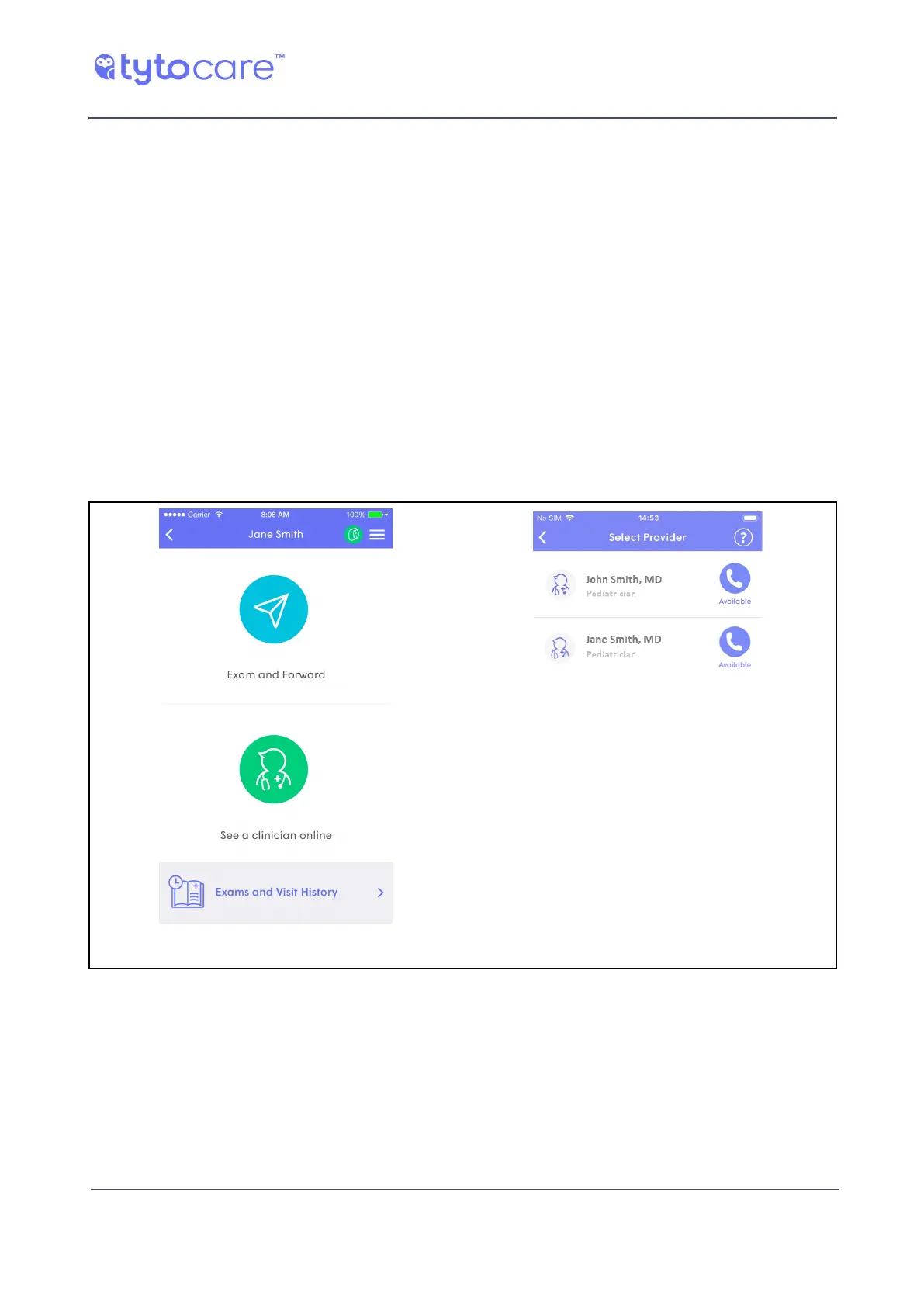
Choose an available clinician with whom you’d like to request a virtual visit, as shown below.
Tap SEE A CLINICIAN ONLINE Tap the chosen clinician
A clinician is available if they are online and ready to enter a video conference now.
l Busy indicates that the clinician is online, but currently engaged in another video conference.
l On Call indicates the clinician is not online, but is still available for online visits, depending on



 To Next Page