© 2021 TytoCare All rights reserved. 24 of 75
TytoHome General Operation User Guide
First Time Setup
Pairing Procedure on First-Time Use
Using Wi-Fi
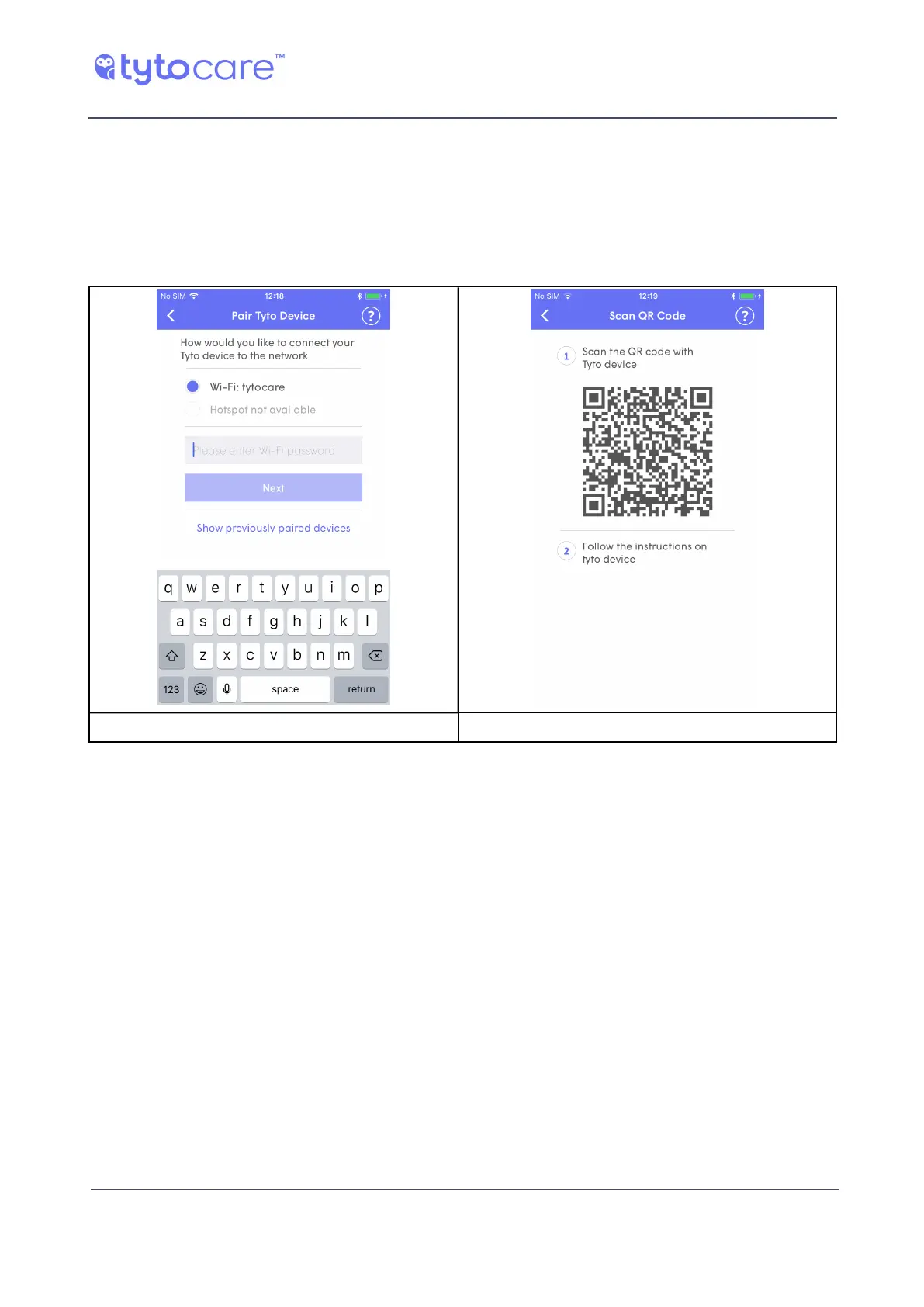
1. Enter your Wi-Fi password and tap Next on the App Device Pairing screen. This creates a QR
code on the mobile device screen:
Enter Wi-Fi password and tap “Next” QR code created on the mobile device



 To Next Page