© 2021 TytoCare All rights reserved. 53 of 75
TytoHome General Operation User Guide
Performing an Online Visit
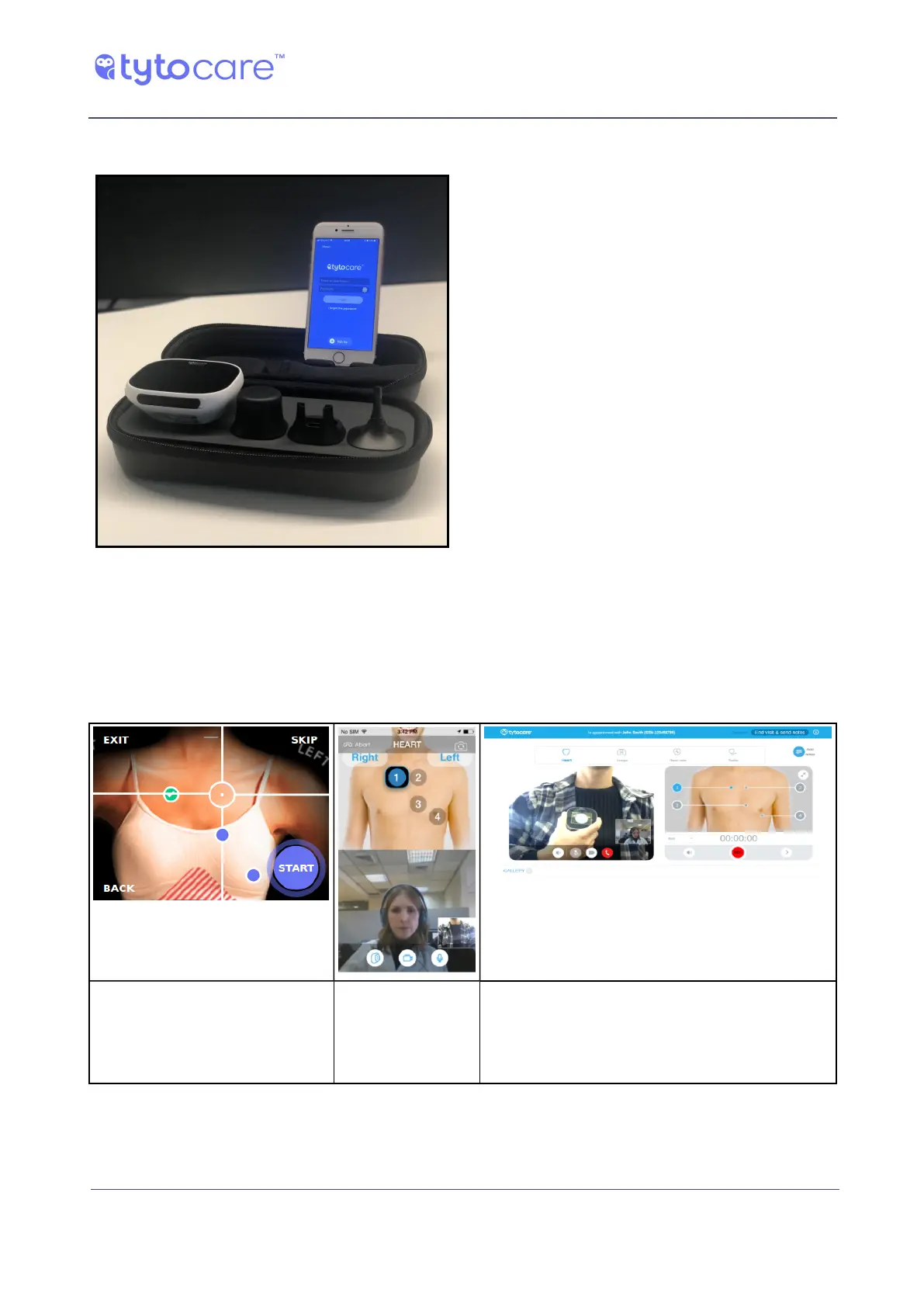
Using the Phone Stand
To operate the Device during a video
conference, place the mobile device on the
designated location on the upper side of
the carrying case. Make sure to position
the mobile device camera so the clinician
can see where you are placing the Device
on your body.
Clinician Begins Exam
Once the clinician selects the relevant exams, these automatically appear on your Device and
TytoApp screens. See the example below, of a heart exam performed during an online visit with a
clinician.
Example of Device display
during an online heart
examination
Example of
TytoApp display
during an online
heart examination
This is what the clinician sees during the
examination
Follow the clinician's instructions and the indications on the Device screen regarding proper
placement of the Device on the body.



 To Next Page