© 2021 TytoCare All rights reserved. 31 of 75
TytoHome General Operation User Guide
First Time Setup
Using the Device Options Menu to Pair or Shut Down the Device
The Device Options menu is always available if need to:
l Pair the Device and the mobile device
l Shut down the Device
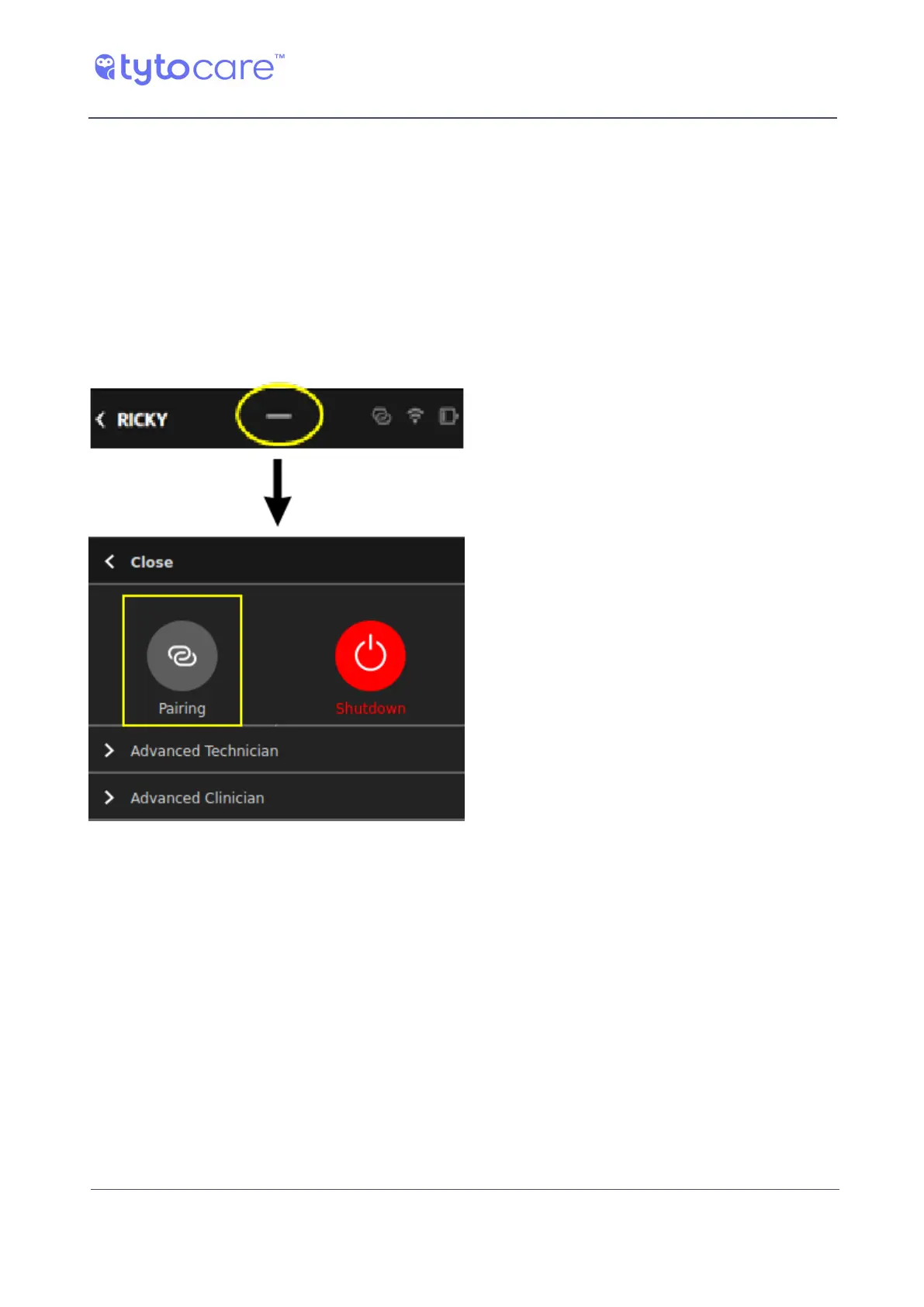
You can access the Device options menu by swiping down on the short line on the top of the
Device screen:
Pairing
Click Pairing on the menu to perform the Pairing procedure, as explained in item 7 in Section
Manual Pairing Procedure.
Identifying the Device Model
Identify your Tyto Device model in one of the two following ways:
l Open the Device menu, tap About, and look at HW Version:
"TY-G2..." indicates that your Device is G2.
"TYTO..." indicates that your Device is G1.



 To Next Page