© 2021 TytoCare All rights reserved. 34 of 75
TytoHome General Operation User Guide
First Time Setup
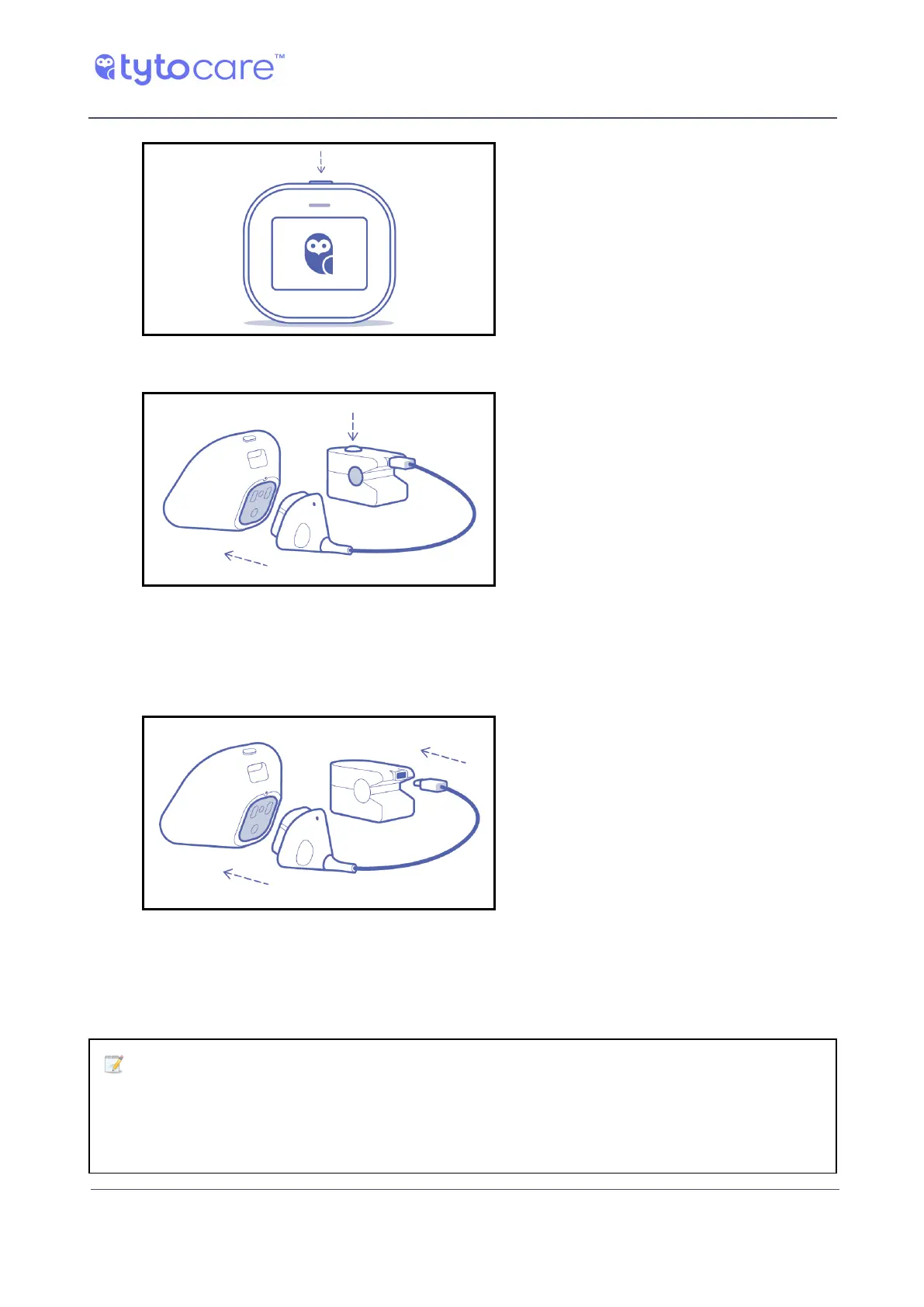
2. Turn on your TytoCare Device and
connect it to the App. Make sure you
are not in the middle of an exam.
3. Turn on the TytoCare Pulse Oximeter
and connect the adaptor to the
TytoCare Device.
4. After you complete the setup, from
now on you will be able to do a
Blood Oxygen exam using your
TytoCare Device and Pulse Oximeter.
Just connect them, turn them on,
and select the Blood Oxygen exam
icon.
Shutting Down the Device
Click Shutdown to turn off the Device.
Note: If you experience difficulty in shutting down the system, or if you
experience a software crash, or if the Device does not respond, you can force a
shutdown. Press and hold the physical button on the top of the Device for ten
seconds to force the system to shut down.



 To Next Page