© 2021 TytoCare All rights reserved. 45 of 75
TytoHome General Operation User Guide
Logging in
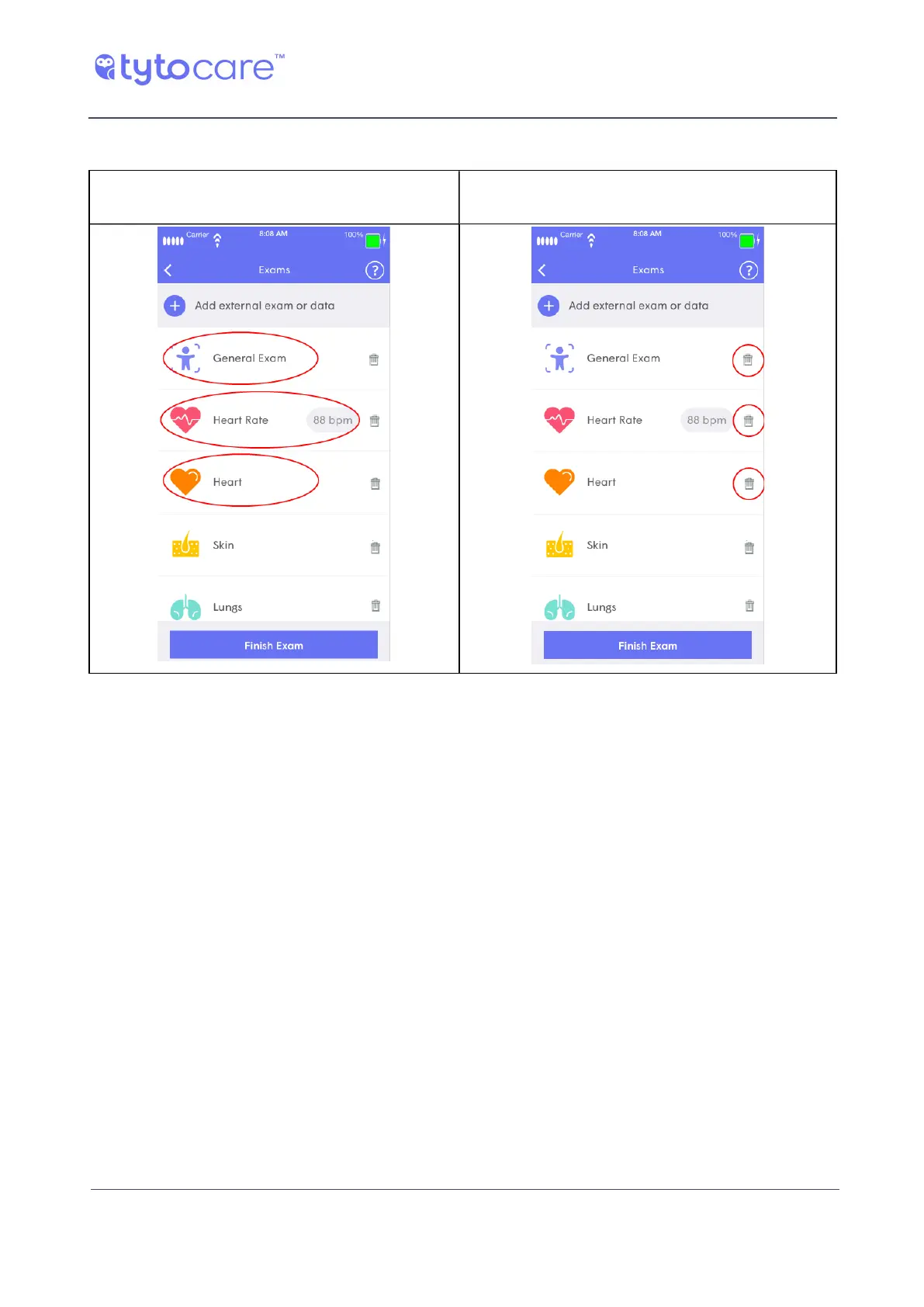
Viewing or Deleting an Exam’s Video
To view an exam’s video, tap on the exam in
the list of exams displayed by the App:
To delete an exam, tap the Delete icon next to
the exam:
Adding External Exams or Data
After you tap to save the visit in the Device, you are then able to review the recordings captured
during the visit. In addition, you now have an option to add to the visit measurements or vitals
from external medical devices, or other relevant medical information. The added exams or data
will be sent to the clinician, together with the Tyto exams.
If you want to add such exams, tap Add External Exams or Data, displayed on top of the Tyto
exams.
Then, tap the type of measurement you want to add.



 To Next Page