ULEAD VIDEOSTUDIO USER GUIDE
10
Connecting the camcorder to the IEEE-1394 interface
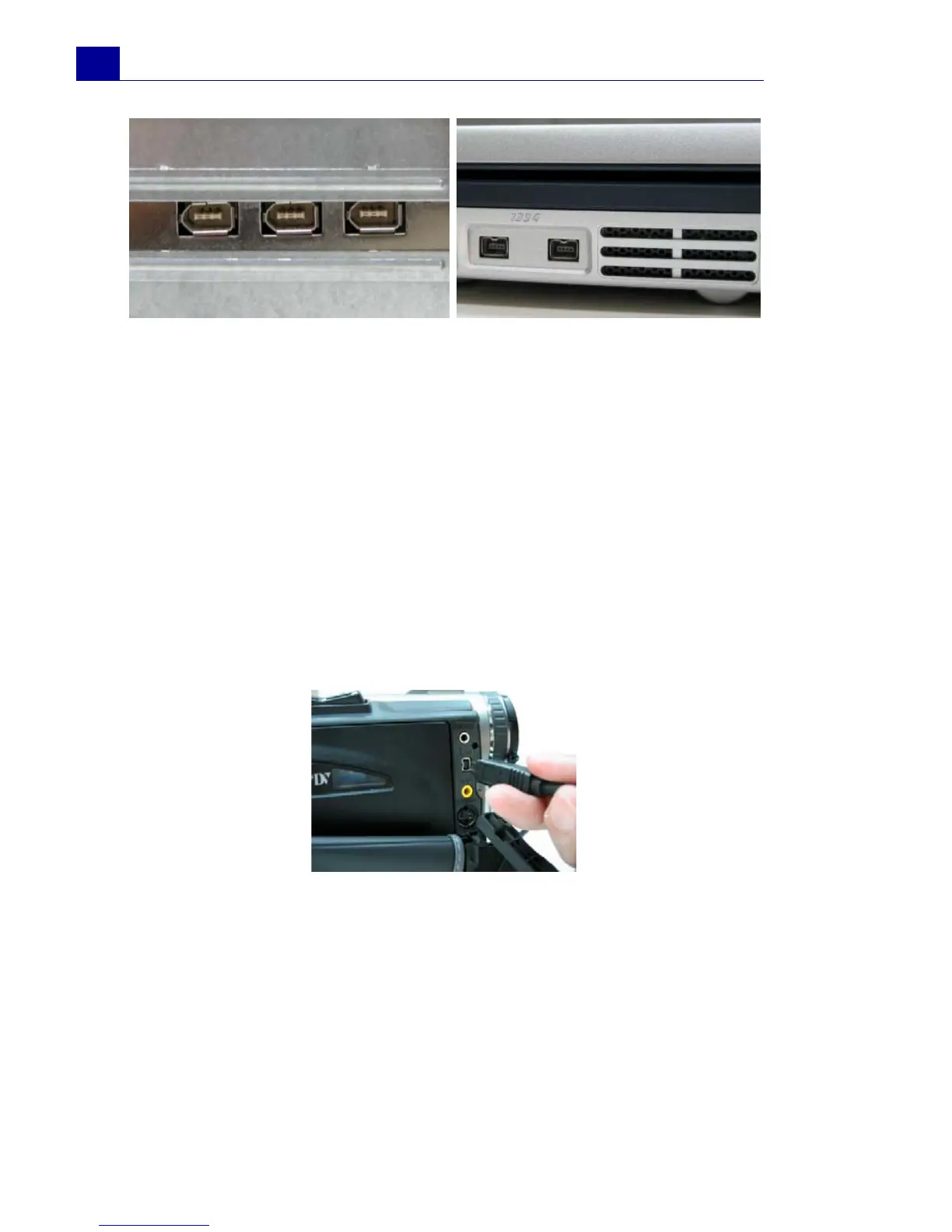
Use an IEEE-1394 cable to connect your digital camcorder to the
IEEE-1394 port. Before purchasing one, check first the pin
connectors used on your camcorder and your computer. Most DV
and Digital 8 camcorders have a 4-pin connector, whereas desktop
computers that come with IEEE-1394 ports or installed with IEEE-
1394 cards usually have 6-pin connectors. The IEEE-1394 cable
that is required for desktop computers is a 4-pin to 6-pin cable.
Most notebook computers have 4-pin connectors which require a 4-
pin to 4-pin cable.
6-pin IEEE-1394 ports on a desktop
computer
4-pin IEEE-1394 ports on a
notebook computer
Connecting the IEEE-1394 cable to the DV camcorder



 To Next Page