ULEAD VIDEOSTUDIO USER GUIDE
44
Setting your preferences
Customize the program's working environment through the
Preferences dialog box. You can specify a working folder for
saving files, set undo levels, choose preferred settings for program
behavior, and more. To open the Preferences dialog box, select
File: Preferences [F6]. For details, see “Preferences: File menu”
on page 161.
VideoStudio contains a sample finished project that lets you have a
general overview of most of the features that are available in the
program. This sample project also lets you experiment and get a
general feel of how to use VideoStudio. You can find the sample
project in C:\Program Files\Ulead Systems\Ulead VideoStudio
9.0\Samples\Sample-NTSC.VSP/Sample-PAL.VSP.
Setting project properties
Project Properties serve as your template for previewing your
movie projects. The project settings in the Project Properties dialog
box determine the appearance and quality of a project when it is
previewed on-screen. To customize project settings, select File:
Project Properties.
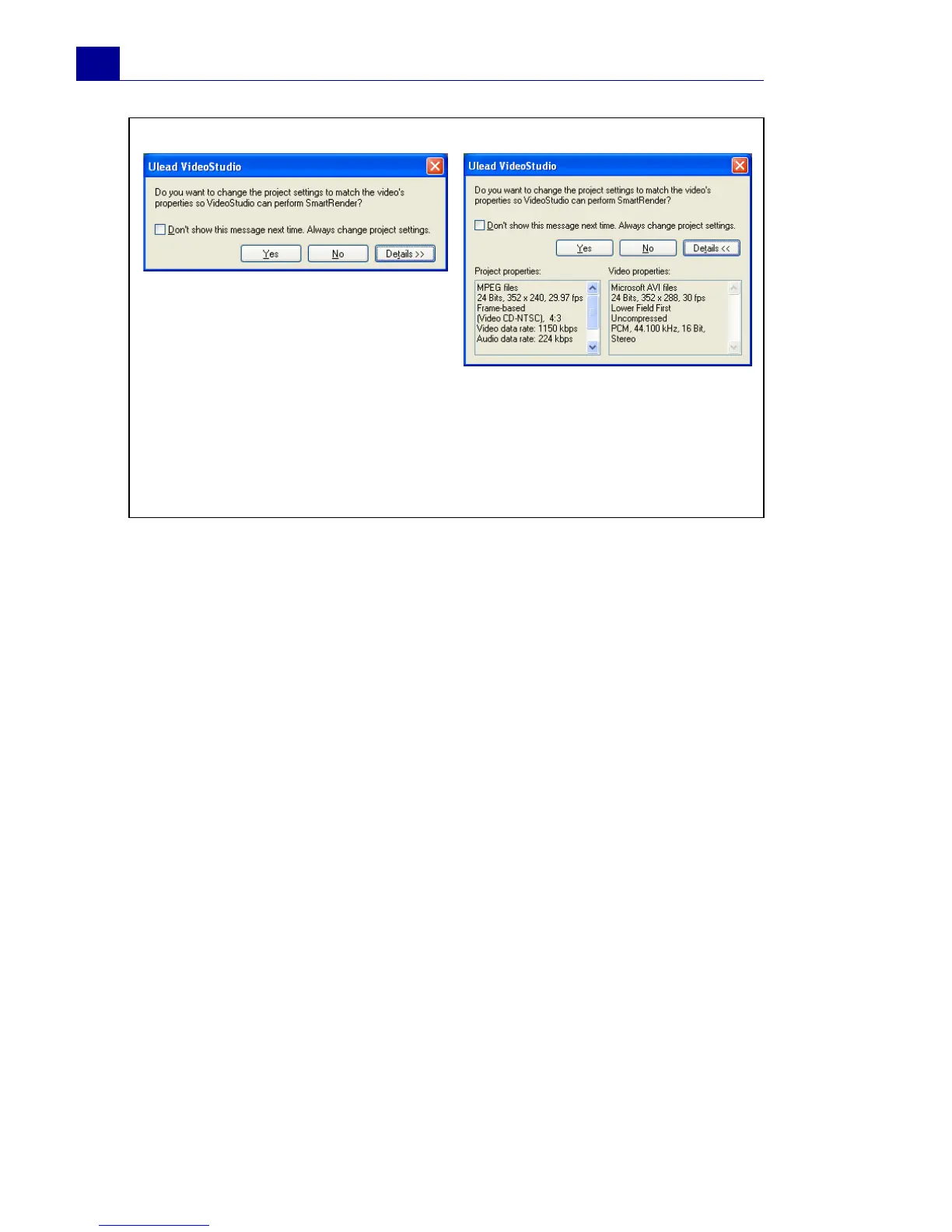
Tip:
The above message box lets you change the project properties to be
the same as the first video clip inserted into the Timeline. To toggle
between displaying and not displaying the message box, select or
clear Show message when inserting first video clip into the
Timeline in the Preferences dialog box. (See “Preferences: File
menu” on page 161).



 To Next Page