ULEAD VIDEOSTUDIO USER GUIDE
176
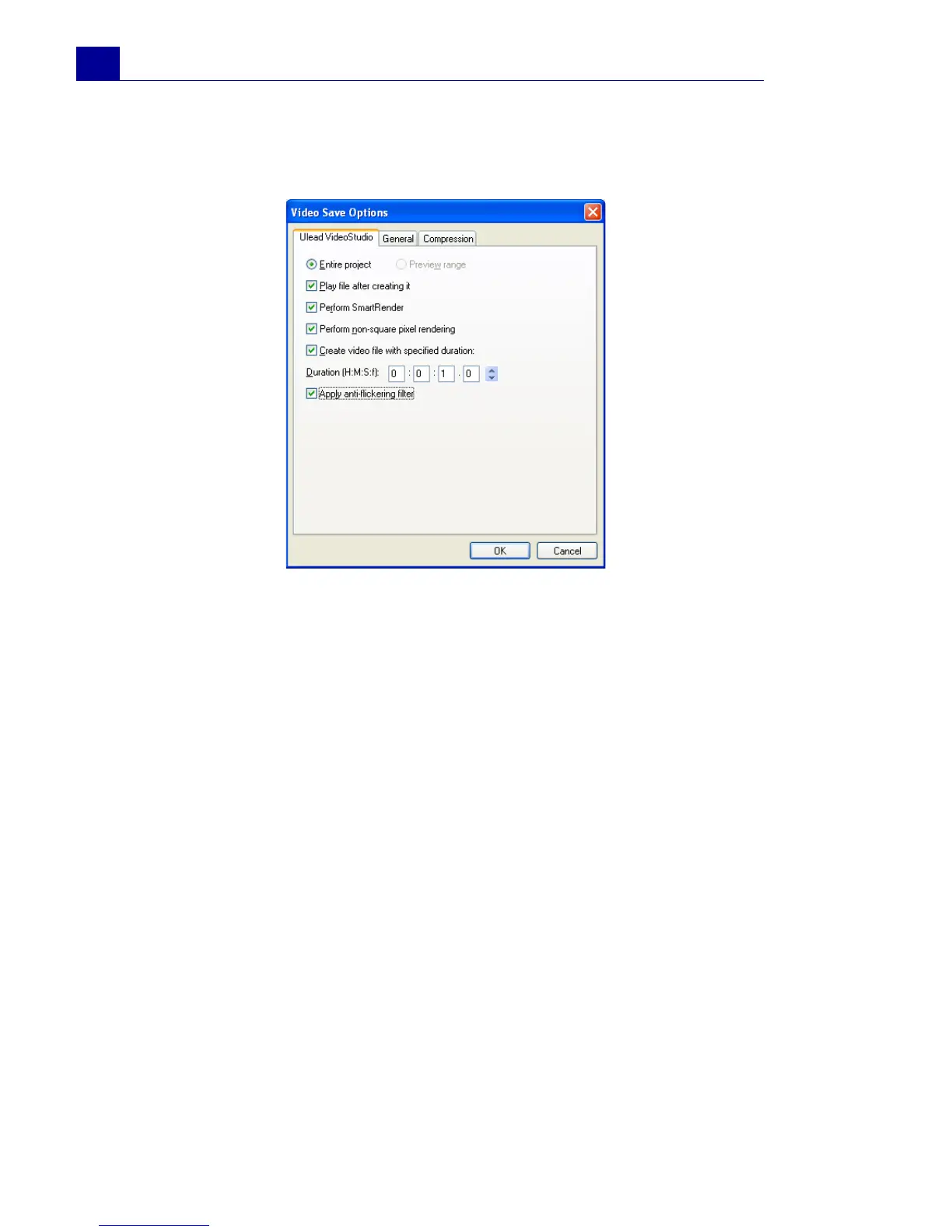
Video Save Options
Ulead VideoStudio tab
• Entire project: Select to save all the frames of the entire file.
• Preview range: Select to save a video file consisting only of
clips in the preview area. (Only available if a preview area
exists.)
• Play after creating: Select to watch the video immediately
after VideoStudio finishes saving.
• Perform SmartRender: Select to use pre-created file that
VideoStudio recognizes if contents are still available for faster
rendering process.
• Perform non-square pixel rendering: Select to perform
non-square pixel rendering when previewing your video. Non-
square pixel support helps avoid distortion and keeps the real
resolution of DV and MPEG-2 content. Generally, the square
pixel is suited for the aspect ratio of computer monitors while
the non-square pixel is best used for viewing on a TV screen.
Remember to take into account which medium will be your
primary mode of display.
• Create video file with specified duration: Select to specify
the duration of the video file that will be created. This is useful



 To Next Page