ULEAD VIDEOSTUDIO USER GUIDE
168
pixel is suited for the aspect ratio of computer monitors while
the non-square pixel is best used for viewing on a TV screen.
Remember to take into account which medium will be your
primary mode of display.
• Resume all confirmation dialog boxes: Select to have the
confirmation boxes appear even after the “Do not show again”
oprtion is selected.
• Max 30MB menus for set-top DVD+VR recorder: Select
to set the maximum file size for DVD menus to 30MB to make
the DVD compatible with set-top DVD (DVD-VR) recorders.
• Clear cache: Select to remove the converted temporary
video file when you quit VideoStudio.
• TV system: Select the type of your TV system (NTSC or PAL).
• DVD disc size: Select the capacity of the DVD disc to burn by
default.
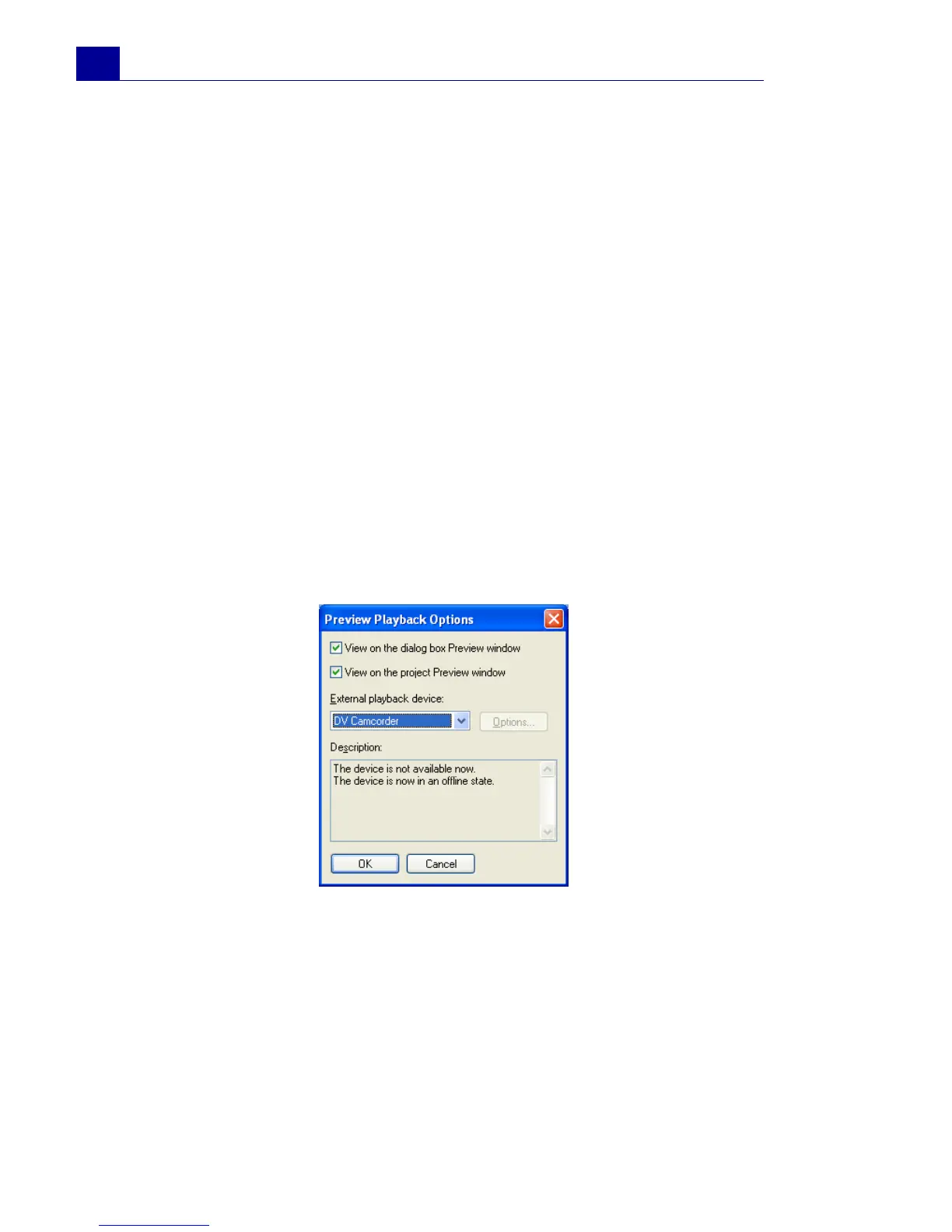
Preview Playback Options
• View on the dialog box Preview Window: Select to
preview the selected filter in the Preview Window of the dialog
box
• View on the project Preview Window: Select to preview
the selected filter in VideoStudio’s Preview Window.
• External playback device: Select a device where to preview
your clip with the filter applied. You can use a DV camcorder’s



 To Next Page