ULEAD VIDEOSTUDIO USER GUIDE
130
2. Click Open.
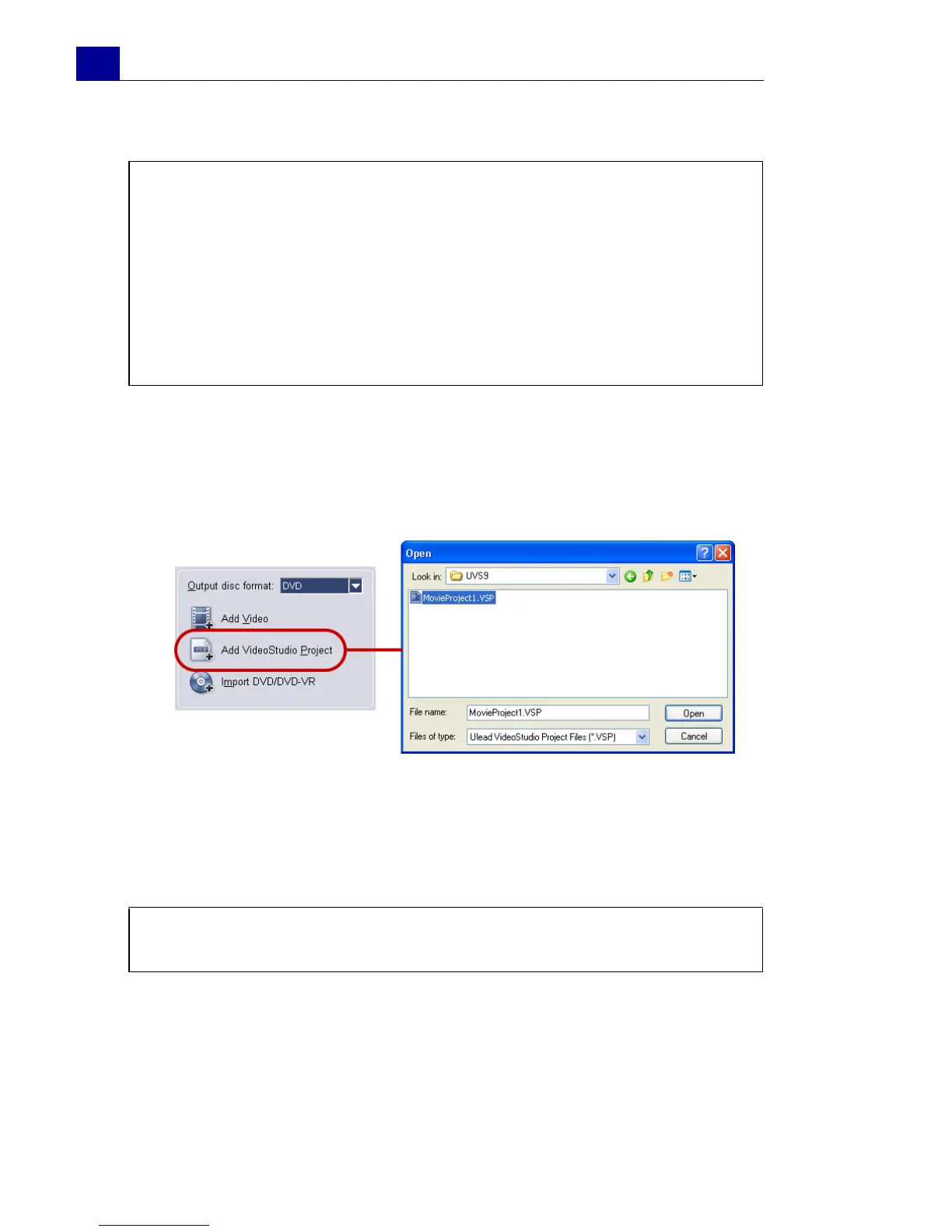
To add VideoStudio projects:
1. Click Add VideoStudio Project.
Locate the folder where the projects are, and then select one or
more video projects you want to add.
2. Click Open.
You can trim a video and VideoStudio project using the Jog Slider,
mark-in/out, and navigation controls. Trimming a video gives you
the freedom to precisely edit the video length.
Notes:
• You can add video formats such as AVI, QuickTime, and MPEG files.
You can also add VCD video (DAT) files.
• After a video clip is added to the Media Clip List, sometimes you
may see a black thumbnail. This is because the first scene (frame)
of this video clip is a black screen. To change it, double-click to
select this video clip and move the Jog Slider to the scene you
want. Next, right-click the thumbnail and select Change
Thumbnail.
Tip: You can also add videos from DVD/DVD-VR discs and SD-Cards.
(See “To add video and images:” on page 24).



 To Next Page