ULEAD VIDEOSTUDIO USER GUIDE
174
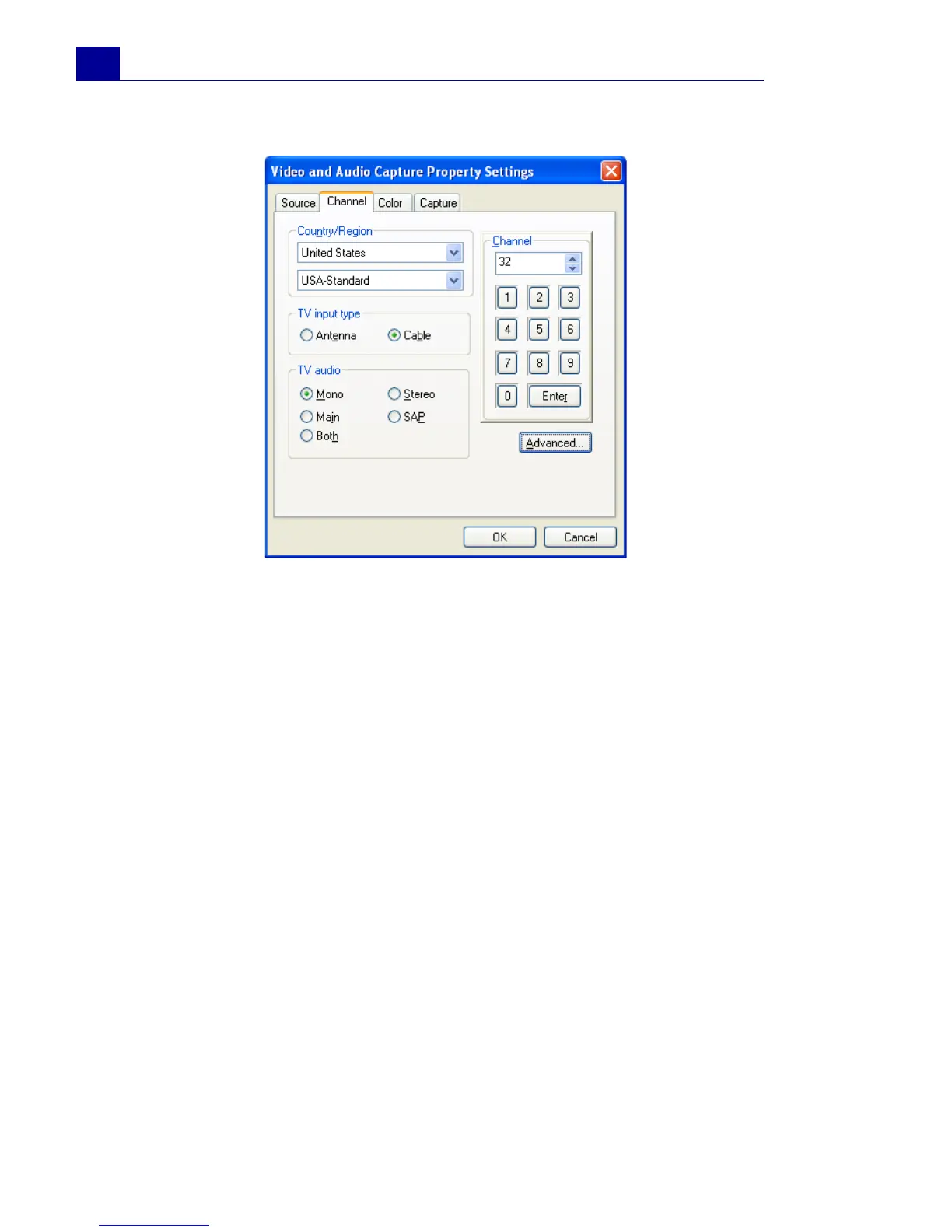
Channel tab (TV tuner only)
• Country/Region: Determines the available channels in your
place.
• TV input type: Determines the mode of your television input.
Select Antenna if you're using an antenna to watch television
or Cable, if your television utilizes a cable TV system.
• TV audio: Select the audio format currently used by the TV.
• Channel: Enter the channel of the television program you
plan to capture footage from.
• Advanced: Click to open the TV Channel Manager dialog
box where you can scan for the TV channels available in your
region.
Color tab
Please see “Video Color Manager” on page 175.



 To Next Page