ULEAD VIDEOSTUDIO USER GUIDE
60
To capture video in MPEG-1 or MPEG-2 format:
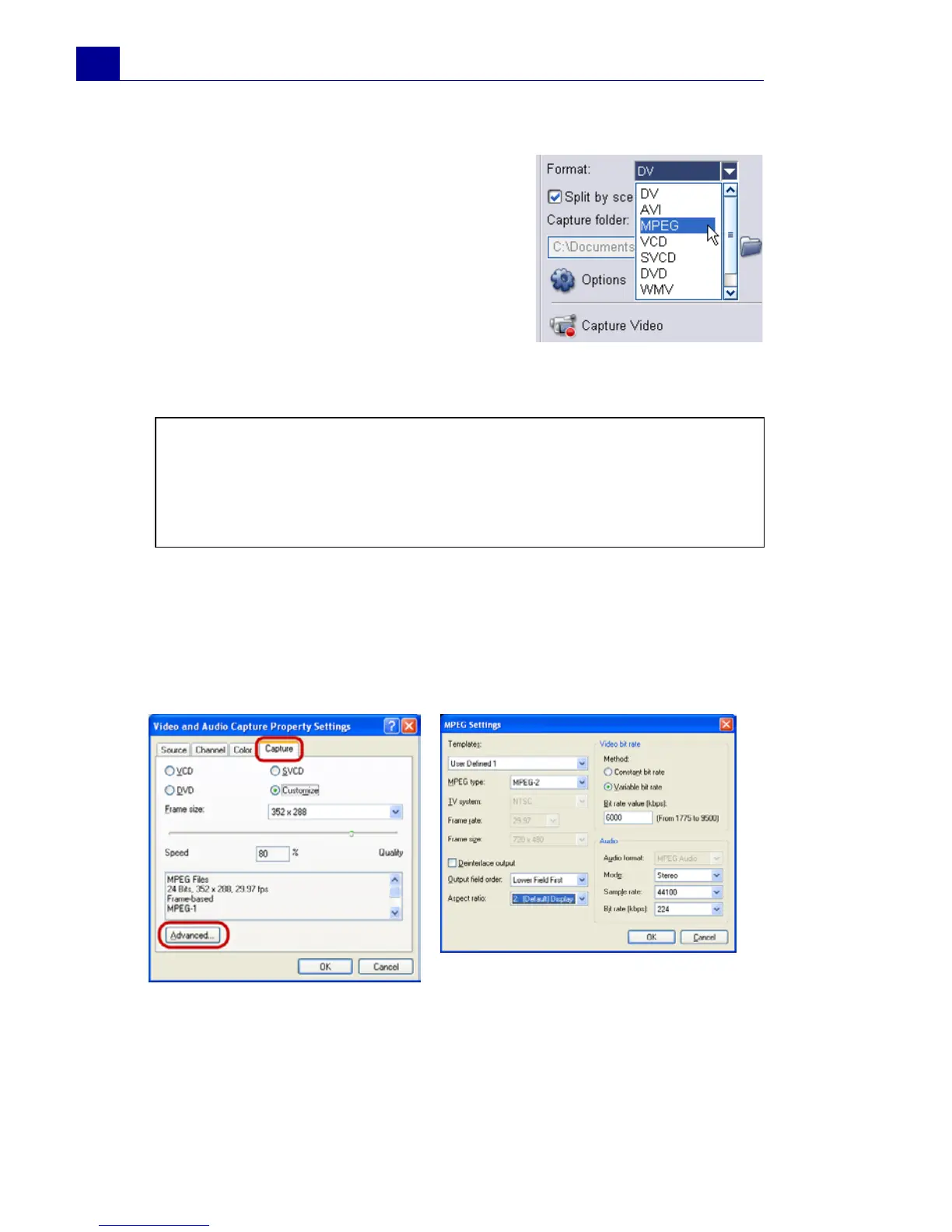
•In the Options Panel, select
MPEG from the Format list to
capture MPEG files that are
intended for playback on the
computer or for sharing on the
Web.
You can also capture VCD, SVCD or
DVD-ready MPEG files that can be
burnt onto disc by selecting one of
these formats from the Format list.
• Click Options and select Video and Audio Capture
Property Settings. In the dialog box that opens, click the
Capture tab then click Advanced. The MPEG Settings
dialog box then appears in which you can customize attributes
for the MPEG file.
Note: The Ulead DSW MPEG Capture Plug-in will be
automatically detected. If your capture device does not support
this plug-in, you need to manually select this plug-in the Change
Capture Plug-in dialog box. (See “Change Capture Plug-in” on
page 159).



 To Next Page