28
Starting a print
Printing from Cura
The Ultimaker 3 offers the possibility to print over a network, either via WiFi or Ethernet. This can be done when your
Ultimaker 3 and computer are connected to the same network.
WiFi
To start a print over WiFi via Cura, take the following steps:
1. Install WiFi (if not done yet) by going to System g Network g Run WiFi setup and follow the steps on the display.
2. Enable WiFi in the network menu.
3. In Cura go to Settings g Printers g Manage printers.
4. Click on the “Connect via network” button.
5. Select your Ultimaker from the list of printers that are shown and click “Connect”.
Select “Add” in this screen to configure an Ultimaker 3 by IP address manually.
Cura will ask if you want to transfer configuration from your Ultimaker 3 to Cura. Select “yes” to automatically
transfer them. When selecting “no”, make sure you select the correct settings manually.
If you connect to a printer for the first time you need to authorize the connection on the printer.
6. Slice your 3D model in Cura.
7. Press “Print over network” to start the print.
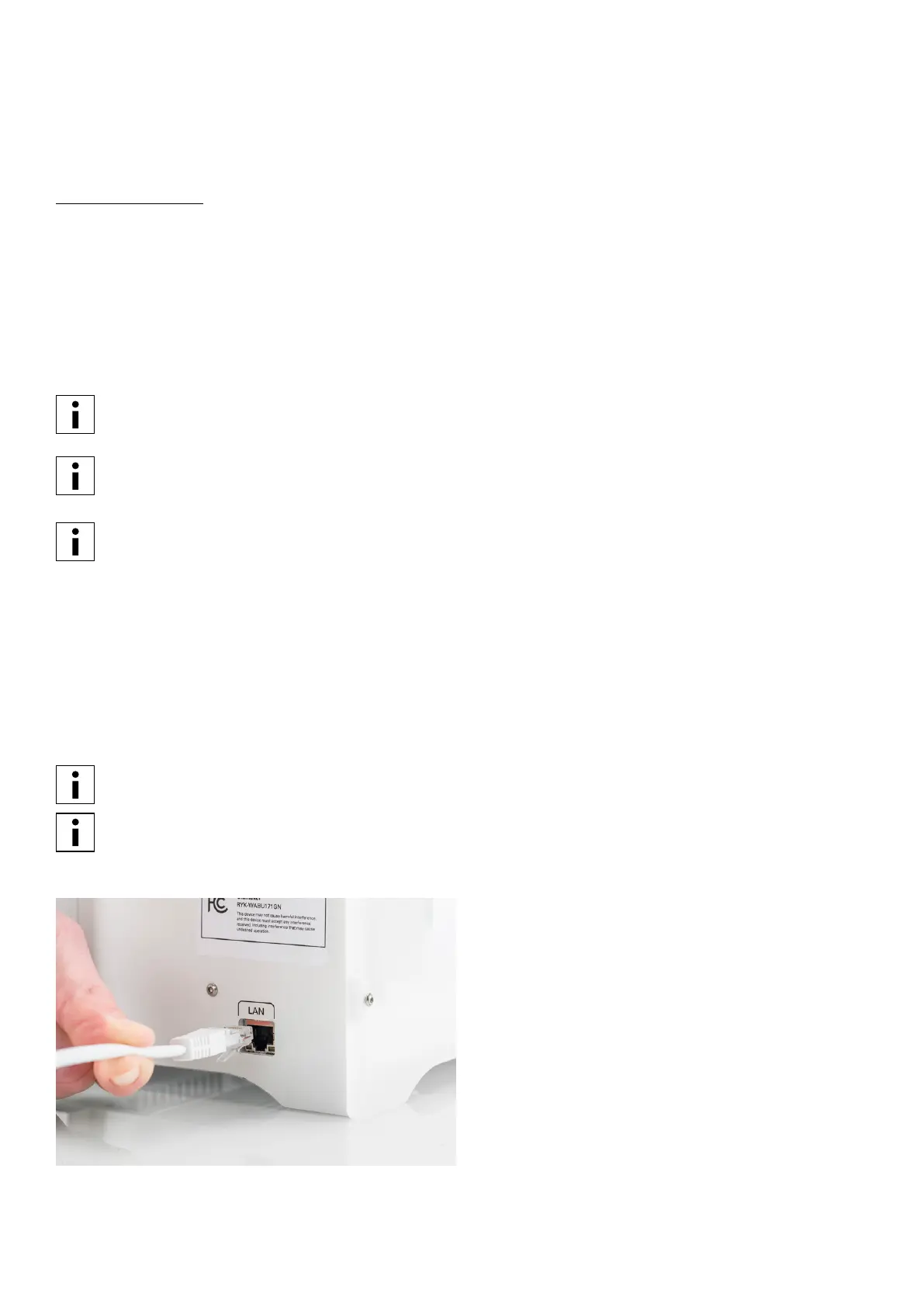
Ethernet
To print via an Ethernet connection, the following steps must be taken:
1. Connect the LAN cable to socket on the back side of the Ultimaker 3.
2. Enable Ethernet in the network menu.
3. In Cura go to Settings g Printers g Manage printers.
4. Click on the “Connect via network” button.
5. Select your Ultimaker from the list of printers that are shown and click “Connect”.
Cura will ask if you want to transfer configuration from your Ultimaker 3 to Cura. Select “yes” to automatically
transfer them. When selecting “no”, make sure you select the correct settings manually.
If you connect to a printer for the first time you need to authorize the connection on the printer.
6. Slice your 3D model in Cura.
7. Press “Print over network” to start the print.
















 To Next Page