39
Lubricating the axles
To maintain your Ultimaker 3 correctly and keep it running smoothly, it is advised to lubricate the axles periodically. In the
accessory box of your Ultimaker 3 you can find Unilube for the X and Y axles and Magnalube for the Z axle.
Especially in countries with a high humidity or in very dry countries the axles must be lubricated regularly.
X and Y axles
When you notice small ridges on the surfaces of your 3D printed objects or feel that the X and Y axles are dry, it is advised
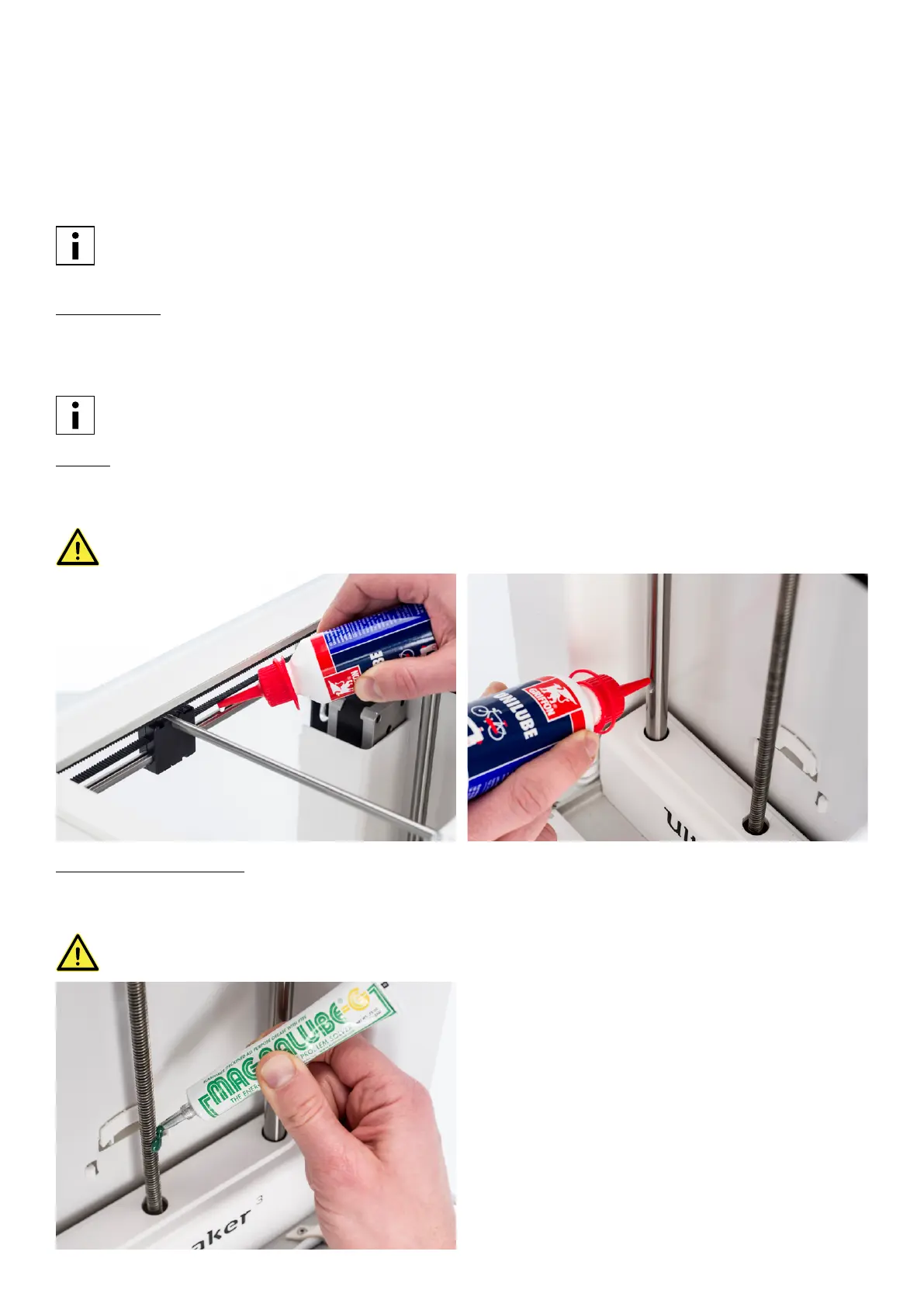
to apply some Unilube to the X and Y axles. Apply a small drop of Unilube to each of the X and Y axles and both the print
head shafts. Manually move the print head around to equally distribute the oil.
Do this approximately once a month, or when the axles feel dry.
Remove the glass plate before applying Unilube to avoid drops of oil on the glass plate.
Z axles
Unilube can also be applied to the Z axles. Put a single small drop on each of the axles. In the Ultimaker menu, go to
System g Build plate. Select Raise and then Lower to move the build plate up and down to equally distribute the oil.
Do this approximately once every six months, or when the axles feel dry.
Only use Unilube on the X, Y and Z axles. Using other oils or Magnalube may affect the coating of the axles.
Z trapezoidal leadscrew
Magnalube can be used for lubricating the Z trapezoidal leadscrew. Spread about ten drops of grease over the entire lead
screw. Raise and lower the build plate through the menu again to equally distribute the grease.
Do this approximately once every six months.
Do not use Magnalube on the smooth axles, this will affect the working of your Ultimaker 3.
















 To Next Page