40
Keeping the printer clean
For the best print results it is important to keep the Ultimaker 3 clean while using it. Therefore it is advised to not use the
Ultimaker 3 in a room where it can easily be covered with dust and to remove small pieces of material that might be in the
printer. Besides this, there are a few parts in the Ultimaker 3 that might require more regular cleaning.
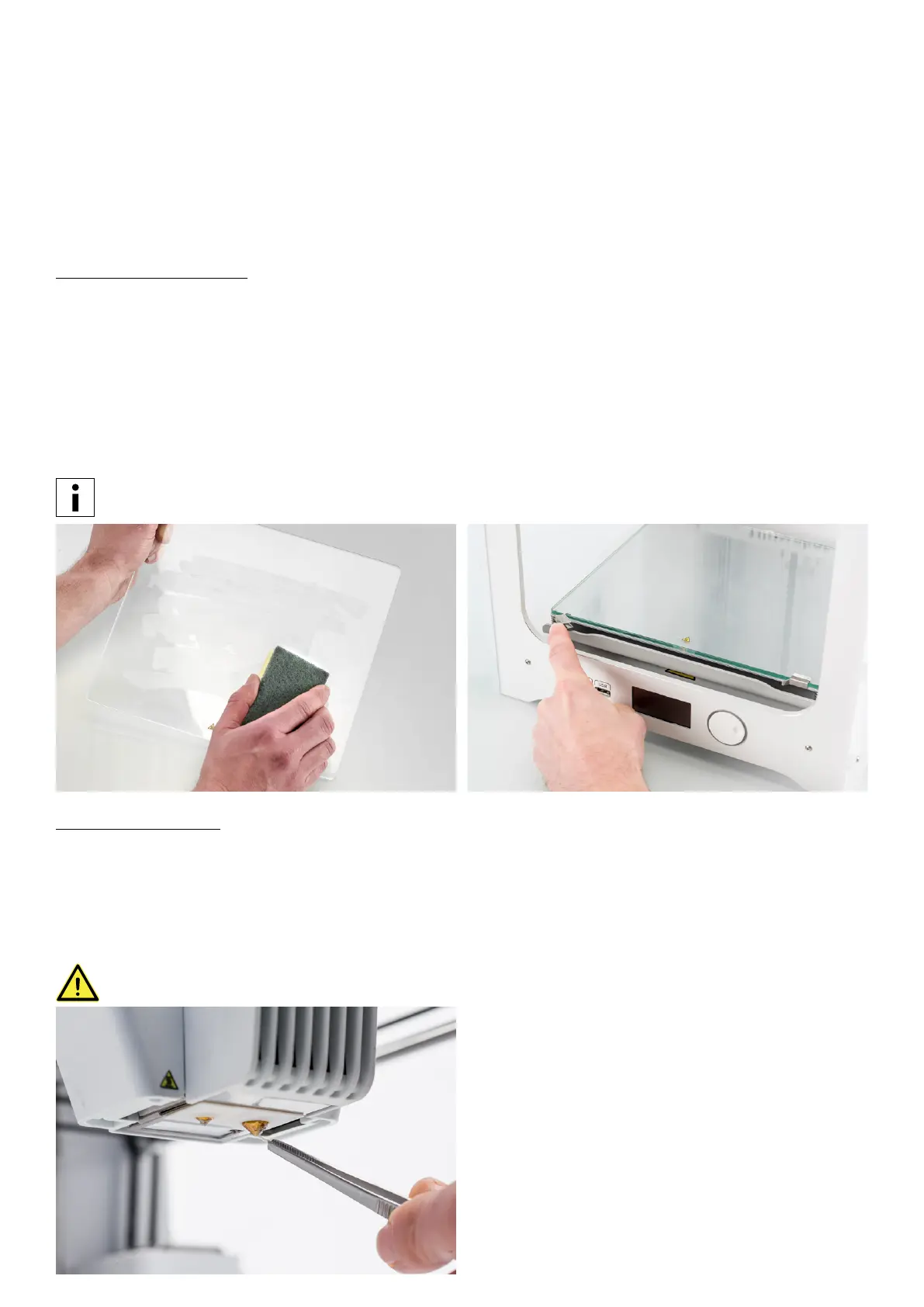
Cleaning the glass plate
After a lot of printing, there might be too much excess glue stuck to the glass plate. This can cause an uneven print surface
and it is therefore recommended to clean the glass plate once in a while. When doing this, always make sure that the
Ultimaker 3 is turned off and build plate has cooled down.
To clean the glass plate, take the following steps:
1. Move the build plate manually to the bottom of the Ultimaker 3.
2. Open the build plate clamps at the front side.
3. Remove the glass plate from the build plate by sliding it to the front and taking it out.
4. Clean the glass plate with lukewarm water and dry it with a cloth. If necessary, you can also use some soap to clean it.
5. Place the glass plate back onto the build plate and close the build plate clamps at the front side to secure it.
In order to be sure about a successful next print it is recommended to re-level the build plate after having
repositioned the glass plate.
Cleaning the nozzles
While using the Ultimaker 3 it can happen that the nozzles get dirty by material that sticks to nozzles. Although this will not
damage your printer, it is recommended to try keeping the nozzles clean, in order to achieve the best print results.
To remove plastic from the outside of a nozzle, it is advised to take the following steps:
1. Heat up the nozzle to 150 °C so that the plastic on the outside gets soft. You can do this by navigating to
Material/Print core g Print core [x] g Set temperature and using the scroll wheel to change the temperature.
2. When the nozzle is hot, carefully remove the material with tweezers.
Do not touch the nozzle and be careful while cleaning it as it will become hot.
















 To Next Page