EasyManua.ls Logo

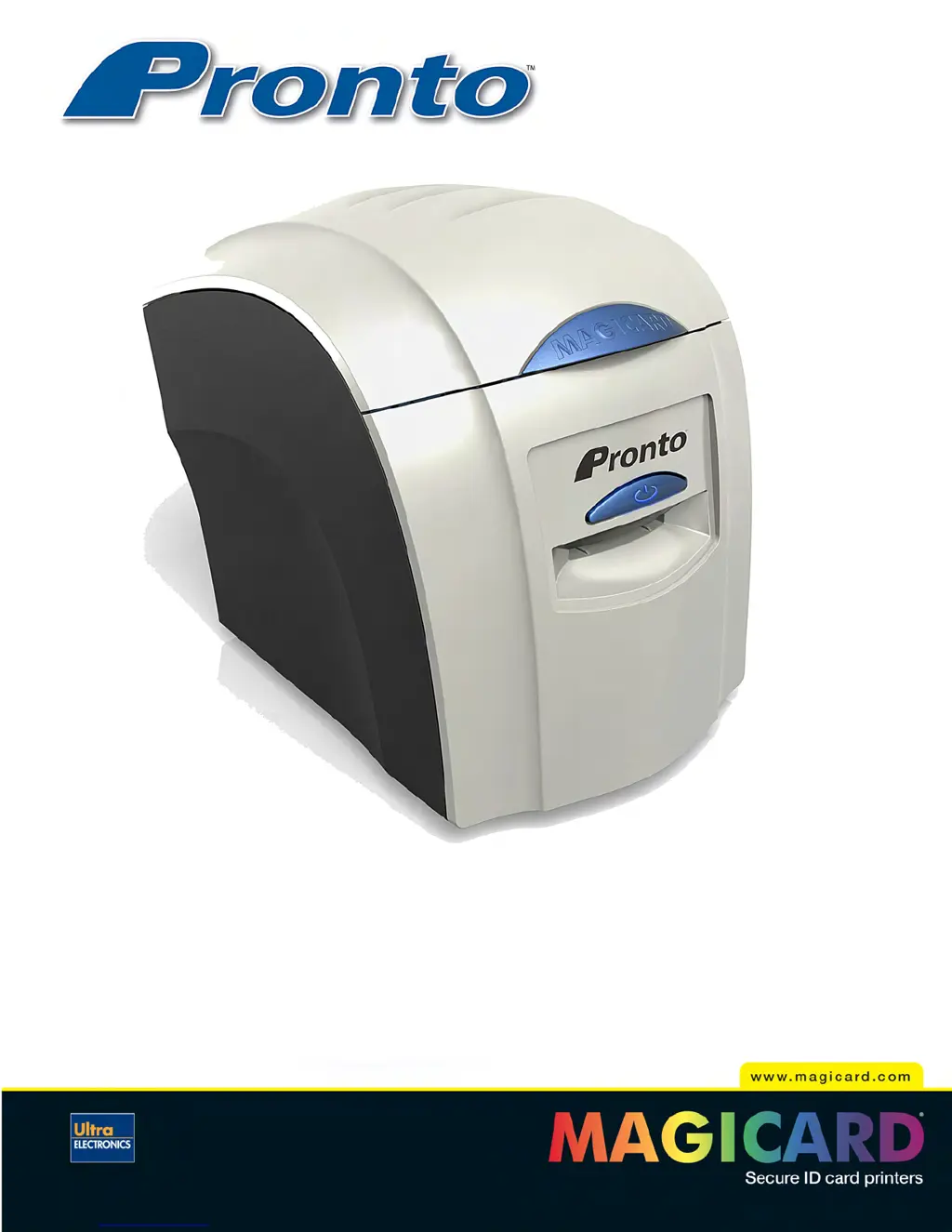
Ultra electronics Magicard Pronto - User Manual

Ultra electronics Magicard Pronto
33 pages
Print Icon
To Next Page IconTo Next Page
Loading...
User Manual
Document No: 689 Issue 2.02 - 06/2009

Questions and Answers

  • R
    Ruth BallSep 7, 2025
    What does 'Can't Lift Head' mean on Ultra electronics Printer?
    • P
      Patricia BrandtSep 7, 2025
      If your Ultra electronics Printer displays 'Can't Lift Head', the printer is trying to move internal mechanical parts but isn't detecting any movement. Check inside the printer for any obstructions and ensure the correct Magicard power supply is connected.
  • X
    xmacdonaldAug 22, 2025
    What to do if my Ultra electronics Printer has a card jam?
    • D
      Dr. Kenneth Kelly MDAug 22, 2025
      If your Ultra electronics Printer displays a 'Card Jam' error, it means the card didn't move properly inside. First, open the lid and try to remove the card. If that doesn't work, close the lid and see if the printer will eject it. After removing the jammed card, ensure you are using cards that meet the printer's specifications and clean the printer rollers.
  • E
    Eric WilliamsSep 4, 2025
    What to do if my Ultra electronics Printer 'Can't find panel'?
    • O
      oconnorwilliamSep 4, 2025
      If your Ultra electronics Printer displays 'Can't find panel', the printer cannot find the requested color panel within 8 panels of its starting point. Make sure you are using genuine Magicard film, ensure your dye film gear is meshing with the film teeth, verify you have the correct power supply plugged into the printer, and try installing a new roll of ribbon.
  • S
    sraySep 3, 2025
    How to resolve 'Wrong film type' error on Ultra electronics Magicard Pronto?
    • E
      Eric WilsonSep 3, 2025
      The 'Wrong film type' error on your Ultra electronics Printer can occur if you're sending a color or overcoat print job to a single color (monochrome) film. Ensure you have the correct film type fitted in your printer, check that your driver settings are correct, and try reinstalling the printer driver.
  • V
    vcarterSep 2, 2025
    Why is my Ultra electronics Printer showing an 'Overheat error'?
    • J
      Jennifer KempSep 2, 2025
      If your Ultra electronics Printer displays an 'Overheat error', the print head temperature is too high. Turn off the printer to let the printhead cool down. Ensure your room temperature is within the recommended specifications and that the printer has proper airflow. Also, check if your printer driver settings for Print Head Power are set too high; reset them to 50.
  • R
    Richard BaileyAug 31, 2025
    What does 'Unsupported film' mean for Ultra electronics Magicard Pronto?
    • C
      Craig MatthewsSep 1, 2025
      If your Ultra electronics Printer shows 'Unsupported film', it means the printer has validated the dye-film, but the color configuration isn't supported. Ensure you're using genuine Magicard film. It might also be a new film type, so try downloading and installing the latest firmware from the website.
  • L
    Lonnie MasonAug 30, 2025
    How to fix 'Print Head Error' on Ultra electronics Magicard Pronto?
    • J
      Jordan WalshAug 30, 2025
      A 'Print Head Error' on your Ultra electronics Printer means the print head cable isn't correctly connected. Turn off the power, ensure the printhead cable is securely connected, and check that the correct Magicard power supply is connected.
  • D
    Donna PayneAug 28, 2025
    What does 'Wrong PSU' mean on my Ultra electronics Magicard Pronto Printer?
    • C
      Catherine SellersAug 29, 2025
      If your Ultra electronics Printer displays 'Wrong PSU?', it means the printer is detecting a low level of output from the Power Supply Unit. Ensure the correct Magicard power supply is connected.
  • M
    Michael LopezAug 27, 2025
    How to resolve 'Clean Required' message on Ultra electronics Magicard Pronto Printer?
    • M
      Michael JohnsonAug 27, 2025
      The 'Clean Required' message on your Ultra electronics Printer indicates that the printer has printed over 700 cards since the last cleaning. To prevent print quality deterioration, clean the print rollers.
  • J
    Jack HowardAug 26, 2025
    What causes a hand feed error on Ultra electronics Printer?
    • M
      margaret80Aug 26, 2025
      A 'Hand feed error' on your Ultra electronics Printer means the printer isn't detecting the card in the front slot. Make sure you're feeding the card into the front slot when the multi-colored button flashes YELLOW. Ensure the card is inserted far enough for the printer's rollers to grab it, and avoid pre-staging the card in the printer before printing.

Summary

Safety and Compliance

General Safety Precautions

Essential safety precautions for operating and handling the Magicard Pronto printer.

Printer Installation

Pre-Installation Requirements

Crucial instruction not to connect USB before driver installation and environmental setup.

Install Printer Driver Software

Guide to loading the driver CD, installing the printer driver, and connecting the printer.

Using Your Pronto Printer

Choosing the Right Cards

Using Specific Card Types

Printer Driver Software (UltraDriver)

Installing the UltraDriver Software

Step-by-step instructions for installing the Magicard printer driver software on a PC.

Caring for Your Printer

Importance of Printer Cleaning

Emphasizes the importance of regular cleaning for printer longevity and print quality.

Troubleshooting

Printer Error Messages

Lists common printer error messages, their probable causes, and recommended solutions.

Additional Printer Error Messages

Continues the list of printer error messages, probable causes, and solutions.

Card Feed and Other Error Messages

Covers card feed issues and further printer error messages with their solutions.

Image Quality and Encoding Problems

Addresses issues related to print image quality and magnetic encoding failures.

Dye-Film and Driver Related Issues

Solves problems related to dye-film usage and driver software conflicts or issues.

Ultra electronics Magicard Pronto Specifications

General IconGeneral
TypeCard Printer
Print TechnologyDye Sublimation
Print MethodSingle-sided
Print Resolution300 dpi
ConnectivityUSB
InterfaceUSB
Card Sizes85.6mm x 54mm
Operating System CompatibilityWindows, Mac, Linux

Related product manuals