EasyManua.ls Logo

Ulvac DPG-30R - Page 48

Default Icon
65 pages
Print Icon
To Next Page IconTo Next Page
To Previous Page IconTo Previous Page
Loading...
DC Power Supply [DPG-30R & DPG-MC60R, DPG-MC120R, DPG-MC240R]
4. Operation
38
3) Change the display method
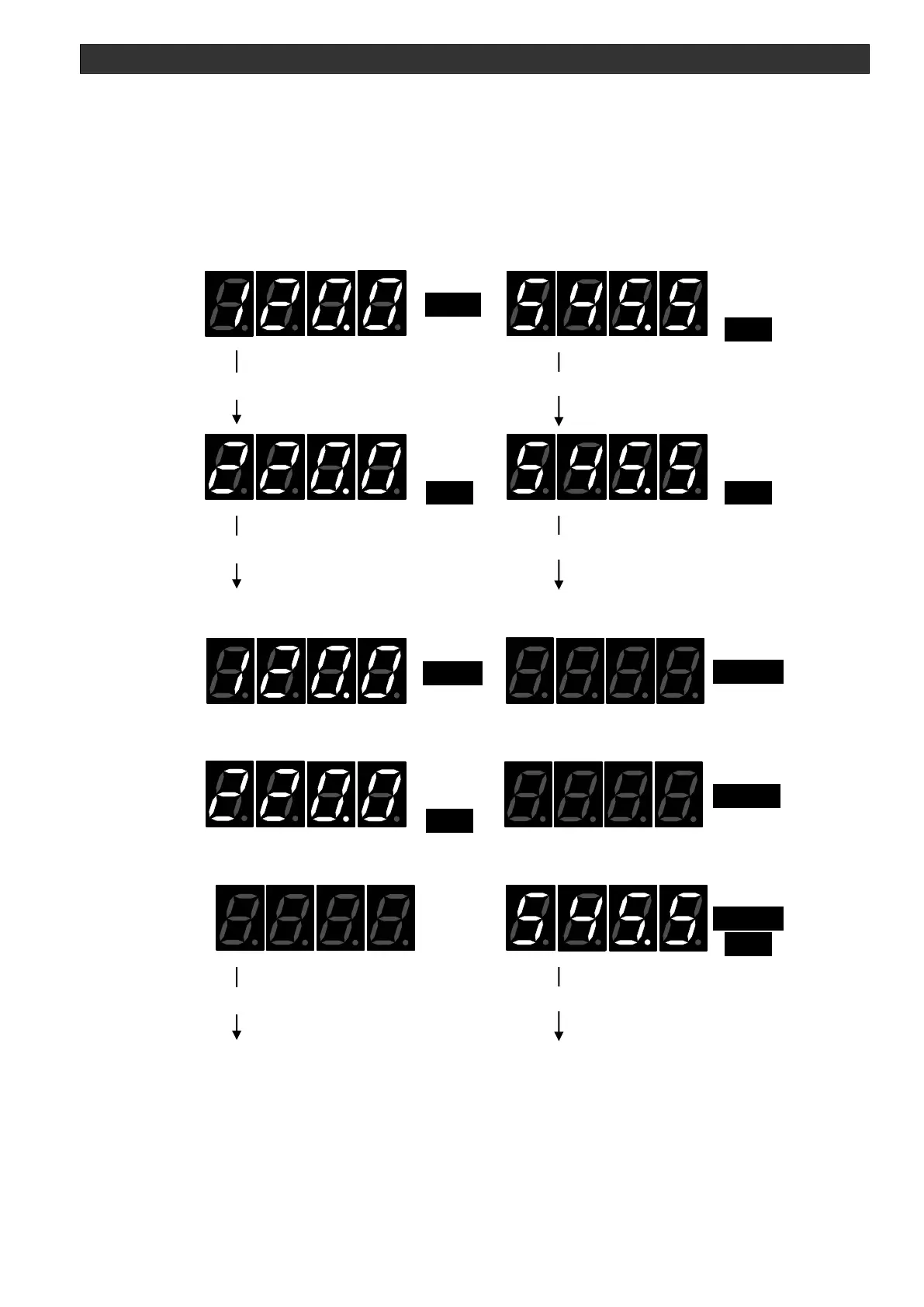
By quickly pressing the DSP SW, the display changes in the following order.
(Initial) kW monitor & V monitor -> A monitor & V monitor
-> kW monitor or A monitor or V monitor & SETPOINT monitor (changes with the control
mode currently used)
-> (Initial) ....
At the same time as the display switches, the corresponding LED indicators turn on.
Ex: During 120 kW/545 V/220 A output

HARC
kW
A
MARC
SET
V
V
kW
Power monitor Voltage monitor
HARC
kW
A
MARC
SET
V
VA
Current monitor Voltage monitor
Changes with the control mode currently used.
PSEL P control
HARC
kW
A
MARC
SET
V
SET
kW
Power monitor
ISEL I control
HARC
kW
A
MARC
SET
V
SET
A
Current monitor
VSEL V control
HARC
kW
A
MARC
SET
V
V
SET
Voltage monitor SETPOINT monitor
Returns to the initial screen.
Quick press DSP SW
Quick press DSP SW
Quick press DSP SW
Quick press DSP SW
Quick press DSP SW
Quick press DSP SW

Table of Contents