User manual for NERO / NERO INSTANT
Page 15Version 3.2 / December 2017
ТМ
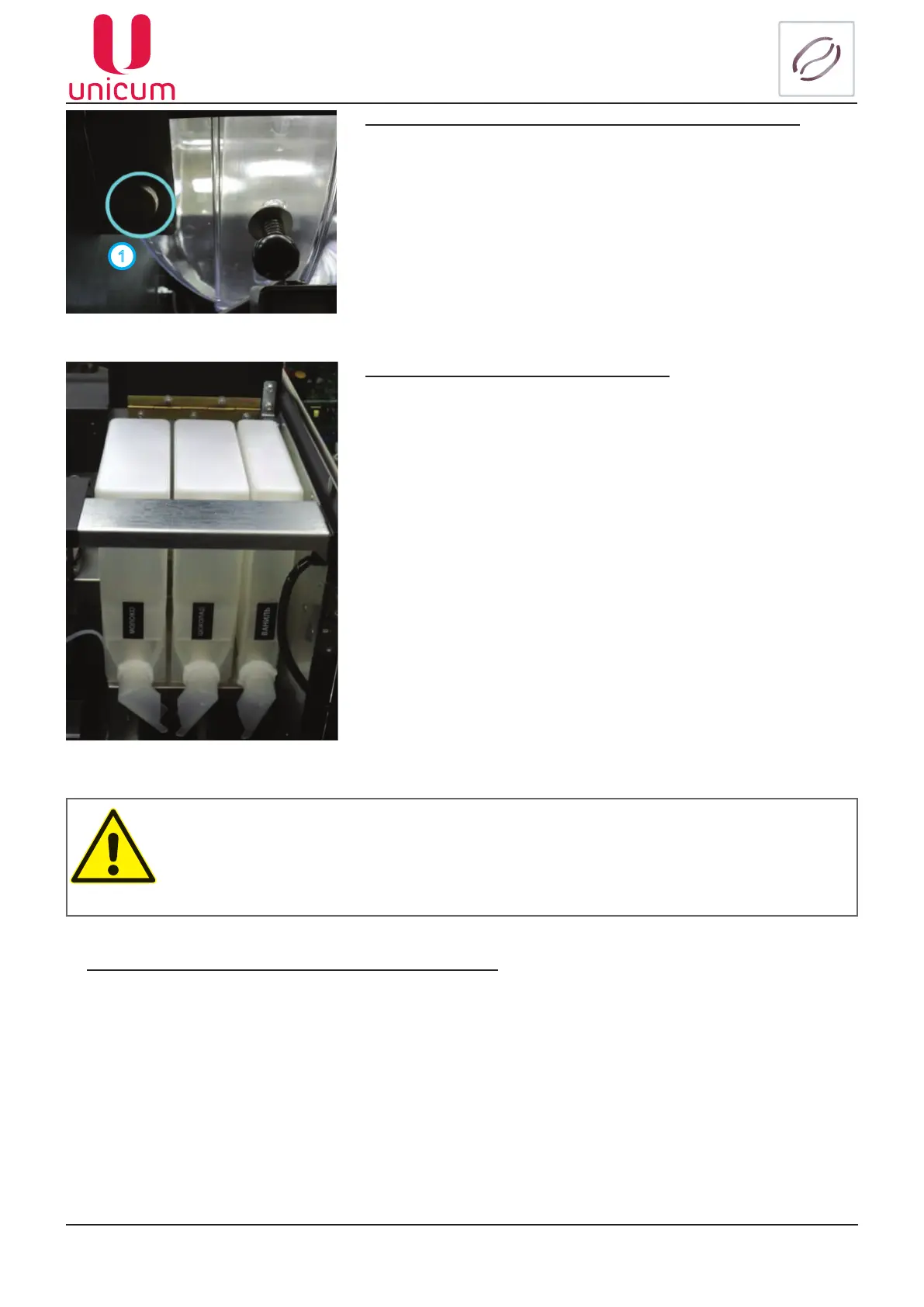
To install and remove the coffee bean container (for NERO):
With open vending machine door, pull the container’s clamp (1),
which is located in the left upper corner of the machine (see gure
16) and holding the clamp remove the container.
The container can be installed in the reverse order of actions.
Filling the coffee beans into the container (for NERO):
To ll the container remove the lid (see gure 13) from top of the container and pour in the coffee beans.
1
Filling the instant ingredients containers:
• Open the vending machine’s door;
• Lift the top lid of the machine;
• Lift the lid of the required container;
• Fill in the ingredient.
Figure 16 - Clamps of coffee bean container
Figure 17
If necessary (for convenience in lling) the containers can be re-
moved from the vending machine. For the purpose:
• Turn the container’s “nose” upwards;
• Slightly raise the container using the “nose” in such a way that
the container’s base grip would be removed from the body;
• Pull out the container.
The ingredient is supplied from the container using a reducer-mo-
tor, which is installed behind the container. The reducer-motor sup-
plies the required dose of ingredient into the mixer.
The quantity of the ingredient for each drink is set in the drinks
recipe menu. The quantity is equal to the duration of rotation of the
motor multiplied by 100.
ATTENTION: After lling the container, make sure that there are no foreign objects in the
container.
Make sure that the ingredient did not get compressed during the lling process.
Remove all remnants or spill-overs of ingredient from the outer surfaces of the container or
the machine’s parts.



 To Next Page