User manual for NERO / NERO INSTANT
Page 39Version 3.2 / December 2017
ТМ
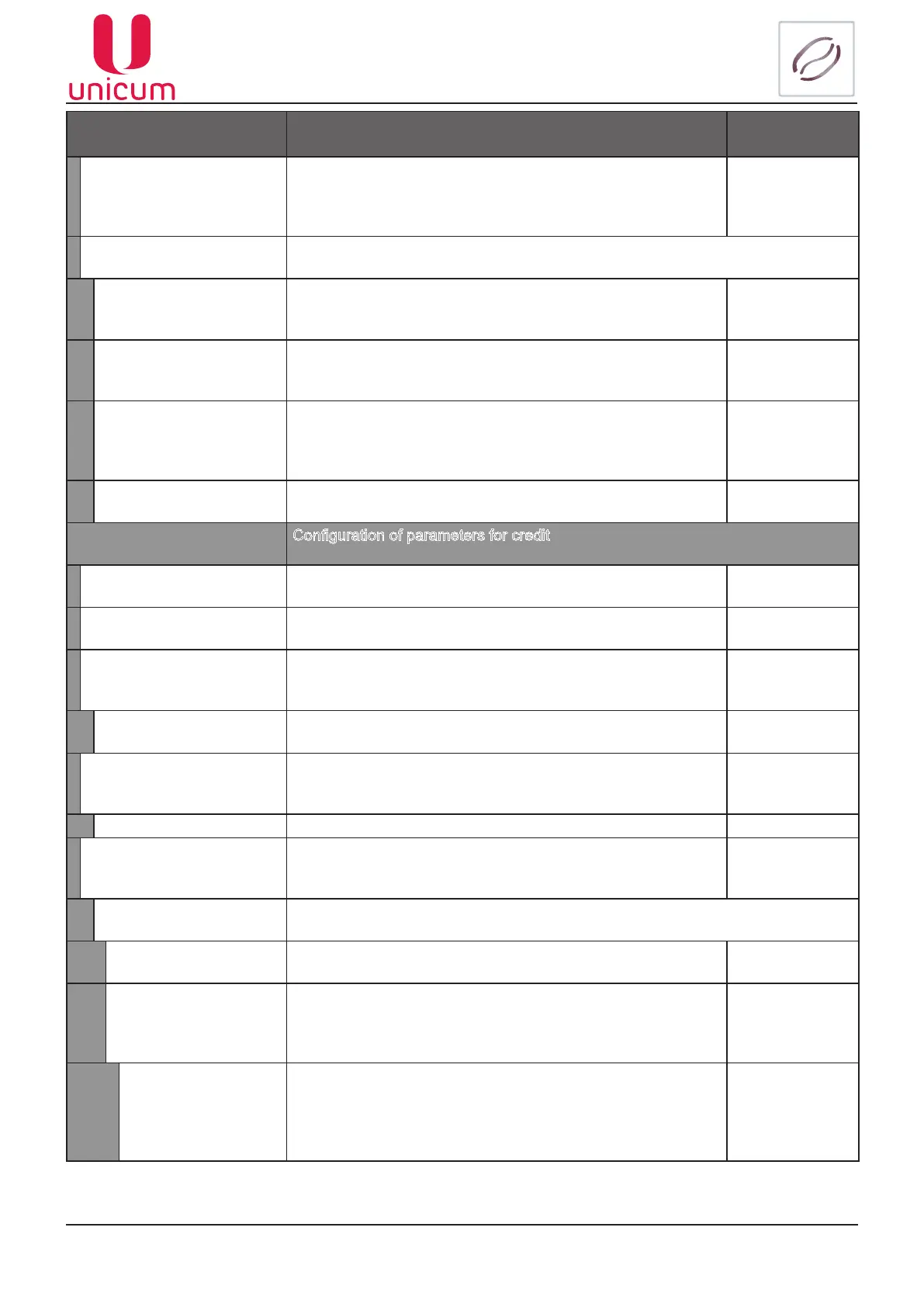
Sub-menu Description Value
1.2.7.13 Single coin • YES – the amount of change is dispensed as per the set
algorithm (s.c.1.2.7.12) by sending commands in a se-
quence to the coin slot. This increases the time of dispens-
ing change, but reduces the chances of errors in calculation
Yes / No
1.2.7.14 MDB peripherals
Connection/disconnection of MDB devices
1.2.7.14.1
Disable change giver
Connection/disconnection of coin slot. If the coin slot is installed
you must select NO, otherwise select YES
Yes / No
1.2.7.14.2
Disable bill valid.
Connection/disconnection of Bank Note Acceptor (BNA). If the
BNA is installed you must select NO, otherwise select YES
Yes / No
1.2.7.14.3
Disable cashless
Connection/disconnection of card reader for contact less cards
(smart cards).
If the card reader is installed you must select NO, otherwise
select YES
Yes / No
1.2.7.14.4
Disable cashless 2
Connection/disconnection of card reader 2 for smart cards. If it
is installed you must select NO otherwise select YES
Yes / No
1.2.8 Cash option
Conguration of parameters for credit
1.2.8.1 Max. credit Maximum amount of acceptable deposit Enter amount
1.2.8.2 Max. change Maximum amount of change that a customer can get for each
transaction
Enter amount
1.2.8.3 Coin all enabled
• YES – accept coins of all denominations. If restricted, you
can set criteria for acceptable coins (16 coins) according to
denominations
No
Yes - to sub-
menu
1.2.8.3.1 Coin Type Coin selection (0-15) and entering its value
1.2.8.4 Bill all enabled • YES accept all denominations of banknotes. If restricted
you can separately congure acceptability for each type of
banknote according to denomination
No
Yes - to sub-
menu
1.2.8.4.1 Bill type
Selection of banknotes (0…15) and entering their values/prices 0..15
1.2.8.5 Tokens
Token conguration No
Yes - to sub-
menu
1.2.8.5.1 Token 1 Congurations for Token 1
1.2.8.5.1.1 Enable Allow/restrict the use of tokens Yes / No
1.2.8.5.1.2 Free vend
• NO – the Machine will recognize the token as a coin (de-
nomination)
• YES – the Machine will recognize the token without any de-
nomination
No
Yes - to sub-
menu
1.2.8.5.1.2.1
Max. price
(YES s.c.1.2.8.5.1.2)
Value
(NO s.c.1.2.8.5.1.2)
• Maximum price for free tokens: If the price of the product is
higher than the indicated price of the token the sale will not
be executed
• Value – For paid tokens you have a denomination of the
token
Number



 To Next Page