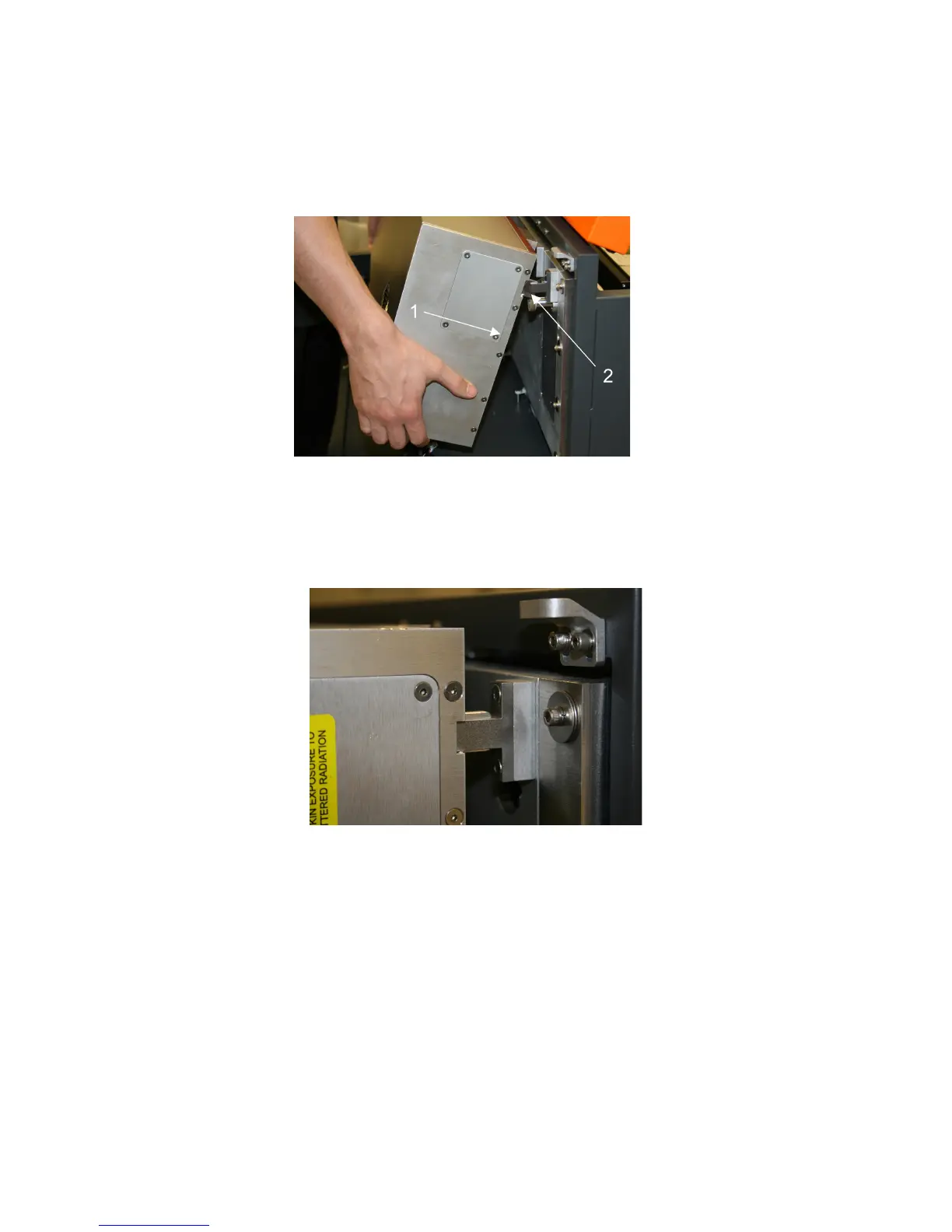
4. IMPORTANT: The fiber laser cartridge weighs 32 lbs. Use caution when installing it. Pick up the laser
cartridge by the ends and tilt it at a 30° angle as shown (1). Mount the cartridge onto the mounting blocks
shown in step 2 by placing the upper “V” groove on top of the mounting blocks. Slide the cartridge to the
right until the outer edge (2) of the alignment plate contacts the inside edge of the tall block of the
alignment fork.
5. Slowly rotate the laser cartridge down into place, making sure that the alignment plate is centered in the
groove in the alignment fork. The laser should click onto the spring loaded laser catch shown in step 2 to
lock it in place. Never force the laser onto the laser latch. If the laser does not install smoothly, check for
obstructions such as pinched wires or hoses or a binding laser latch. Once installed, verify that the
alignment plate is centered within the alignment fork.
37



 To Next Page